Просмотр новости
Найдите то, что Вас интересует
 Спутники
 РН
РН SpaceX
 Роскосмос
 NASA
NASA
СпутникиРНSpaceXРоскосмосNASASelect the Realtime API provider and models that best f [...]
The post Choose OpenAI or xAI Grok to Power 3CX AI Agents appeared first on 3CX.


V20 Update 10 gives Admins more choice when configuring 3CX AI Agents, with support for both OpenAI and xAI Grok as Realtime API providers.
Choose the provider you want to use for live AI calls and configure the corresponding realtime and text models. Each provider uses its own API credentials and pricing, giving Admins more flexibility over their AI setup.
Only one Realtime API provider can be active on the PBX at a time. Read on to see how the two options work and what to check before switching provider.
Choose Your AI Provider and Models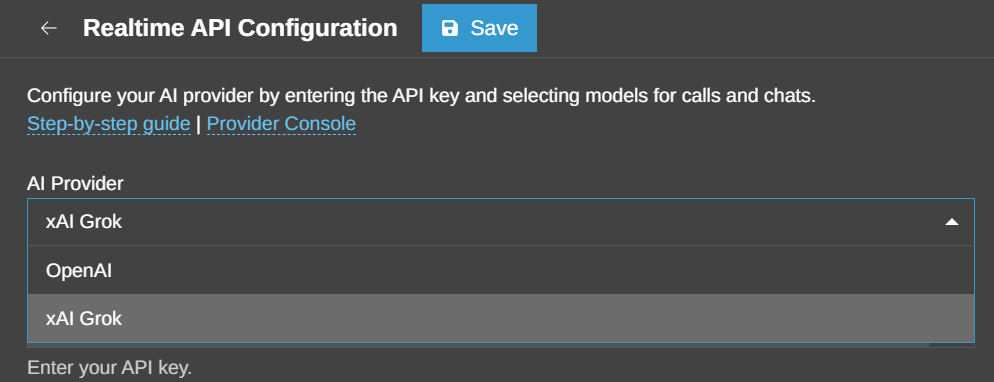
You can find the option to switch between OpenAI and xAI under the Admin > Integrations > AI > Realtime API button.
OpenAIWith OpenAI selected, Admins can choose separate models for realtime calls and text-based interactions.
Realtime models handle the live conversation, including listening, reasoning and responding during the call. Text models are used for text-based AI interactions such as 3CX Chat.
Current options include realtime models such as gpt-realtime-2.1 and gpt-realtime-2, together with text models including gpt-5.6-sol and gpt-5.6-terra.
OpenAI requires an API key. See Configuring OpenAI for 3CX AI Agents for the full setup.
xAI GrokWith xAI selected, grok-voice-think-fast-2.0 is available for realtime voice, while grok-4.6 and grok-4.5 can be used for text. xAI requires the following:
See Configuring xAI Grok for 3CX AI Agents for setup instructions. Model availability can change as providers update or retire models, so use the models recommended for your installed 3CX version. This is also how the existing U10 material positions provider selection.
Check Your AI Agents Before Switching Provider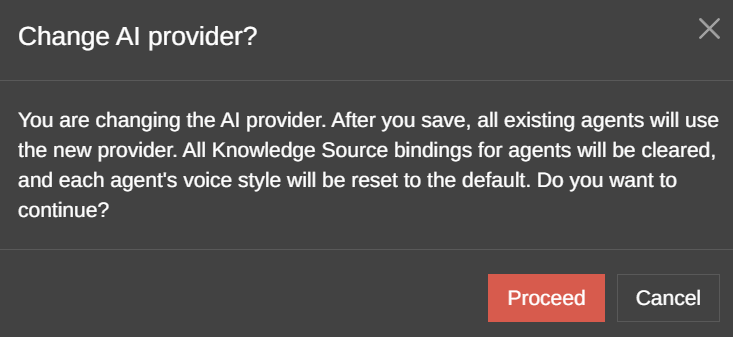
Switching between AI providers is considered to be a major system change. It comes with a warning dialogue as it affects the workings of existing AI agents and requires reconfiguring certain agent settings again for all agents.
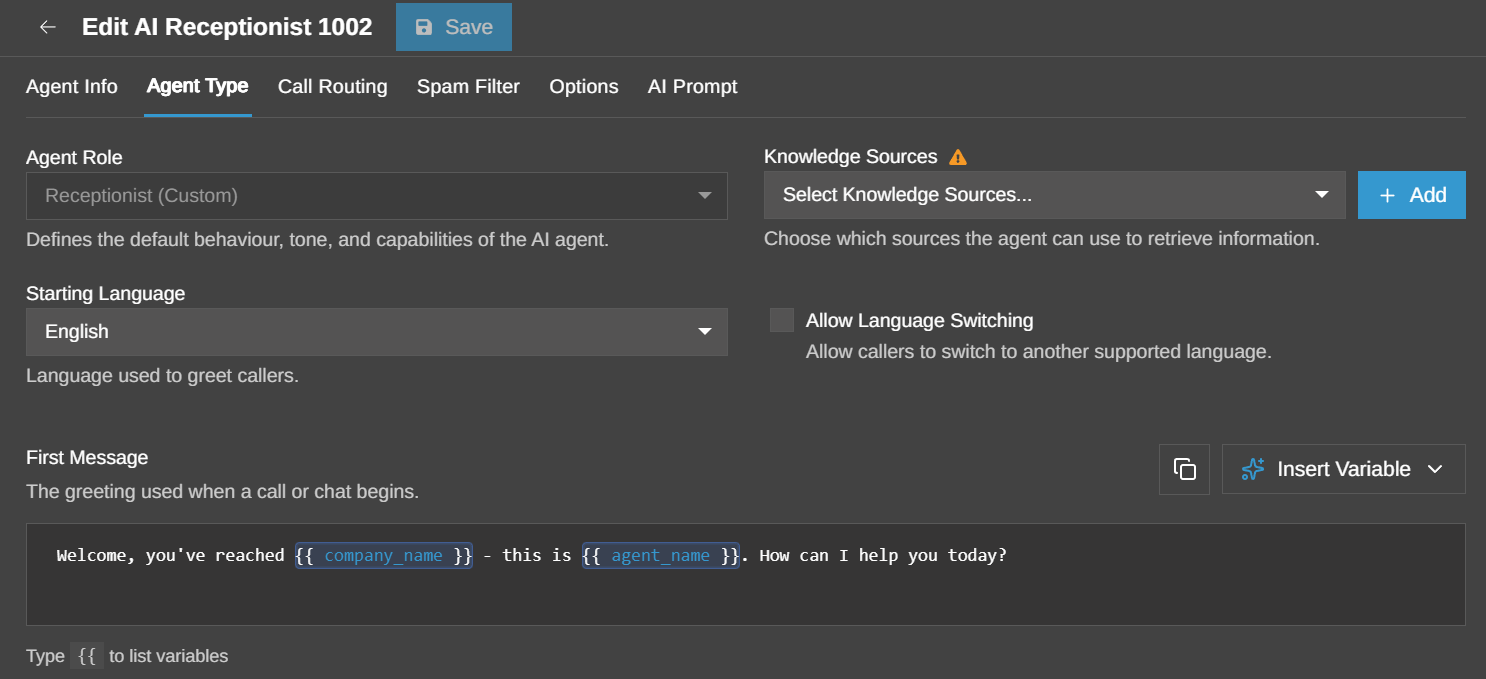
When switching provider:
This is particularly important for Agents that already rely on provider-hosted Knowledge Sources or a specific voice configuration.
Once the new provider is configured, review the affected AI Agents, select the appropriate Knowledge Sources and voice and test the Agent before using it for live customer calls.
Join the DiscussionJoin the 3CX discussion in our dedicated Partner or Customer Forums. Follow us on X and LinkedIn to stay-up-to date on latest news and feature releases.
| # | Наименование новости | Тональность | Информативность | Дата публикации |
|---|---|---|---|---|
| 1 | Turn 3CX Call Transcripts into AI Agent Knowledge | 0 | 4.7 | 15-09-2026 |
| 2 | 3CX Backup & Recovery: Be Ready Before You Need It | 0 | 7.77 | 14-09-2026 |
| 3 | Use 3CX Trials to Build, Test and Convert Customer Systems | 0 | 3.99 | 21-09-2026 |
| 4 | 3CX Licensing: Size the System, Not the User Count | 0 | 4.98 | 25-09-2026 |
| 5 | Manage 3CX Browser and PWA Permissions Centrally | 0 | 5.38 | 24-09-2026 |
| 6 | 3CX Android V5.8 BETA: Queue Management & Outbound Number Choice | 0 | 7.37 | 22-09-2026 |
| 7 | 3CX Extends Push Expiry From 7 to 14 Days | 0 | 14.01 | 18-09-2026 |
| 8 | Watch! What’s New in 3CX V20 Update 10 Alpha 2 | 0 | 11.85 | 16-09-2026 |
| 9 | xAI запустит в Сальвадоре образовательную программу для базе Grok | 0 | 6.65 | 14-12-2025 |
| 10 | Opinion: Why dismissing AI doom talk as hype may be the laziest take | 0 | 7.49 | 15-09-2026 |