Просмотр новости
Найдите то, что Вас интересует
 Спутники
 РН
РН SpaceX
 Роскосмос
 NASA
NASA
СпутникиРНSpaceXРоскосмосNASATable of Contents What is included in this blog post ? This is Part 6 of the “Postgres for Oracle DBAs” series where we compare ‘parameter changes’. We covered 1) Default tablespaces 2) Executing sql scripts 3) Shutdown modes 4) Startup modes 5) alert log vs postgres log 6) Pg_dump Vs Datapump backups 7) Pg_restore […]
The post Postgres for Oracle DBAs – Parameter Changes first appeared on KloudDB.
Postgres for Oracle DBAs – Parameter Changes appeared first on MariaDB.org
This is Part 6 of the “Postgres for Oracle DBAs” series where we compare ‘parameter changes’. We covered 1) Default tablespaces 2) Executing sql scripts 3) Shutdown modes 4) Startup modes 5) alert log vs postgres log 6) Pg_dump Vs Datapump backups 7) Pg_restore Vs impdp in part 1 ,2,3,4 and 5
SPFILE and PFILE - What is equivalent in Postgres ?In Oracle world there are two different files associated with param changes – SPFILE and PFILE . PFILE is a text file and can be edited with an editor like vi and SPFILE is a binary file . SPFILE allows dynamic changes in Oracle
In postgres we have two files associated with parameter changes – postgresql.conf and postgresql.auto.conf . We generally edit postgresql.conf to make permanent changes and use ALTER SYSTEM for dynamic changes followed by a pg_reload_conf() . Any changes made by ALTER SYSTEM are written to postgresql.auto.conf
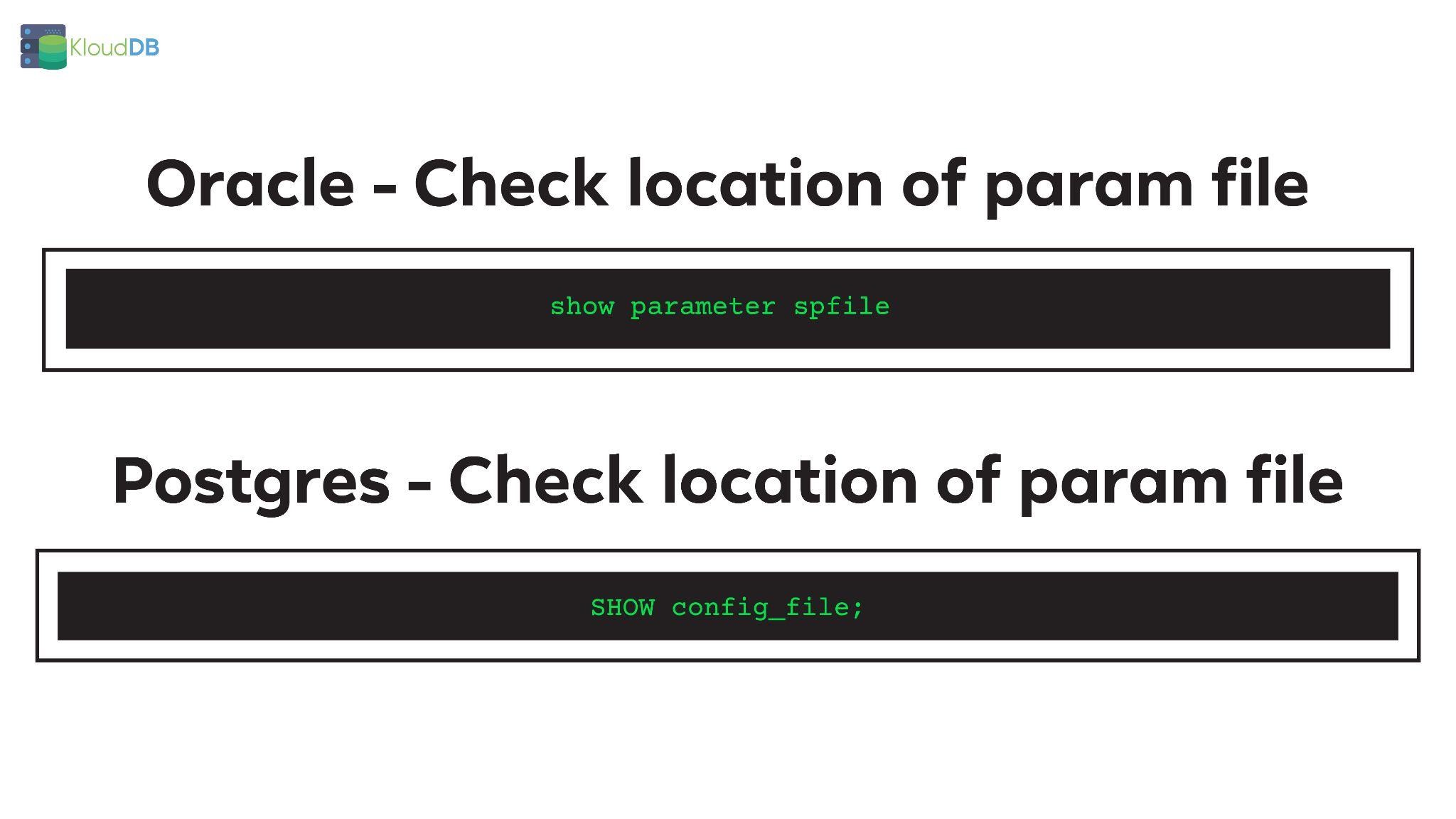
In Oracle you can check the location of param file using a command like below(if you are using spfile)
show parameter spfile ;
In Postgres you can check the location of param file using a command like below
SHOW config_file;
Below is the comparison diagram (for quick reference)
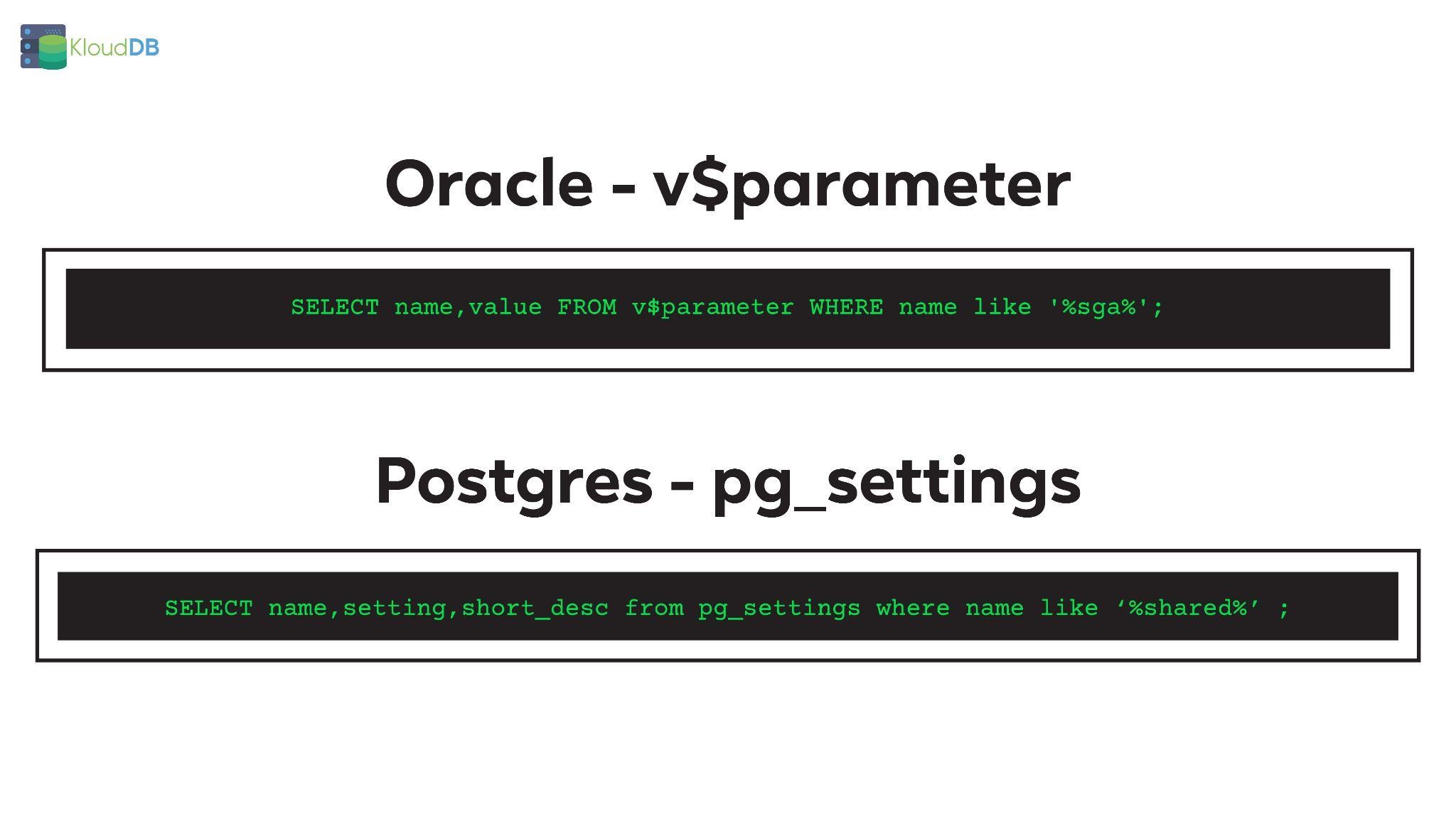
In Oracle we generally use v$parameter to check the value of a parameter and its properties . Pg_settings is the equivalent in Postgres
In Oracle you can check the value of a parameter using a command like below
SELECT name,value FROM v$parameter WHERE name like ‘%sga%’;
In Postgres you can check the value of a parameter using a command like below
SELECT name,setting,short_desc from pg_settings where name like ‘%shared%’ ;
Below is the comparison diagram (for quick reference)
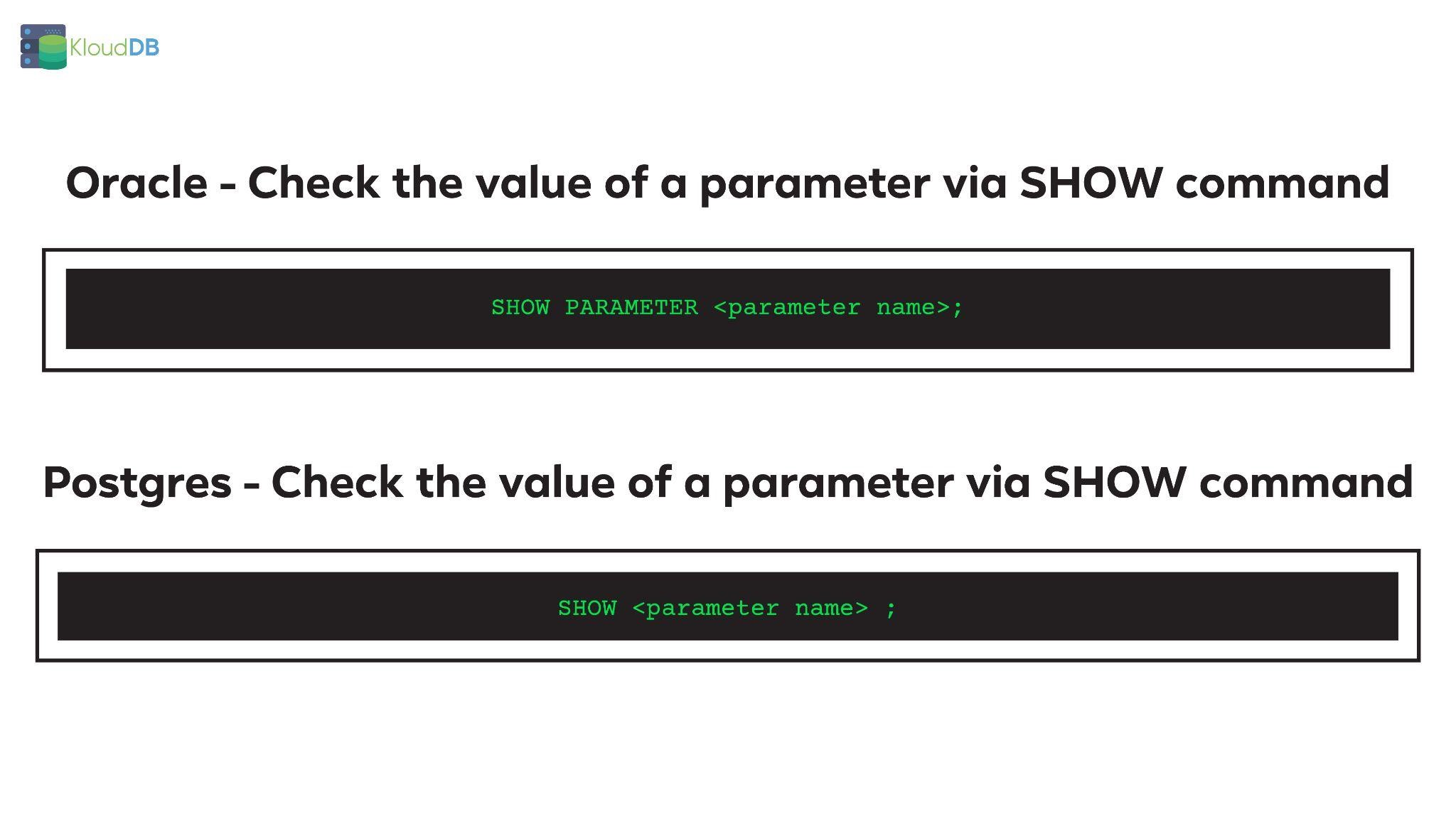
We can also use show commands to check the value for a particular parameter
In Oracle you can use a command like below to check param value(Below command would check for parameters that contain ‘sga’ in their name)
SHOW PARAMETER <parameter name>;
In Postgres you can use a command like below to check a parameter
SHOW <parameter name> ;
Below is the comparison diagram (for quick reference)
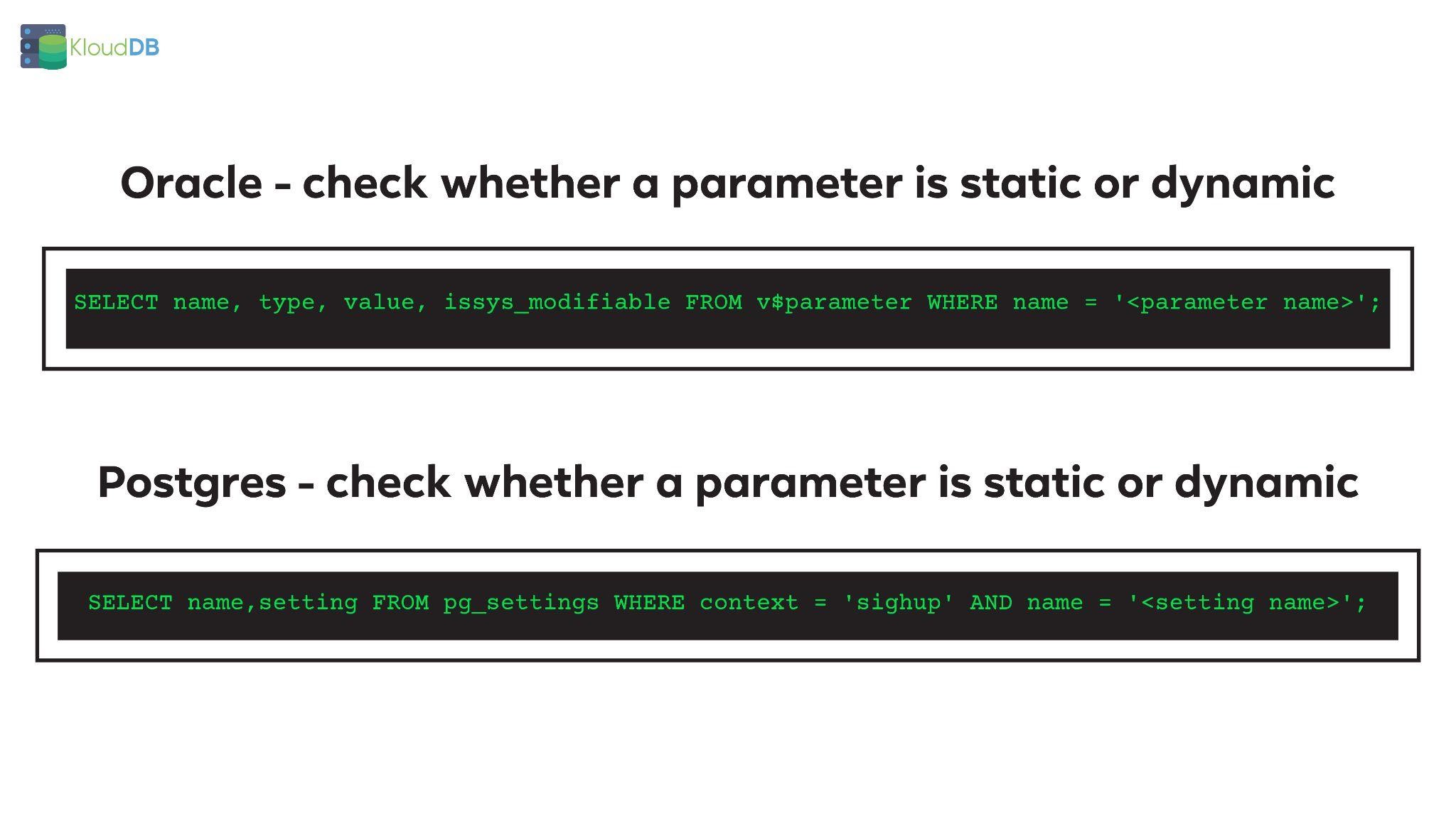
In Oracle you can use a command like below to check whether a parameter is dynamic or static . If ISYSYS_MODIFIABLE is set to IMMEDIATE it indicates that this parameter can be changed dynamically
SELECT name, type, value, issys_modifiable FROM v$parameter WHERE name = ‘<parameter name>’;
In Postgres you can check the same using a command like below
SELECT name,setting FROM pg_settings WHERE context = ‘postmaster’ AND name = ‘<setting name>’;
When the context is postmaster for a particular parameter it needs a restart . Other context values like sighup,superuser,etc.. can be changed dynamically . Please check https://www.postgresql.org/docs/14/view-pg-settings.html for different types of context
Below is the comparison diagram (for quick reference)
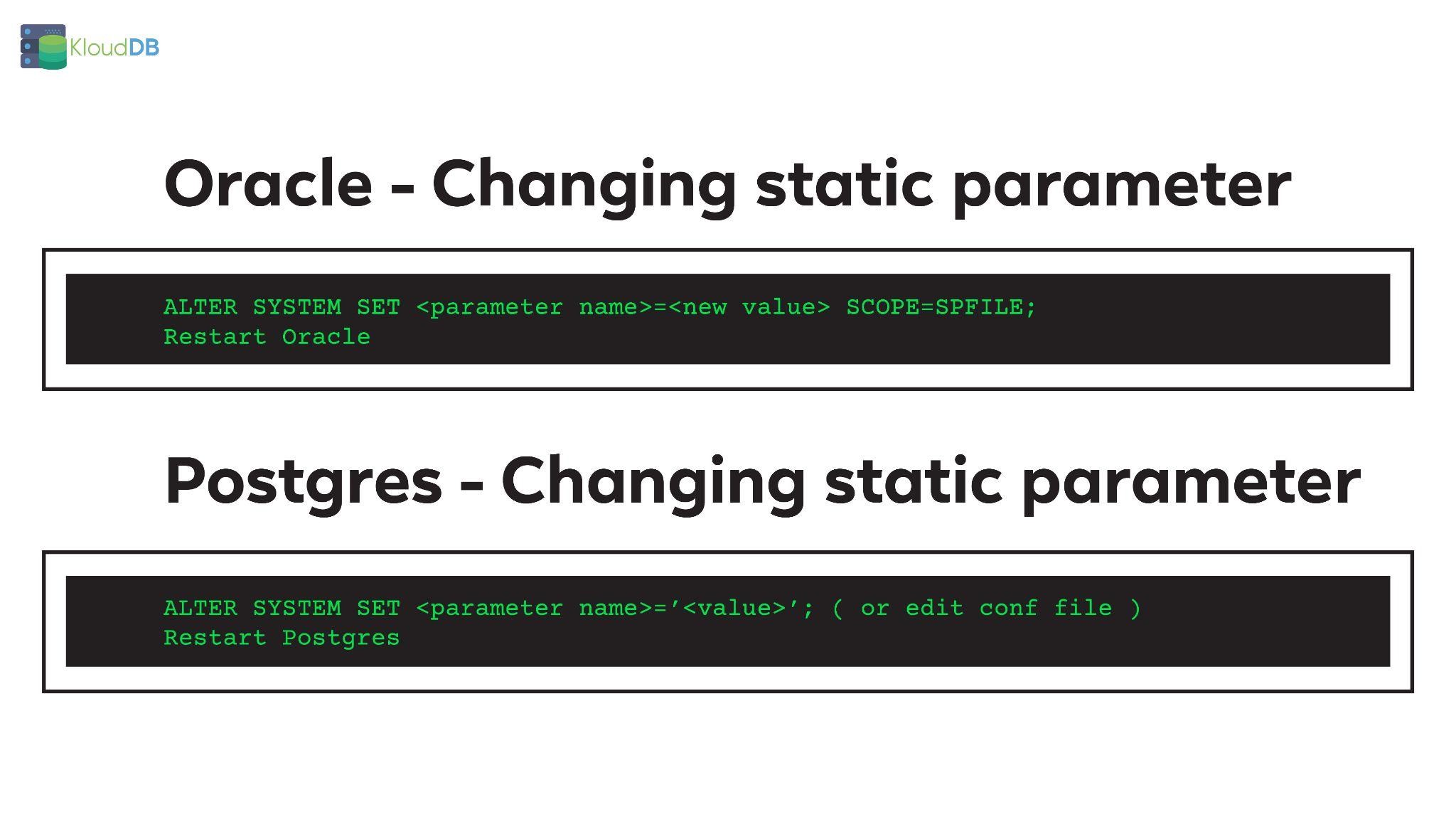
In Oracle you need to run a command like below followed by a restart –
ALTER SYSTEM SET <parameter name>=<new value> SCOPE=SPFILE;
Restart Oracle
In Postgres you can run a command like below followed by a restart . You can also directly edit the conf file and restart postgres
ALTER SYSTEM SET <parameter name>=’<value>’;
Restart Postgres
Below is the comparison diagram (for quick reference)
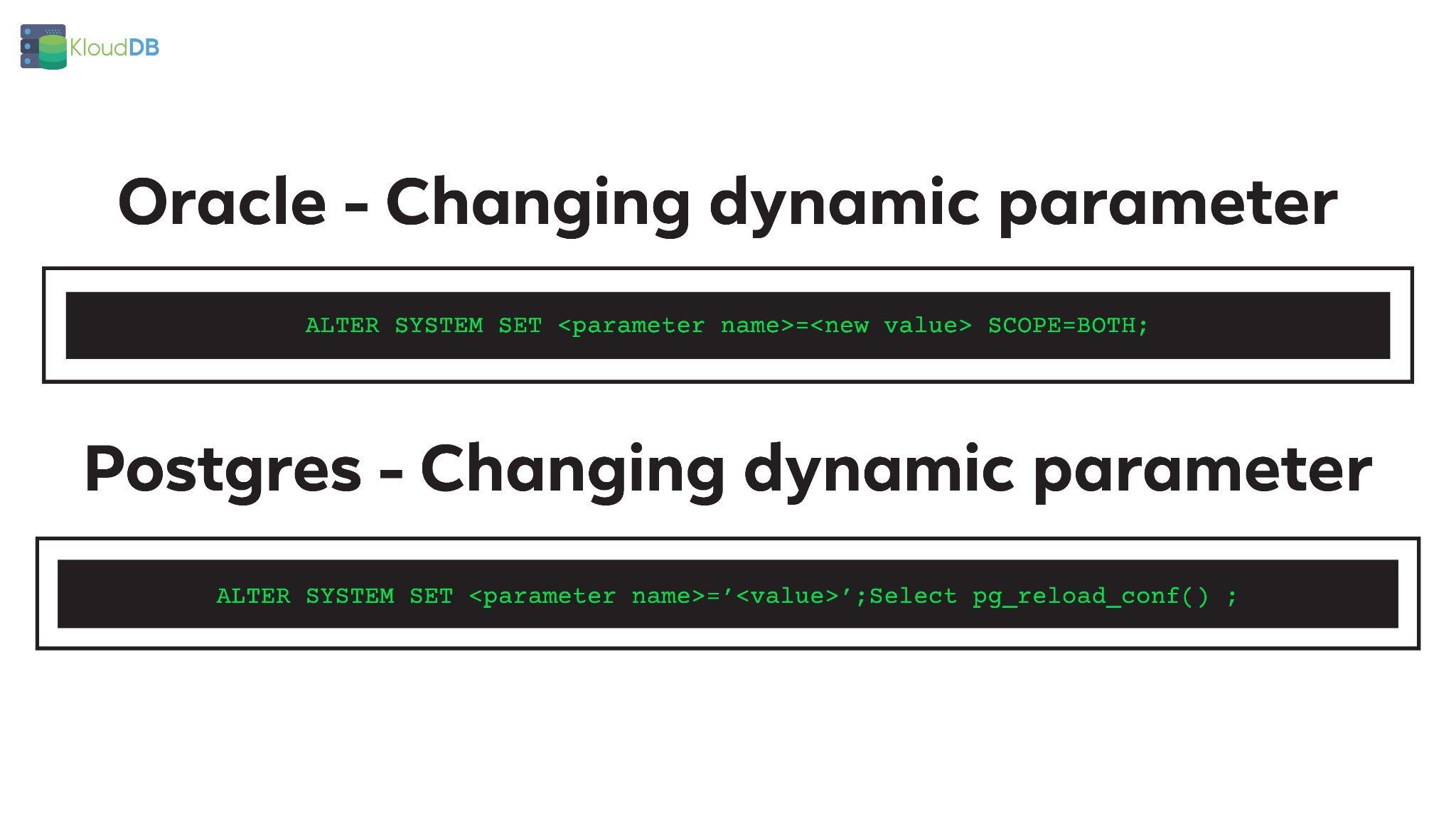
In Oracle you need to run a command to change dynamic parameter (note – you can also use scope=memory for dynamic changes depending on your use case)
ALTER SYSTEM SET <parameter name>=<new value> SCOPE=BOTH;
In Postgres you can run a command like below to change dynamic parameter. NOTE – After you run ALTER SYSTEM , a reload of config is needed to change
ALTER SYSTEM SET <parameter name>=’<value>’;
Select pg_reload_conf() ;
Below is the comparison diagram (for quick reference)
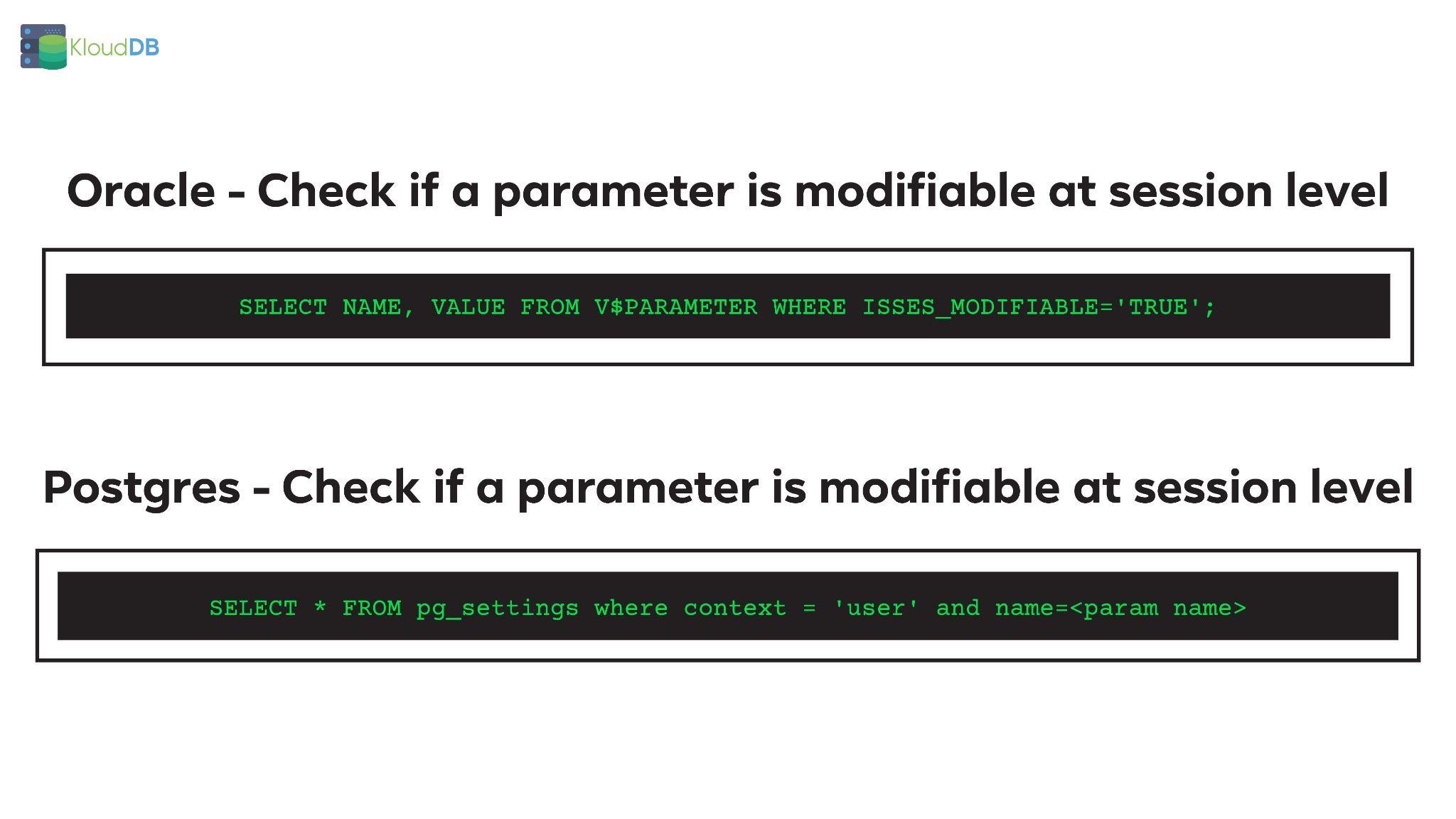
In Oracle you can use ALTER SESSION command to modify a parameter at session level . Not all params are modifiable at session level . You can use a command like below to know if some param is modifiable at session level
SELECT NAME, VALUE FROM V$PARAMETER WHERE ISSES_MODIFIABLE=’TRUE’;
In Postgres you can use below command to check if a particular parameter can be modified at session level
SELECT * FROM pg_settings where context = ‘user’ and name=<param name>
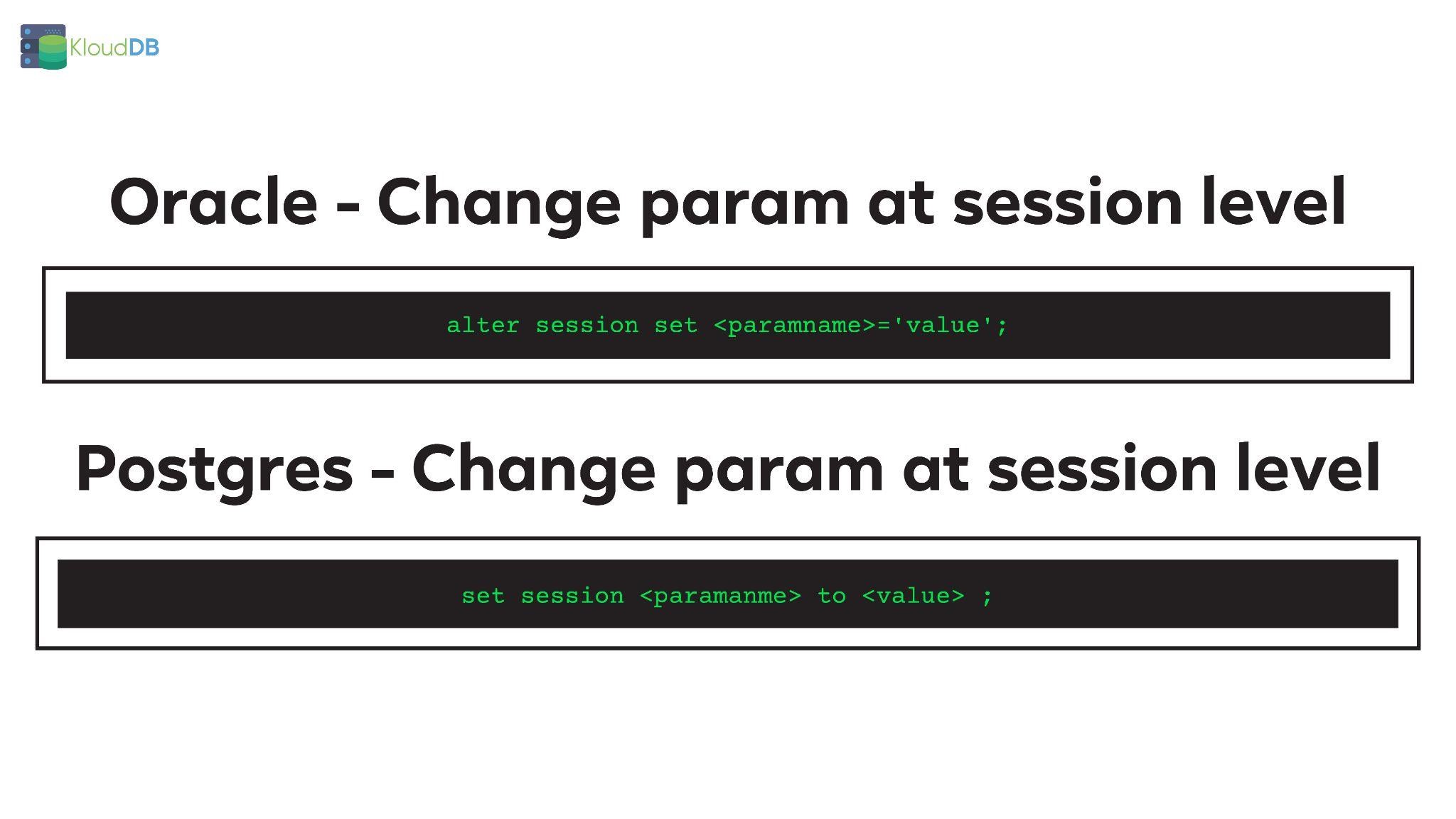
You can make a session level change in oracle using below command
alter session set <paramname>=’value’;
In Postgres you can achieve the same using a command like below
set session <paramanme> to <value> ;
In Postgres you can make parameter changes at different levels – Cluster level , DB level , User level , Session etc.. (Example below)
Cluster level :
ALTER SYSTEM SET work_mem TO ‘128MB’;
Database level :
ALTER DATABASE database_name SET work_mem TO ‘128MB’;
User level :
ALTER ROLE user_name SET work_mem TO ’64MB’;
Transaction level:
BEGIN;
SET LOCAL work_mem TO ’64MB’;
In Postgres you need to change default values for multiple parameters – depending on your workload and use case . Below are some params that are changed during build time (Only a sample list – not complete list)
Shared_buffers
Max_connections
Log_line_prefix
Work_mem
More..
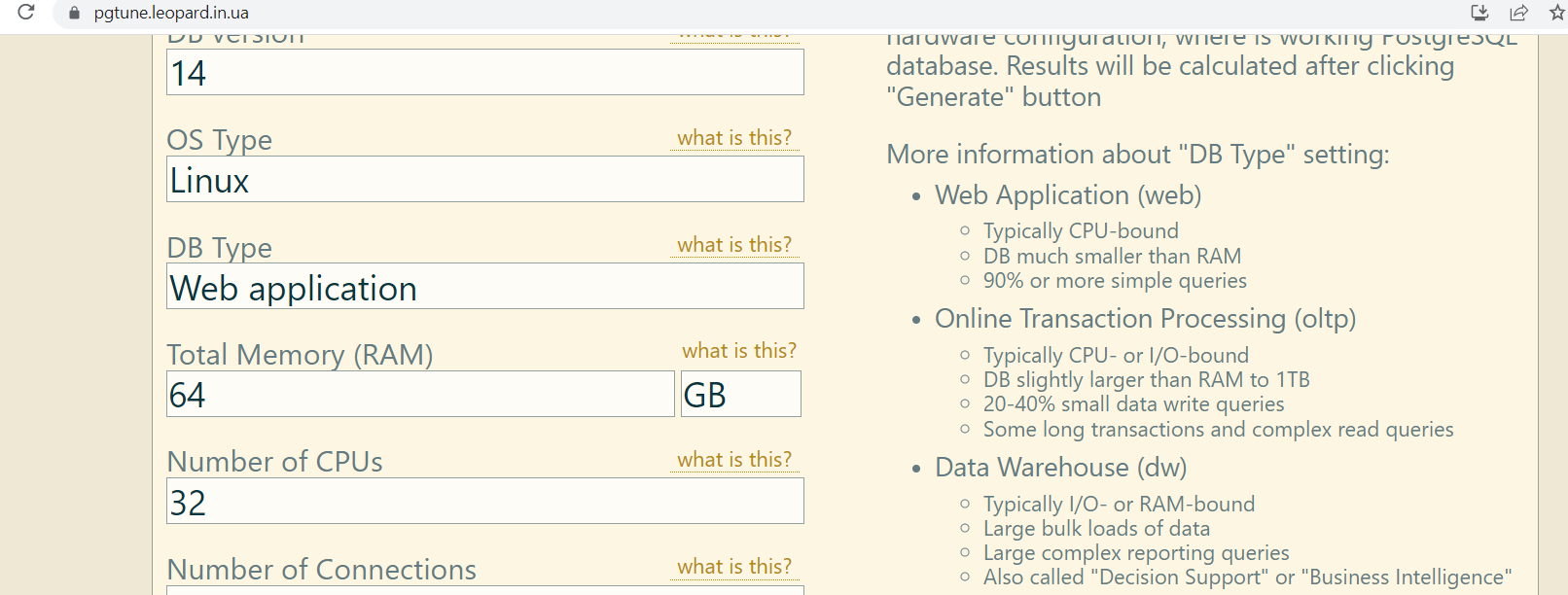
You can use a third party tool like PGTUNE to arrive at your values https://pgtune.leopard.in.ua/
In PG world people generally use one or more extensions . You need to modify the parameter shared_preload_libraries during your build time to avoid unnecessary restart issues in the future
For example if you are using timescaledb and pg_stat_statements, you can change shared_preload_libraries as shown below
shared_preload_libraries=’pg_stat_statements,timescaledb’
Tools like Pgtune and Cybertec configurator can help in calculating values for your usecase . But please dont rely on these tools blindly – Please benchmark for your usecase and determine the final values https://pgconfigurator.cybertec-postgresql.com/ and https://pgtune.leopard.in.ua/ are the URLs for these utilities
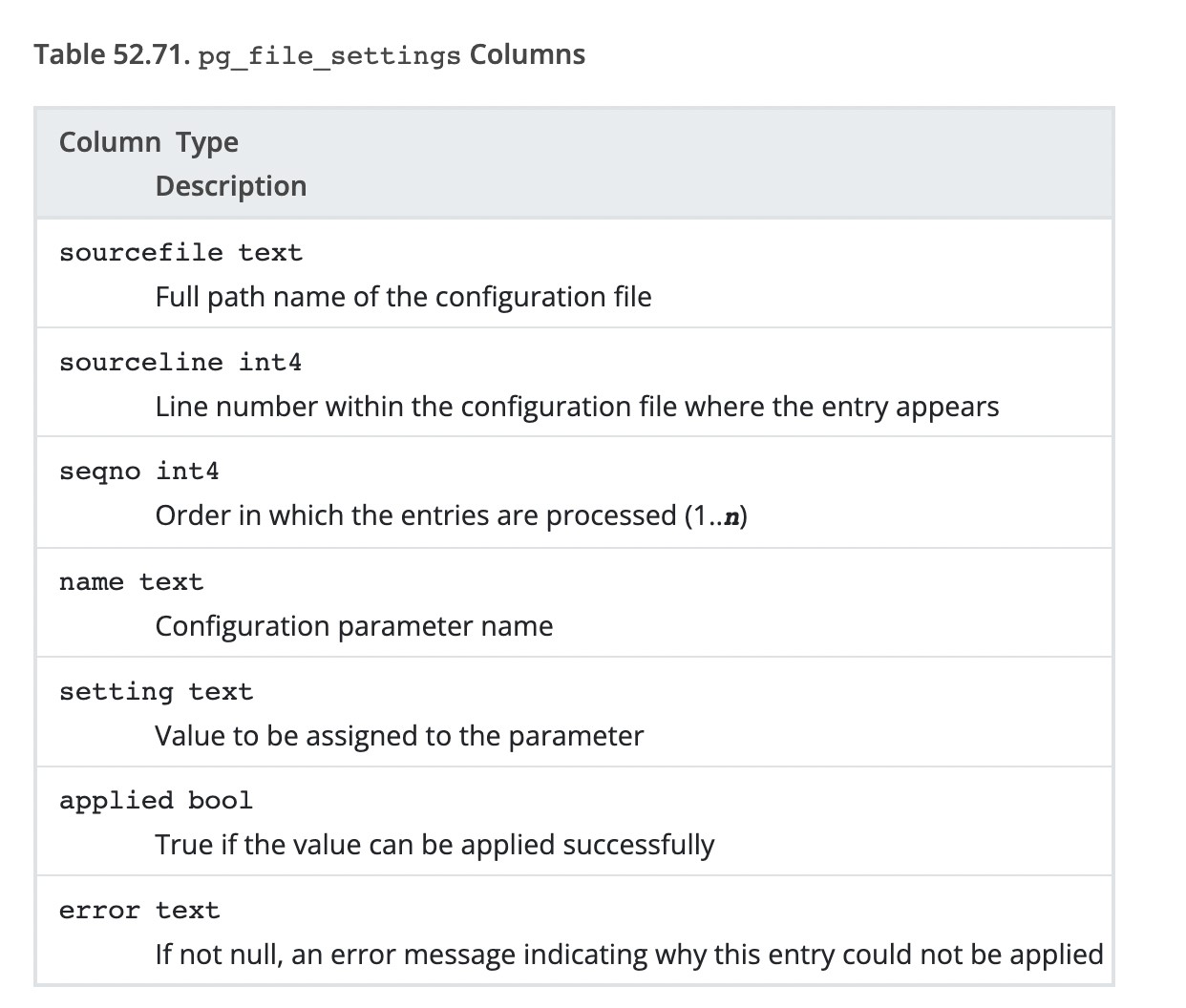
In previous sections we saw how pg_settings view can be used to check the value of a parameter , check whether a parameter is static/dynamic ,.. What is the significance of pg_file_settings then ?
Listed below are the columns in pg_file_settings. This can prove to be quite useful when
1) you have multiple config files(using include) , you can quickly check the contents of all files at one place 2) Detect syntax errors in config file (invalid parameter , incorrect setting etc..)
In addition to the postgres config changes , you may want to optimize kernel settings to suit your workloads(below are sample list – not a complete list)
swappiness
Overcommit_memory
Hugepages settings
Dirty_ratio
Shared memory segment related settings
File system mount options
etc..
In part 6 of the series “Postgres for Oracle DBAs” we compared “parameter changes”. Also check our performance articles –Pg_fincore and pg_buffercache to troubleshoot performance issues , Pgbouncer multiple instances(How we increased our TPS using multiple instances) , Postgres and temporary files , Pgpool and performance tuning, How we improved Lambda performance by 130x etc..
Want to learn Postgres ? Register for webinar (link on homepage)
Looking for Postgres support ? Please reach us at support@klouddb.io
| # | Наименование новости | Тональность | Информативность | Дата публикации |
|---|---|---|---|---|
| 1 | Postgres for Oracle DBAs – impdp Vs Pg_restore | 0 | 6.92 | 01-03-2023 |
| 2 | Postgres INT out of range – What to do ? | 0 | 3.48 | 03-08-2023 |
| 3 | Learn PostgreSQL and SQL Quickly and Free | 0 | 3.51 | 20-05-2024 |
| 4 | Migrate from Oracle to Amazon RDS for MySQL, MariaDB or Amazon Aurora MySQL using Oracle GoldenGate | 0 | 4.53 | 03-11-2023 |
| 5 | PostgreSQL Autovacuum Internals and Benchmark | 0 | 4.74 | 01-07-2026 |
| 6 | A thread through my 2025 Postgres events | 0 | 7.52 | 10-11-2025 |
| 7 | Oracle Exadata Cost Optimization: Migrating to an Open Source Data Infrastructure Stack Without Compromising Performance, Scalability, Availability, or Reliability | 0 | 7.93 | 24-08-2026 |
| 8 | Why PostgreSQL needs an AI usage policy | 0 | 6.85 | 26-06-2026 |
| 9 | CIS Benchmarks for Postgres – KloudDBShield 1.1 | 0 | 11.62 | 28-02-2023 |
| 10 | TDE performance in PostgreSQL | 0 | 5.98 | 20-07-2026 |