Просмотр новости
Найдите то, что Вас интересует
 Спутники
 РН
РН SpaceX
 Роскосмос
 NASA
NASA
СпутникиРНSpaceXРоскосмосNASACompare the best Industry 4.0 tools for IoT, edge computing, and automation. Discover features, use cases, and how to choose the right platform
Most manufacturers don't fail at Industry 4.0 because of bad technology but because they picked the right tool for the wrong problem.
An analytics platform won't help you manage 300 edge devices. An edge management tool won't give you OEE visibility. And no amount of implementation budget fixes a mismatch between what a platform does and what your operation actually needs.
This guide gives you a straight comparison of the 5 best Industry 4.0 tools for smart manufacturing in 2026, with honest feature breakdowns, real user reviews, and a clear answer to which platform fits your operation.
| Tool | Best for | Standout Feature | Starting Price | G2 rating |
|---|---|---|---|---|
| Portainer | Industrial edge and container management | Controlled rollout and rollback of software updates across IIoT edge device fleets | Custom quote | 4.8/5 [web:36] |
| Siemens Insights Hub | IIoT analytics and asset performance monitoring | Native integration with Siemens automation hardware for real-time OEE and predictive maintenance | Custom quote | 4.6/5 [web:40] |
| PTC ThingWorx | Building custom industrial IoT applications | Low-code IIoT app development with native AR capabilities via Vuforia | Custom quote | 3.9/5 |
| Tulip | No-code frontline operations and operator guidance | Drag-and-drop app builder deployable on the shop floor in hours, no coding required | From $100/month (Essentials) | 4.5/5 |
| Rockwell FactoryTalk | Plants running Allen-Bradley and Rockwell hardware | Deep native integration across HMI, MES, and IIoT within the Rockwell ecosystem | Custom quote | - |
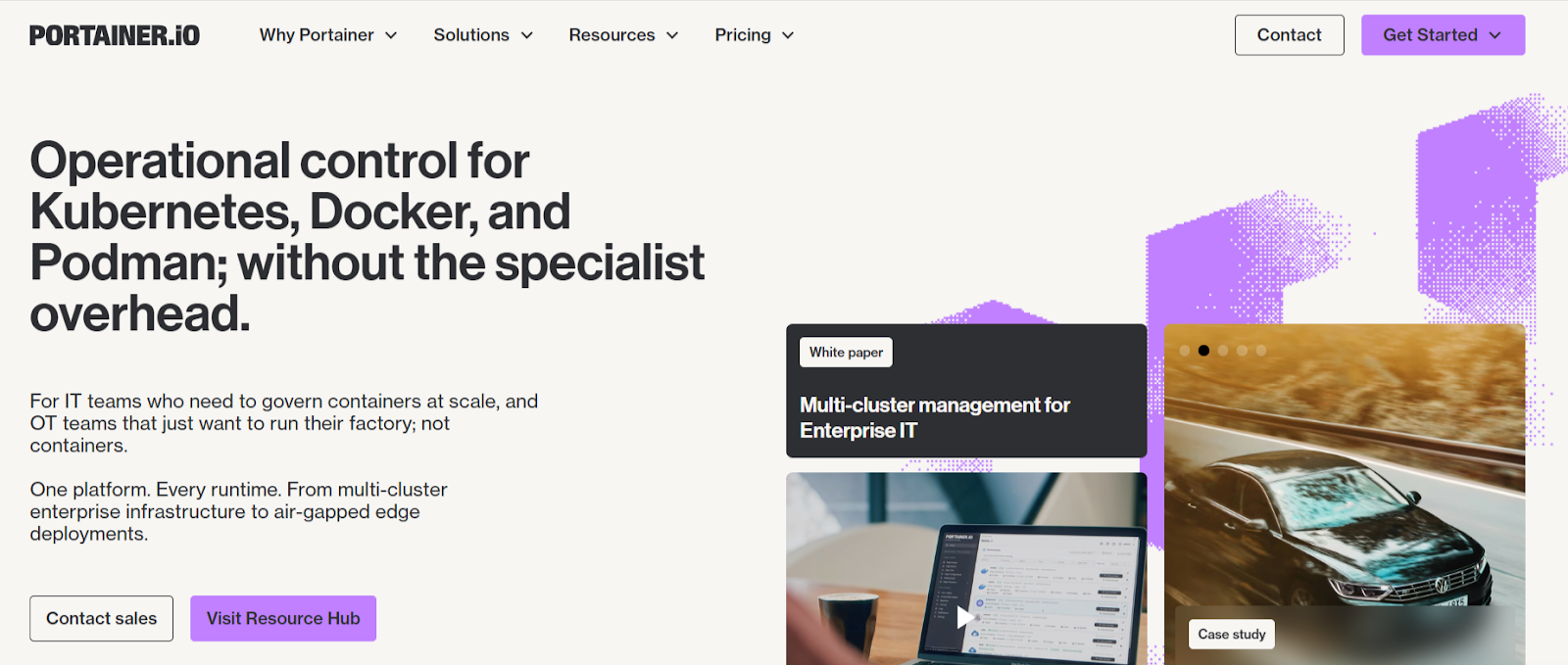
Portainer is a container and edge infrastructure management platform built for enterprises running software workloads across large fleets of industrial IoT devices.
Where most industry 4.0 software tools focus on data collection, Portainer focuses on what happens after deployment: controlling, updating, and managing containerized applications at scale, remotely, from a single interface.
Key FeaturesPortainer's edge management capabilities are built specifically for industrial environments where physical access to devices isn't practical.
Edge Groups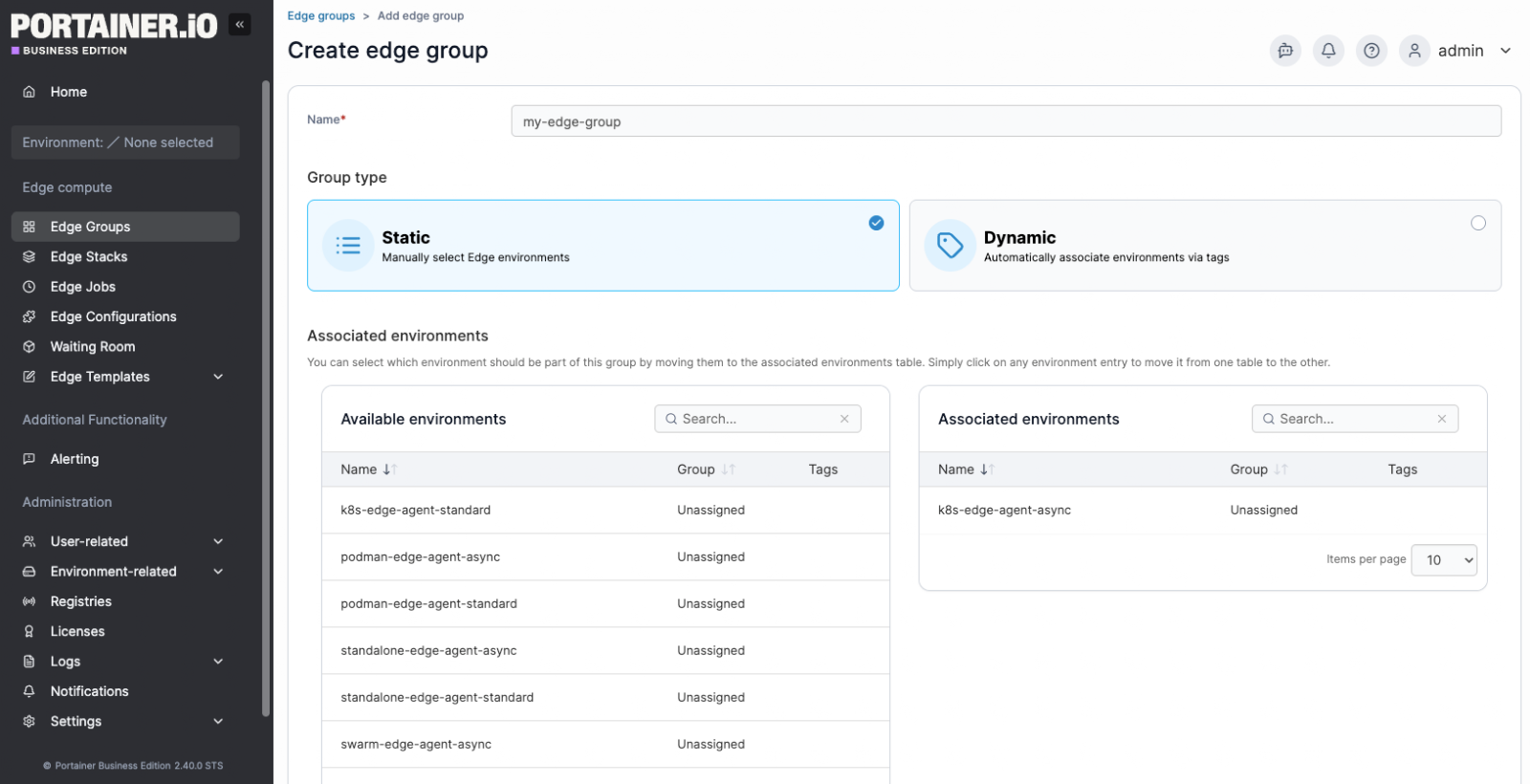
Edge Groups allows you to organize edge environments either by manually selecting them (Static) or by automatically associating them via tags (Dynamic).
For industrial deployments, this means grouping hundreds of factory-floor devices by site, production line, or function, then targeting those groups in a single action rather than targeting devices one by one. A firmware update that once required coordinating individual logins now becomes a single group-level operation.
Edge Stacks with Controlled Update Rollouts
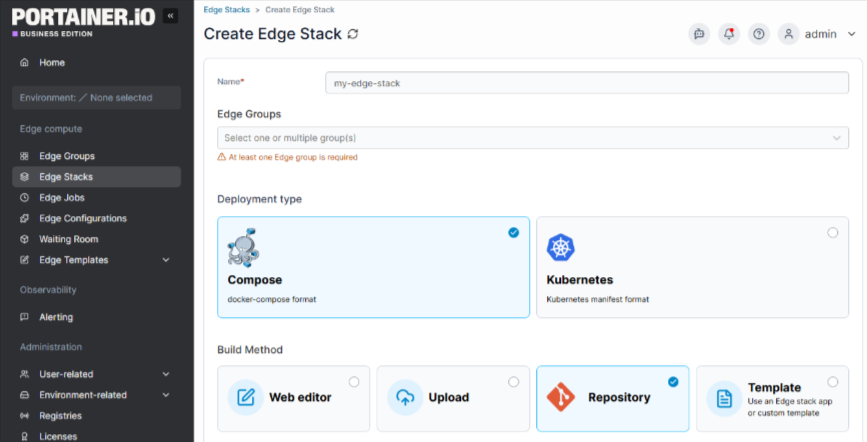
Edge Stacks deploys container workloads across edge groups, with Update Configurations controlling how those updates roll out across devices. Options include deploying to all devices at once, using parallel static group sizes, or an exponential rollout strategy. For example, starting with 5 devices, then 10, then 20.
Critically, if an update fails mid-rollout, you can set the failure action to Continue, Pause, or Rollback, preventing a bad update from cascading across an entire production environment.
Remote Update and Rollback
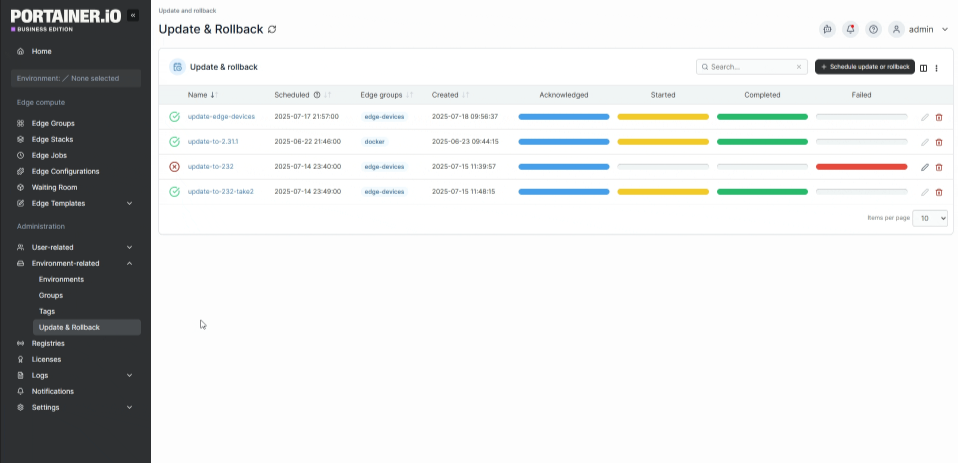
The Update & Rollback feature upgrades your Edge Agent deployments directly from Portainer, without requiring you to log into remote environments to update them manually.
You can schedule updates by edge group, select the target version, and set a date and time. If you need to reverse a change, the rollback scheduler lets you select the version to revert to and apply it across the relevant edge group.
For industrial facilities where physical access to edge devices is time-consuming or impossible, this capability alone removes a major operational bottleneck.
Role-Based Access Control (RBAC)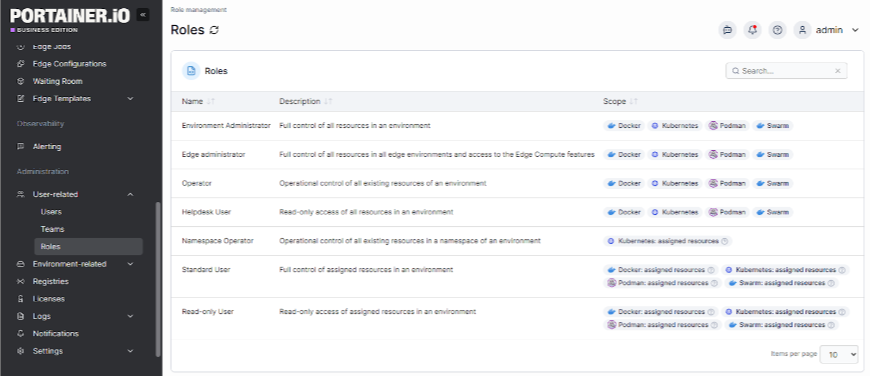
Portainer's RBAC system helps you assign specific roles, from Environment Administrator down to read-only Helpdesk, to individual users or entire teams, scoped to specific environments.
An OT engineer responsible for a single factory site has access only to that site's stacks and containers, nothing else. This matters in industrial deployments where a single Portainer instance spans multiple facilities, business units, or clients, and where an accidental change in the wrong environment can lead to production downtime.
PricingPortainer offers custom pricing options. You can also get an extended enterprise free trial with 15 nodes to test the platform on a larger environment for 45 days.
Where Portainer Shines"It's easy to manage all the stacks and containers, and the edge agent helps a lot!" Federico C.
"Portainer makes container management incredibly straightforward. The UI is clean and intuitive, saving a lot of time compared to manually managing Docker or Kubernetes via the CLI. It's easy to deploy, and we use it frequently for day-to-day container tasks. Setting up environments, managing stacks, and monitoring resource usage feels effortless. The role-based access control and team management features are also very handy in a collaborative setup." Bharath D.
Who Portainer Is Best ForBook a demo to see how Portainer helps enterprise teams collaborate confidently, deploy faster, and maintain control from core to edge.
Siemens Insights Hub: Best for IIoT Data Analytics and Asset Performance Monitoring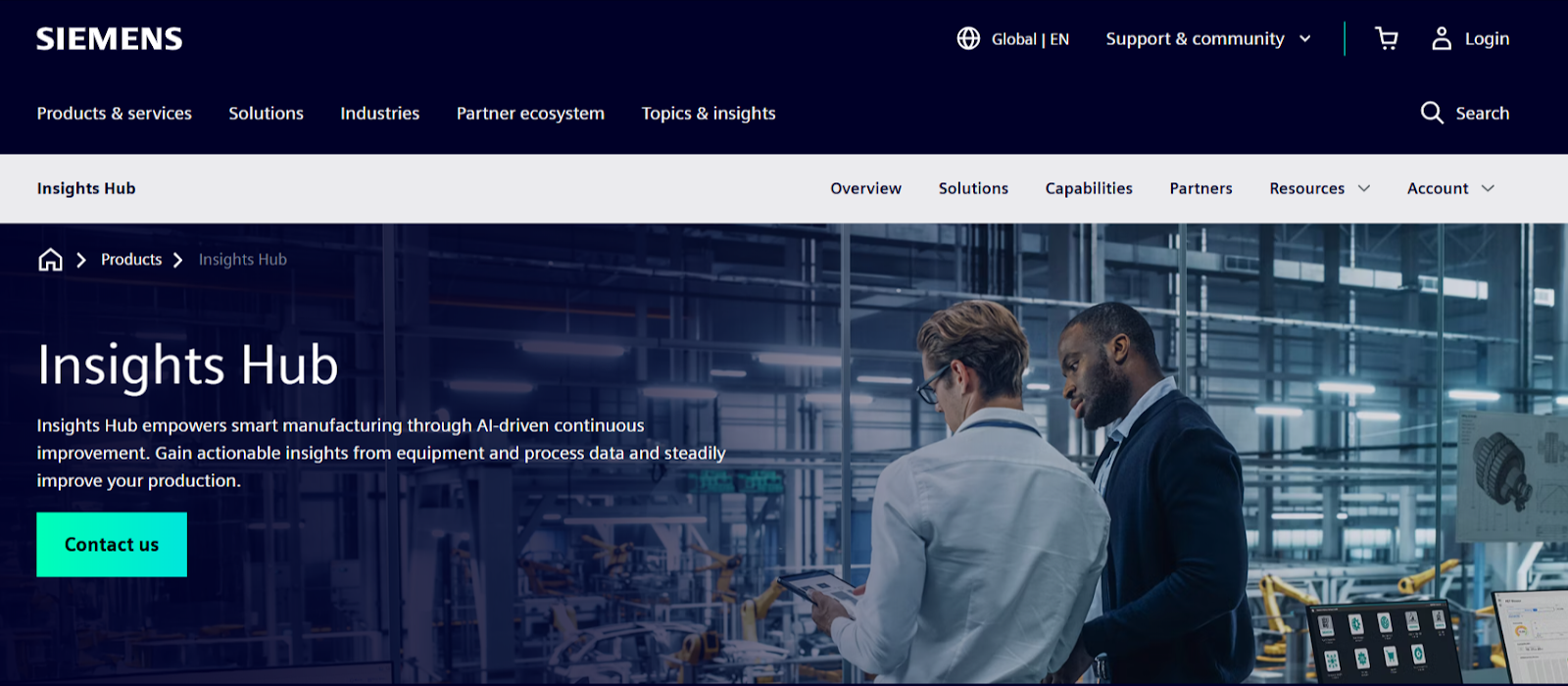
Siemens Insights Hub, formerly MindSphere, is Siemens' industrial IoT platform within the Industrial Operations X portfolio. It connects assets, collects operational data, and turns that data into actionable insights across production, quality, and maintenance processes.
Its core differentiator is the depth of its native integration with Siemens automation hardware, giving manufacturers running Siemens PLCs a faster path to real-time operational visibility than any third-party IIoT platform can offer.
Key FeaturesSiemens Insights Hub pricing isn't publicly listed; it depends on the selected capability packages, the number of connected assets, and the deployment scope.
Where Siemens Insights Hub Shines
Image: Siemens Insights Hub G2 review on steep learning curve
"I love Insights Hub very much!! It is my favorite software for performance monitoring and preventive maintenance. Its integration into all of our other tools is incredible and very helpful! Its open-source feel in its APIs is amazing and definitely helps rapid-fire development of analysis and predictive tools. It also has great out-of-the-box tools that are very useful and effective. The data framework is clean and straightforward to implement. The native connections to our onsite siemens automation equipment are very cohesive and smooth." Miles M.
"Insights Hub is like a series of building blocks that take time to come together. I don't dislike it, but it takes time. We've been on a journey with Siemens, and that needs to move at a pace that works for both parties. You need to invest time to skill up and understand the technology, but once you've done that, you'll have a great tool setup to scale and grow your business." Trevor D.
Who Siemens Insights Hub Is Best For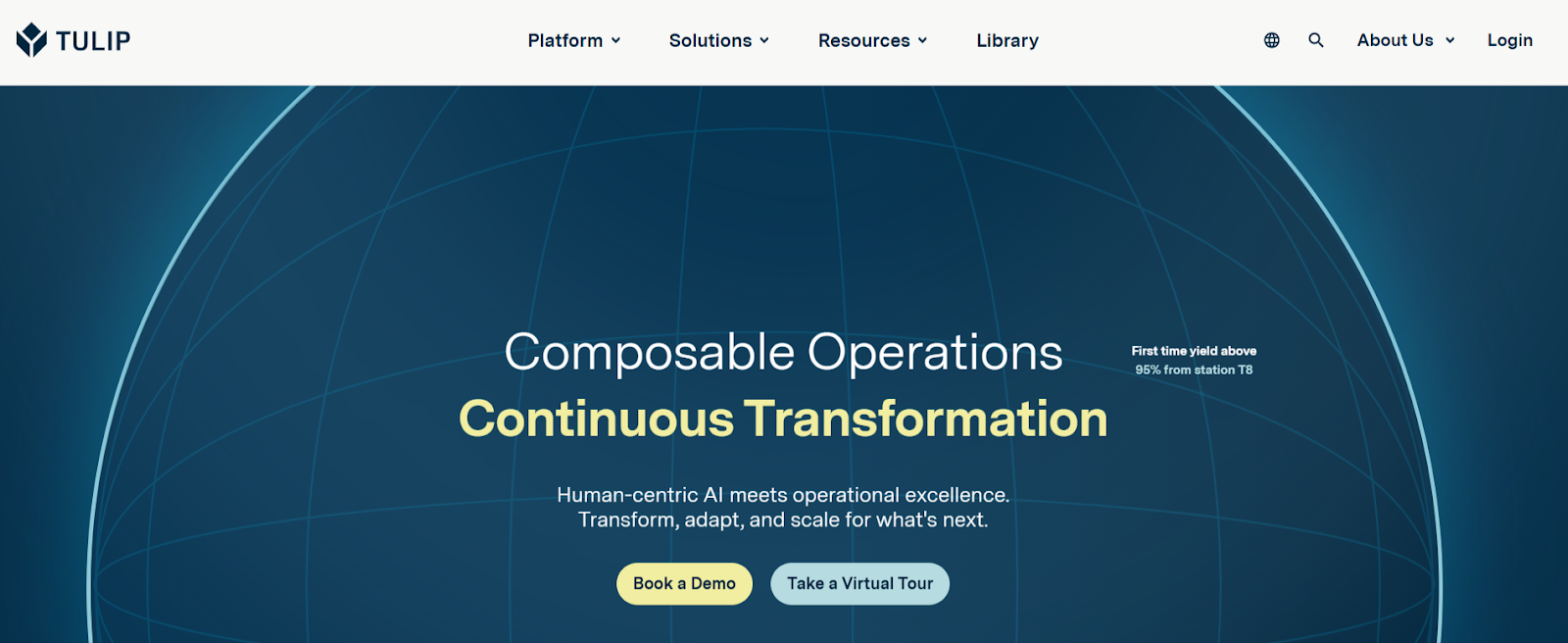
Tulip is a cloud-based no-code frontline operations platform that helps manufacturers create applications that guide operators, collect data from workers, machines, and devices, and track metrics against KPIs.
Born out of MIT and now backed by a strategic investment from Mitsubishi Electric, Tulip starts with the people on the floor and works outward.
Key Features
Tulip prices per interface, not per user.
| Plan | Price |
|---|---|
| Essentials | $100/month |
| Professional | $250/month |
| Enterprise | Request a custom quote |
| Regulated Industries | Request a custom quote |

Image: Tulip G2 review on speed to deployment

Source: G2
"Tulip is an intuitive, end-user-oriented, easy-to-use "platform to build applications", that allows quick delivery of apps in a controlled and complaint way. I like the range of use cases you can address with it, from simple analytic views to suites of apps to manage complex workflows. If there is a "green field" or "brown field" landscape in an organization, Tulip is a great enabler for a "get-rid-of-paper" Digitalization Program. Jose R.D.
Who Tulip Is Best For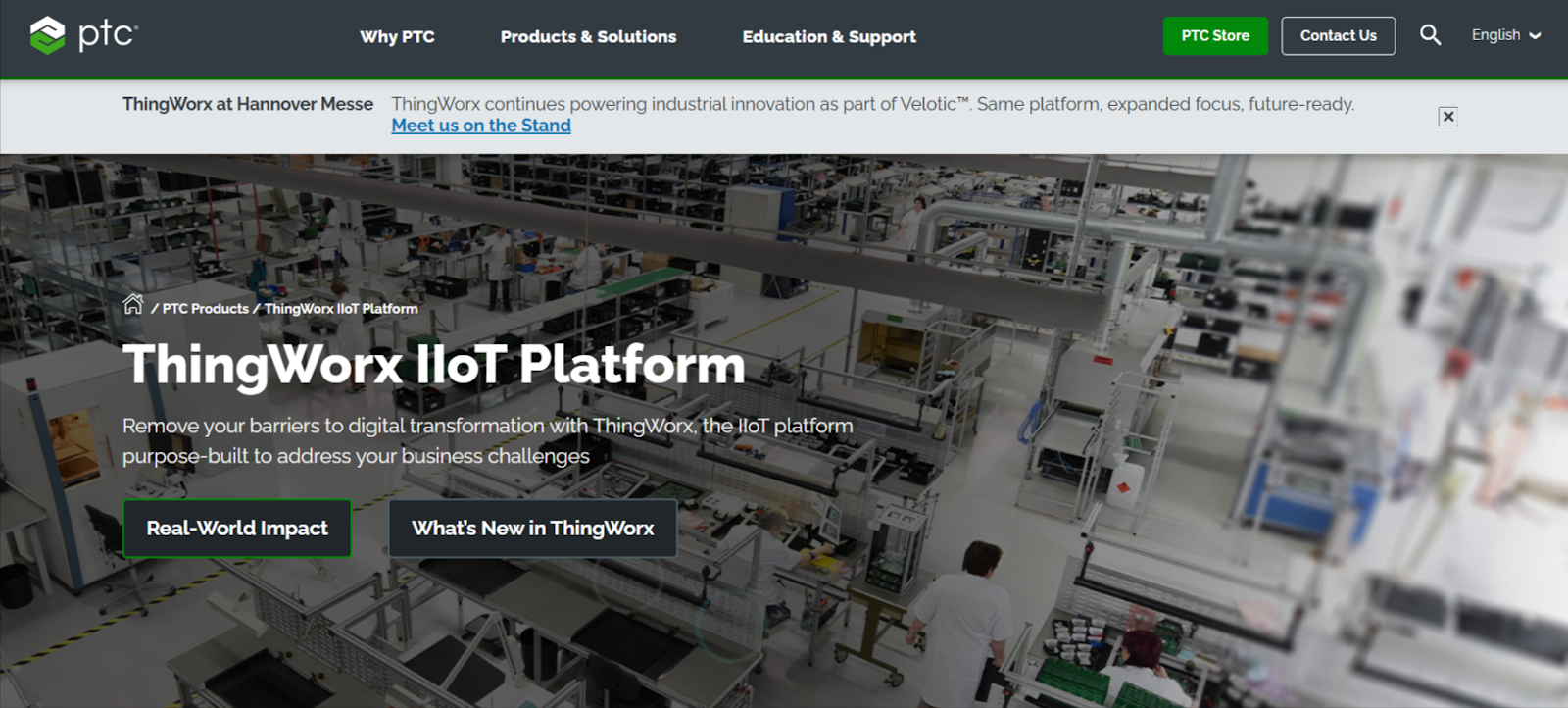
PTC ThingWorx is an industrial IoT and AI platform designed to help organizations build, deploy, and scale industrial applications that connect assets, people, and processes. Rather than focusing solely on connectivity or analytics, ThingWorx emphasizes turning industrial data into practical, application-led workflows that support manufacturing, service, and engineering teams.
PTC ThingWorx combines low-code development tools, native AR capabilities via Vuforia, and deep Kepware connectivity, giving engineering teams a single platform to go from raw machine data to operator-facing applications.
Key FeaturesPTC does not publish ThingWorx pricing. Costs are based on deployment model, scale, and selected capabilities.
Where PTC ThingWorx Falls Short"This tool allows organizations to keep track of assets and their health by analyzing real-time data. It also helps in understanding the utilization percentage of each asset. They have built this feature in a way that it can track assets along with the measurement of their health." Chirag P.
"It sometimes doesn't help in an abnormal condition of asset. Mostly, it is good at monitoring fixed assets, but not for removable assets. And implementation is a bit complex." Nishant P
Rockwell Automation FactoryTalk: Best for Plants Running Allen-Bradley and Rockwell Automation Hardware
FactoryTalk is Rockwell Automation's umbrella brand for a collection of integrated software products and underlying services, built on a service-oriented architecture that provides common data management, security, diagnostics, and alarm and event services across the Rockwell software ecosystem. For plants already standardized on Allen-Bradley PLCs and Rockwell hardware, this native integration removes the connectivity friction that other industry 4.0 platforms spend months solving.
The suite covers the full manufacturing stack. FactoryTalk DesignSuite handles automation design; FactoryTalk OperationSuite delivers role-based operational data to operators in context; FactoryTalk MaintenanceSuite manages asset versioning and tracking across the facility; and FactoryTalk InnovationSuite brings IIoT, data analytics, AR, and machine learning into one solution.
Pricing is not publicly listed. FactoryTalk is sold modularly, so manufacturers can choose only the capabilities they need or purchase entire suites in one go. Contact Rockwell Automation directly for a quote.
Where FactoryTalk Falls ShortAnswers to these four questions will help you choose the best Industry 4.0 platform for your team:
You can also consult our comprehensive guide on Industry 4.0 implementation to better understand the deployment hurdles and technical prerequisites before making your final selection.
How Many Devices Do You Need to Manage, and Where Are They?The scale of your deployment determines which platforms are even worth evaluating. Most Industry 4.0 software tools are built around connecting machines and collecting data. That works fine when everything lives in one facility.
The moment your operation spans multiple sites, the real challenge shifts from connectivity to management: how do you deploy, update, and control software workloads running across dozens or hundreds of remote devices without building a dedicated team around it?
At that point, the question is not just "what data can I see?" but "how do I actually govern what runs on these devices at scale?"
If you run containerized workloads at the edge, Portainer helps you organize edge environments into groups by site, production line, or function, then deploy and update software stacks across those groups from a single interface.
A change that would require individually logging into 50 devices becomes a single group-level operation.
{{article-cta}}
Can You Control How Updates Roll Out Across Your Fleet?A bad deployment that hits 500 machines at once can take an entire production network offline. The ability to stage rollouts gradually, catch failures early, and stop the spread before it becomes a crisis is not a nice-to-have in manufacturing. It is a basic operational requirement.
Choose a platform that gives you explicit control over update sequencing. Portainer's Edge Stacks helps you see whether updates roll out to all devices at once, in fixed parallel batches, or exponentially. If a deployment fails mid-rollout, you can set the failure action to pause or roll back automatically, containing the impact before it reaches the rest of your fleet.
Can You Recover Quickly When Something Goes Wrong?Few Industry 4.0 platforms make it easy to undo a deployment that breaks something. In industrial environments, the ability to remotely roll back to a known-good state, without sending a technician to the physical device, directly determines how long a production disruption lasts.
Before committing to any platform, ask specifically how rollbacks work and how long they take. Portainer's Update & Rollback feature lets you schedule agent rollbacks by edge group, select the target version, and apply it remotely across your entire fleet. No on-site visits, no manual intervention per device.
Does it Support Multi-team Access Without Creating Security Gaps?A platform worth deploying at enterprise scale needs granular, role-based access that reflects how your organization is actually structured.
Portainer's RBAC system scopes permissions by environment, meaning each team sees and controls only what their role permits, across a single instance that might span multiple facilities or business units.
Is it Hardware-Agnostic, or Does it Lock You Into a Vendor Ecosystem?Several tools on this list deliver strong results inside a specific vendor's ecosystem. Siemens Insights Hub rewards you for standardizing on Siemens hardware. FactoryTalk is most powerful when you are already running Allen-Bradley PLCs throughout your facility. That depth of native integration is genuinely valuable, but it comes at a cost: migrating away or managing a mixed hardware environment becomes significantly harder over time.
If your infrastructure spans multiple hardware vendors, or if you need to retain flexibility as your operations evolve, prioritize platforms that treat hardware as interchangeable.
Portainer manages containerized software workloads regardless of the underlying device manufacturer, making it a practical choice for organizations running heterogeneous edge environments where vendor lock-in is not an option.
Run and Manage Industry 4.0 Infrastructure with PortainerThe right Industry 4.0 platform depends entirely on where your operation's biggest gap sits. If the gap is machine data and analytics, Siemens Insights Hub or PTC ThingWorx may be the right starting point. If it's frontline operator guidance, Tulip is worth a close look. For plants already deep in the Rockwell ecosystem, FactoryTalk is a natural fit.
But if your challenge is managing the software infrastructure running across a growing fleet of industrial edge devices, controlling how workloads deploy, how updates roll out, and who can touch what across multiple sites, that is the problem Portainer is built to solve.
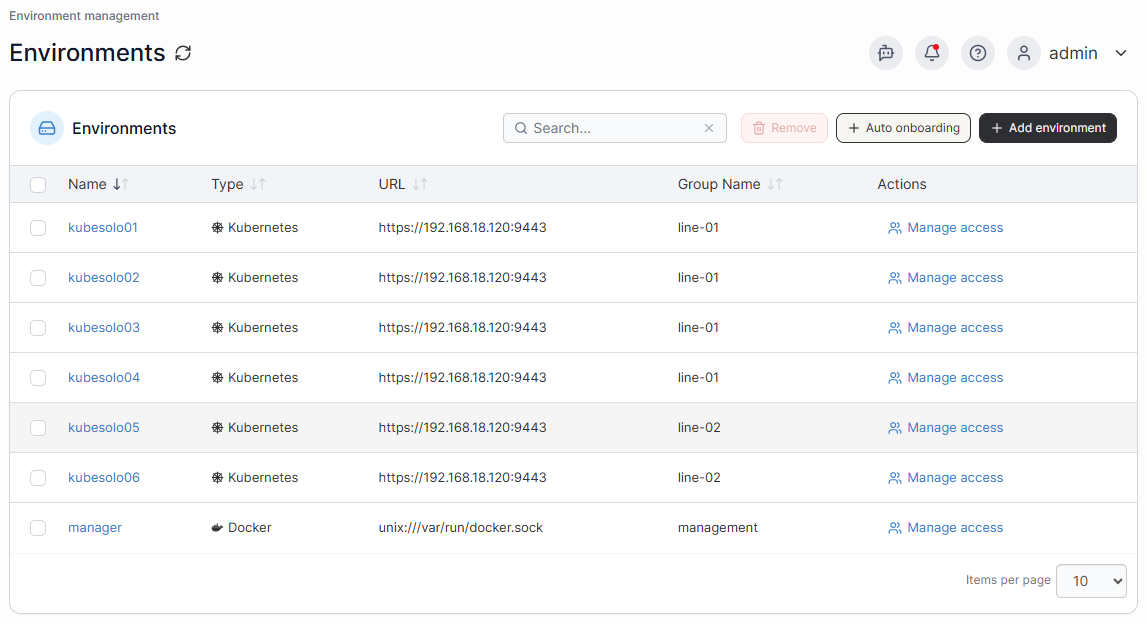
Industry-leading enterprises across manufacturing, energy, automotive, and healthcare trust Portainer to manage containerized workloads at the edge without the operational overhead of device-by-device management.
Book a demo with our sales team to see how the Industrial App Portal brings structure and control to industrial edge operations.
| # | Наименование новости | Тональность | Информативность | Дата публикации |
|---|---|---|---|---|
| 1 | 2026 Industry 4.0 Implementation Guide: Framework & Examples | 5 | 8 | 23-05-2026 |
| 2 | 5 Best Container Monitoring Tools in 2026: Features & More | 0 | 7 | 02-03-2026 |
| 3 | 5 Best Edge Computing Platforms in 2026: Full Breakdown | 0 | 7 | 26-02-2026 |
| 4 | 7 Best Deployment Automation Tools in 2026: Ranked & Reviewed | 0 | 8 | 22-05-2026 |
| 5 | 2026 Industrial Automation Software: Features, Benefits & More | 0 | 5 | 26-02-2026 |
| 6 | 7 Best Kubernetes Deployment Tools in 2026: In-Depth Review | 5 | 7 | 02-05-2026 |
| 7 | 5 Best Industrial IoT Platforms for Secure Operations in 2026 | 0 | 5 | 06-03-2026 |
| 8 | Cloud IoT vs. Dedicated Edge Management: What Your Operation Actually Needs | 0 | 5 | 06-04-2026 |
| 9 | IoT Device Management Dashboard: What to Include & Track | 0 | 7 | 01-03-2026 |
| 10 | IoT Device Management for Industrial & Edge Environments | 0 | 7 | 02-02-2026 |