Просмотр новости
Найдите то, что Вас интересует
 Спутники
 РН
РН SpaceX
 Роскосмос
 NASA
NASA
СпутникиРНSpaceXРоскосмосNASA
I'm never going back to a wireless setup

Published Aug 14, 2026, 4:00 PM EDT
I don't drive every day. Instead, I love taking a long drive every weekend to enjoy relaxed highway driving.
Since I drive for a specific reason, which is more to do with enjoyment than necessity, I don't compromise on what makes it fun.
That's one major reason why I never use my car display as a basic navigation screen. It can mean different things to different people, but for me, it is about striking a balance between entertainment and utility.
I don't shy away from admitting that I spent days researching and finding the right tools for my Android Auto, but what I regret the most is ignoring the most important part of the setup: one that establishes the connection.
However, I couldn't ignore the problem any longer. That's why I took a major decision last week. I permanently abandoned wireless Android Auto in favor of a simple USB cable.
 Quiz
Quiz
8 Questions · Test Your Knowledge
Android Auto triviaFrom launch day to the latest features — how well do you really know Google's in-car platform?
HistoryFeaturesCompatibilityNavigationApps
Begin
In what year was Android Auto first announced by Google?
A2012B2013C2014D2015
Correct! Android Auto was announced at Google I/O in 2014 alongside Android TV and Android Wear. It was part of Google's push to extend the Android ecosystem beyond smartphones into cars, wearables, and living rooms.
Not quite. Android Auto was unveiled at Google I/O in 2014, the same event that introduced Android Wear and Android TV. Google was making a big play to put Android into every screen in your life.
Continue
Which car manufacturer was the first to ship a production vehicle with built-in Android Auto support?
AToyotaBFordCHyundaiDVolkswagen
Correct! Hyundai was the first automaker to ship a production car with Android Auto support, arriving in 2015 with the Sonata. It gave Google a crucial foothold in the automotive market right at launch.
Not quite. Hyundai holds the honour of being the first to ship Android Auto in a production vehicle — the 2015 Sonata. This early partnership helped establish Android Auto as a serious contender in the in-car infotainment space.
Continue
What is the name of the feature that allows Android Auto to work without a physical cable connection to the car?
AAuto ConnectBWireless AutoCAndroid Auto WirelessDWi-Fi Link
Correct! The feature is simply called Android Auto Wireless. It uses Wi-Fi to mirror your phone's Android Auto interface to the car's screen, eliminating the need for a USB cable while still requiring Bluetooth to initiate the connection.
Not quite. The feature is officially called Android Auto Wireless. It pairs over Bluetooth first and then switches to a Wi-Fi connection for the actual data stream, giving you a cable-free experience in supported vehicles.
Continue
Which of the following navigation apps was NOT officially supported on Android Auto at launch in 2015?
AGoogle MapsBWazeCSygicDTomTom Go
Correct! Waze was not available on Android Auto at launch. Despite both being Google-owned products, Waze only gained official Android Auto support in 2019, several years after the platform debuted. Google Maps was a day-one feature.
Not quite. Waze is the odd one out here. Even though Google acquired Waze back in 2013, it took until 2019 for Waze to become officially available on Android Auto. Google Maps, however, was a core feature from day one.
Continue
What is the minimum Android version required to run Android Auto on a phone as of its standalone app era?
AAndroid 5.0 LollipopBAndroid 6.0 MarshmallowCAndroid 7.0 NougatDAndroid 8.0 Oreo
Correct! Android 6.0 Marshmallow is the minimum version required to run the Android Auto app. This requirement tied into the permission and notification access features that Marshmallow introduced, which Android Auto depends on heavily.
Not quite. Android 6.0 Marshmallow is the minimum required version. Google needed the more granular permissions and notification listener improvements that Marshmallow brought in order to make Android Auto function reliably and safely.
Continue
Which messaging app was among the first third-party apps to be supported on Android Auto at launch?
ATelegramBSignalCWhatsAppDSkype
Correct! WhatsApp was one of the earliest third-party messaging apps supported on Android Auto. Its massive global user base made it a priority integration, allowing drivers to send and receive messages hands-free using voice commands.
Not quite. WhatsApp was among the first third-party messaging apps to land on Android Auto. Given its enormous global popularity, it was a natural early partner, letting users interact with messages safely through voice while driving.
Continue
What major redesign did Android Auto receive in 2022 that changed its visual layout significantly?
AMaterial You overhaulBSplit-screen Coolwalk updateCDashboard View redesignDFullscreen Maps mode
Correct! The Coolwalk update introduced a split-screen layout to Android Auto, allowing multiple apps to appear on screen simultaneously. It was a major departure from the previous single-app full-screen approach and made better use of wider car displays.
Not quite. The answer is the Coolwalk update, which Google rolled out in 2022. It brought a split-screen interface so drivers could see navigation and media controls at the same time, a much-requested improvement for wider infotainment screens.
Continue
Google discontinued the phone-screen version of Android Auto in 2023, replacing it with what product for direct phone use?
AAndroid DashboardBGoogle Drive ModeCAndroid Driving ModeDGoogle Assistant Driving Mode
Correct! Google replaced the phone-screen Android Auto experience with Google Assistant Driving Mode. This simplified interface was built directly into Google Maps and used Google Assistant for voice interactions, though it too was later quietly wound down.
Not quite. Google Assistant Driving Mode was the replacement for the phone-screen version of Android Auto. It integrated into Google Maps and leaned heavily on voice commands via Google Assistant, though it never quite matched the original's popularity with users.
See My Score
Challenge Complete
Your Score/ 8
Thanks for playing!
Try Again
Not many car owners know this, but you need both Bluetooth and Wi-Fi for the wireless Android Auto to work.
I won't explain why it needs both, but regardless of the reason, I have never in my car-driving experience witnessed wireless Android Auto working seamlessly throughout the journey.
In the last few months, it has become worse. It disconnects every few minutes, and that's a huge distraction when you are driving. It's not safe.
I tried fixing this by resetting the system, but it didn't work. I also tried several fixes from Reddit, but no luck, either.
In addition, the wireless connection is inconsistent. Ideally, the system should start working right after I start my car, but sometimes, it takes forever to connect.
However, this isn't as bad as disconnecting every few minutes, because it doesn't happen as frequently and can be fixed with a restart.
This could be because I paired three phones with my car's system. Because my earbuds are paired with three phones, I face the same challenge connecting them to my phone.
As a consumer, I don't care what causes it to fail. I want a solution, and a USB cable is all I need to fix connection issues.
I care about battery life now more than ever A wireless connection uses more power than a wired one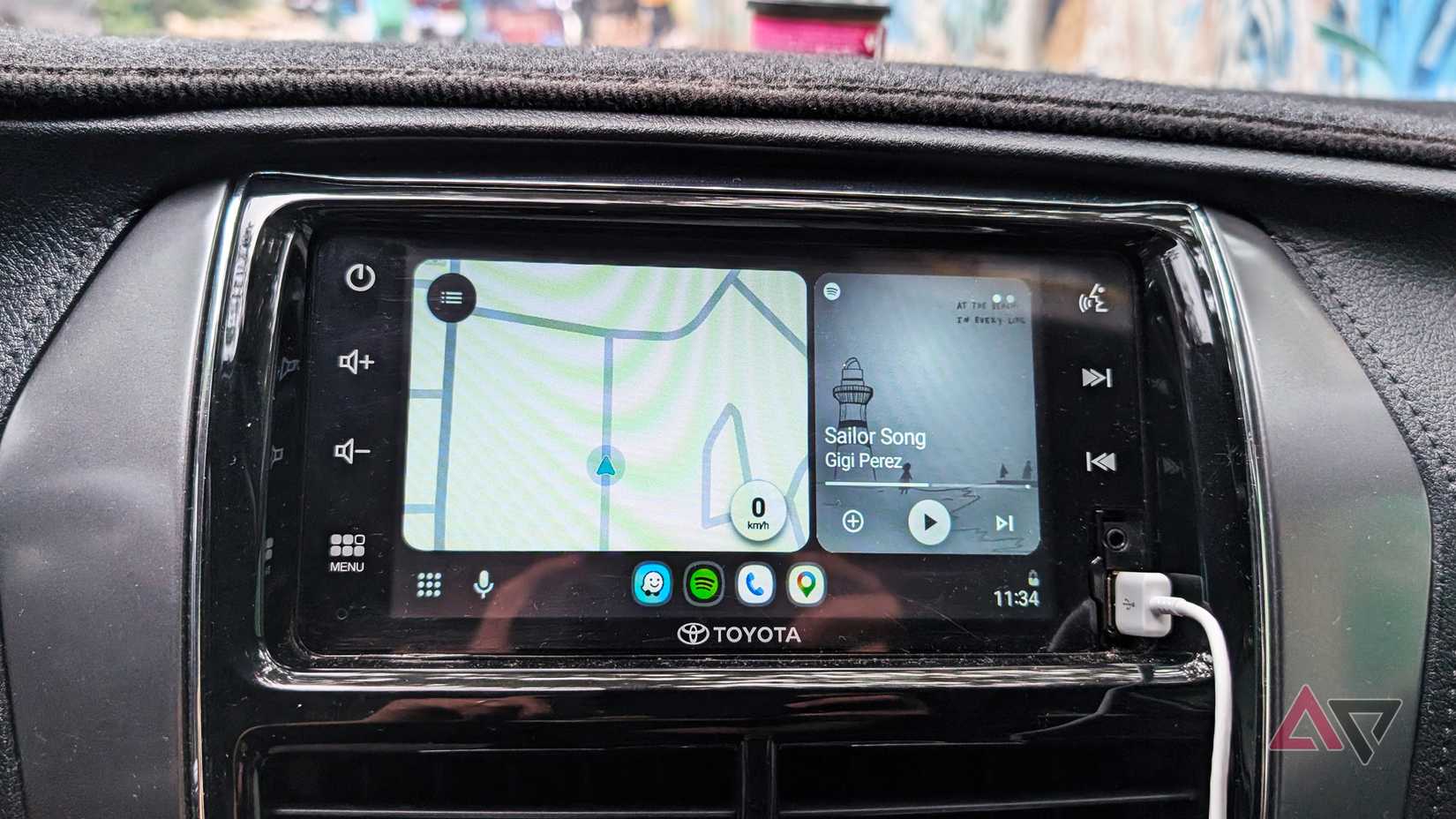
For wireless Android Auto to work, you need continuous Wi-Fi and Bluetooth to run a GPS connection and stream high-quality audio simultaneously.
You may not feel their impact on a short trip, but you'll notice a significant drop in battery life on a long drive. This battery drain issue hurts even more when you use a four-year-old handset as your main phone, like me.
My handset doesn't support wireless charging, so I must connect to a power source using a cable to charge it.
Since a USB cable can transmit both power and data simultaneously, a wired Android Auto can charge your phone aside from establishing an Android Auto connection.
However, even if I buy a new Samsung Galaxy phone that supports wireless charging to replace my current handset, my charging concern remains valid.
Sure, I will be able to charge my phone wirelessly in that case, but it's not good for long-term battery health.
A USB cable, on the other hand, doesn't come with any of the above-mentioned concerns. That's why I describe a connection over USB as a plug-and-forget type of connection.
There is one caveat with a USB Android Auto But there is an easy fix
I didn't have any experience with wired Android Auto before I switched.
So, my biggest concern when I decided to move on from wireless setup was whether it'd damage my phone's USB port because of the repeated plugging and unplugging.
Still, it didn't change my decision. To cause less wear on the phone's USB port, I bought a magnetic USB adapter. What's also great about it is that it still allows my phone to charge.
I finally found the ideal Android Auto setupAn ideal Android Auto setup is about distraction-free driving, and a repeated drop in connection doesn't help.
Don't underestimate the battery drain issue, because a phone that dies while you are at the wheel can cause distractions.
So, other than reliability, a USB connection is equally important for my safety while I'm on the road.
My ideal Android Auto setup now includes a USB cable that supports data transfer and syncing, along with the best entertainment apps and utilities.
I'm not going back to a wireless setup any time soon, at least not until those issues disappear. As a user, I couldn't care less because I've finally found what works best for me.
| # | Наименование новости | Тональность | Информативность | Дата публикации |
|---|---|---|---|---|
| 1 | I turned Android Auto into a desktop dashboard, and now I can't go back | 0 | 6.4 | 04-08-2026 |
| 2 | I use Android Auto daily, and these tips have completely changed my experience | 0 | 6.94 | 17-08-2026 |
| 3 | Re: Re: Re: Android auto hijacking wifi | 0 | 6.23 | 27-07-2026 |
| 4 | One of the best wireless Android Auto adapters is just $35 right now ahead of sequel | 0 | 12.66 | 25-03-2026 |
| 5 | Android Auto is still the best in-car entertainment experience despite its foibles | 0 | 10.76 | 24-07-2026 |
| 6 | Android Auto's new update solves the one problem that made waiting in my car unbearable | 0 | 7.06 | 11-08-2026 |
| 7 | I loaded my Android Auto dashboard with these apps; my car display finally feels useful | 0 | 7.16 | 31-07-2026 |
| 8 | 4 things my Android Auto does automatically that I used to do manually | 0 | 13.96 | 31-07-2026 |
| 9 | ‘Motorola MA2’ wireless Android Auto adapter leaks with big updates [Gallery] | 0 | 14.34 | 10-02-2026 |
| 10 | I rely on these Android Auto safety features way more than the new speedometer | 0 | 5.76 | 08-08-2026 |