Просмотр новости
Найдите то, что Вас интересует
 Спутники
 РН
РН SpaceX
 Роскосмос
 NASA
NASA
СпутникиРНSpaceXРоскосмосNASA
These simple Android Auto tweaks made my drive much more enjoyable

Published Aug 17, 2026, 3:00 PM EDT
Dhruv Bhutani has covered the Android ecosystem since 2010, with a focus on smartphones, connected devices, and home networking. His reporting is informed by hands-on experience reviewing hundreds of smartphones and testing a wide range of smart home and audio products over more than a decade. He has attended Mobile World Congress eight times since 2011 and IFA Berlin five times, alongside regular coverage of launch events and industry briefings from companies including Google, Xiaomi, Oppo, and Qualcomm. This on-ground access and long-term exposure to product cycles inform how he evaluates hardware, software direction, and ecosystem shifts.
First-Hand Experience
Reviewed and tested hundreds of smartphones since 2009
Tested smart home, audio, and connected devices across multiple categories
Attended Mobile World Congress (8 times, first in 2011)
Attended IFA Berlin (5 times)
Covered industry events including Qualcomm Summit and launch events from Google, Xiaomi, Oppo, and Vivo
Career History
CNET — Freelance Editor
May 2024 – Present
Android Police — Freelance Editor
July 2023 – Present
Android Authority — Contributor
November 2022 – Present
Android Authority — Editor
January 2019 – October 2022
FoneArena — Editor
February 2010 – January 2018
PhoneReport.info — International Correspondent
February 2010 – May 2011
Nokia Mobile Talk — Writer
June 2009 – October 2009
Android Auto is a daily essential for me. Ensuring I have a stable and reliable experience is paramount.
Despite the apparent convenience, I've found wireless connections to be inconsistent. Add random app closures or disconnections, and a less-than-stellar Android Auto experience can not only add annoyances to your commute but can also be potentially dangerous.
Lately, I've been making changes to keep my daily drive consistent. Between using a wired connection to giving Android Auto unrestricted battery access and relying on voice commands for most things, I've created a system that works reliably for me every day.
Together, these changes make Android Auto much more predictable. Here's everything you should know.
I switched from wireless to wired Android Auto A USB cable fixed my connection issues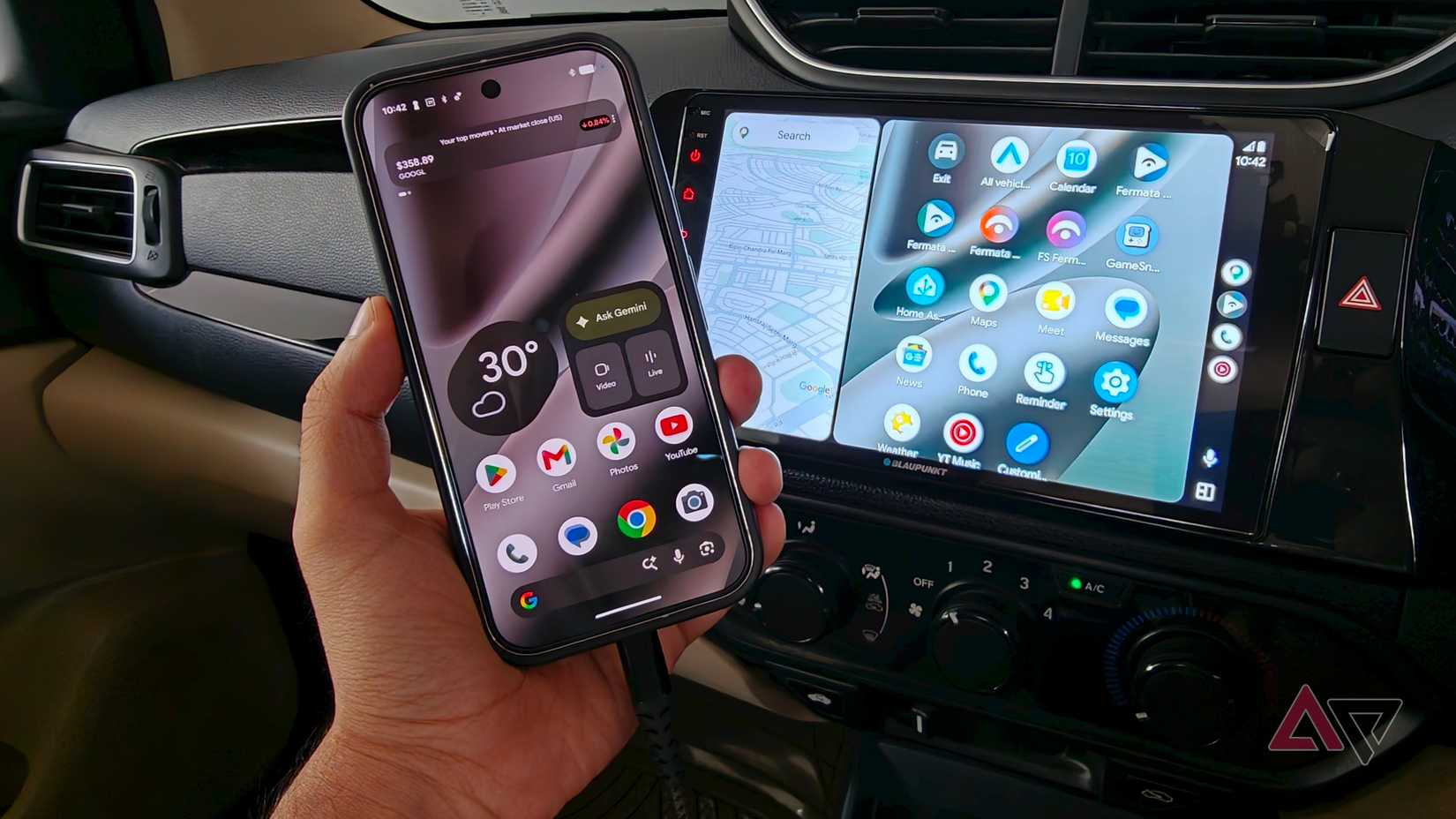
When I upgraded my car, the prospect of having access to wireless Android Auto was appealing. It's more convenient.
I can get into my car, start the engine, and have everything up and running without tapping a single button. The problem is that this doesn't really work as reliably every single time.
There are times when Android Auto takes too long to start. Then there are times when Android Auto fails to start. That is annoying when I want to get on the road and get traffic updates.
Troubleshooting a wireless connection isn't something I care about first thing in the morning.
It turns out that the simplest fix is to go back to a USB cable.
It might sound like an inconvenience to plug your phone in every time you step in. However, I've found that it eliminates every reliability issue I've had with Android Auto. I'll take it.
Beyond offering a reliable connection, I've observed that switching to a cable has an added benefit or two.
For one, your phone charges much faster over a cable than the Qi charger in your car. However, more than that, wireless charging can heat up your phone. More so, when the phone is cranking up the heat with wireless Android Auto and GPS navigation.
Switching to a wireless connection can keep your phone cool to the touch, which further helps with reliability. Win-win.
Giving Android Auto unrestricted battery access Voice commands make replying to messages easierThe other problem I wanted to fix was reliability after a connection had been established. Even in wired mode, I noticed that Android Auto had a proclivity to shut down. Turns out, this was Android's aggressive battery management at play.
Android battery management protocols are generally a good thing. They make sure your phone keeps going on and on without needing a top-up. In this case, however, it was accidentally switching off Android Auto. That's no good.
I've since set Android Auto to unrestricted battery usage on my phone. You might have to hop around settings to find the exact menu item on your phone, but practically every phone offers this option.
Now, Android's battery management doesn't intervene when Android Auto is running, and I no longer face any disconnections.
With reliability sorted, the other change I've made in my daily interactions with Android Auto is to change how I actually use it.
Previously, I'd reach for the touchscreen all the time. Now, I prefer to use the voice assistant instead. A quick "Hey Google" is all it takes to switch albums or kick off navigation.
This switch to voice-based interactions has been useful for replying to messages. While Android Auto can read an incoming text message, it offers no way for you to type a reply. Nor should you be typing while driving.
Now, I dictate a response to Android Auto and continue with my day.
It's simpler, safer, and saves you time. What's not to like?
Voice interactions aren't new to Android Auto. It's that I was conditioned to tapping around the interface and never bothered with voice-first interactions.
I haven't entirely stopped using the screen. If I'm parked and looking up a destination or business with a complicated regional name, I'll still type it, as voice assistants don't really get it right. But when I'm on the move, I've switched entirely to voice commands.
My Android Auto setup is easier and more reliable to useSwitching up my Android Auto setup brought with it some friction. For one, I wasn't looking for more features. My goal was more reliability and wanting the existing setup to work without getting in the way.
Switching to a wired connection has canceled the disconnection errors. More so when combined with giving Android Auto unrestricted access to battery use.
While those two changes solved the reliability issues, moving my personal use from the touchscreen to voice-based commands has given me safer and easier control over music, navigation, and messages.
That's how I use Android Auto now. I plug in at home, drive, and the system handles things without any input from me.
| # | Наименование новости | Тональность | Информативность | Дата публикации |
|---|---|---|---|---|
| 1 | 4 things my Android Auto does automatically that I used to do manually | 0 | 13.96 | 31-07-2026 |
| 2 | I loaded my Android Auto dashboard with these apps; my car display finally feels useful | 0 | 7.16 | 31-07-2026 |
| 3 | Why I permanently abandoned wireless Android Auto for a simple USB cable | 0 | 8.1 | 14-08-2026 |
| 4 | Android Auto's new update solves the one problem that made waiting in my car unbearable | 0 | 7.06 | 11-08-2026 |
| 5 | Android Auto is still the best in-car entertainment experience despite its foibles | 0 | 10.76 | 24-07-2026 |
| 6 | I turned Android Auto into a desktop dashboard, and now I can't go back | 0 | 6.4 | 04-08-2026 |
| 7 | 3 Android Auto automations that make my drives much easier - and how I set them up | 0 | 5 | 08-07-2026 |
| 8 | I rely on these Android Auto safety features way more than the new speedometer | 0 | 5.76 | 08-08-2026 |
| 9 | I think Android Auto is great, but these 3 apps unlocked its true potential | 0 | 10.4 | 17-08-2026 |
| 10 | Android Auto finally exits the slow lane, adds Google Maps speedometer | 0 | 10 | 20-07-2026 |