Просмотр новости
Найдите то, что Вас интересует
 Спутники
 РН
РН SpaceX
 Роскосмос
 NASA
NASA
СпутникиРНSpaceXРоскосмосNASALive Translation with Apple Intelligence, outbound numb [...]
The post Speak Your Caller’s Language: 3CX iOS V5.8 Now in Production appeared first on 3CX.


Language shouldn’t decide which customers your team can help. 3CX iOS V5.8 is now ready for production, and it brings live call translation, queue management and outbound number selection to your iPhone.
Everything in this release was introduced and tested during the Beta release, and there are no additional user-facing changes since then. What you tried in Beta is exactly what you get now, ready for everyday use.
Call control features require V20 Update 10, and outbound number selection must be enabled by your Admin. Here’s what V5.8 looks like in practice.
Speak Your Caller’s Language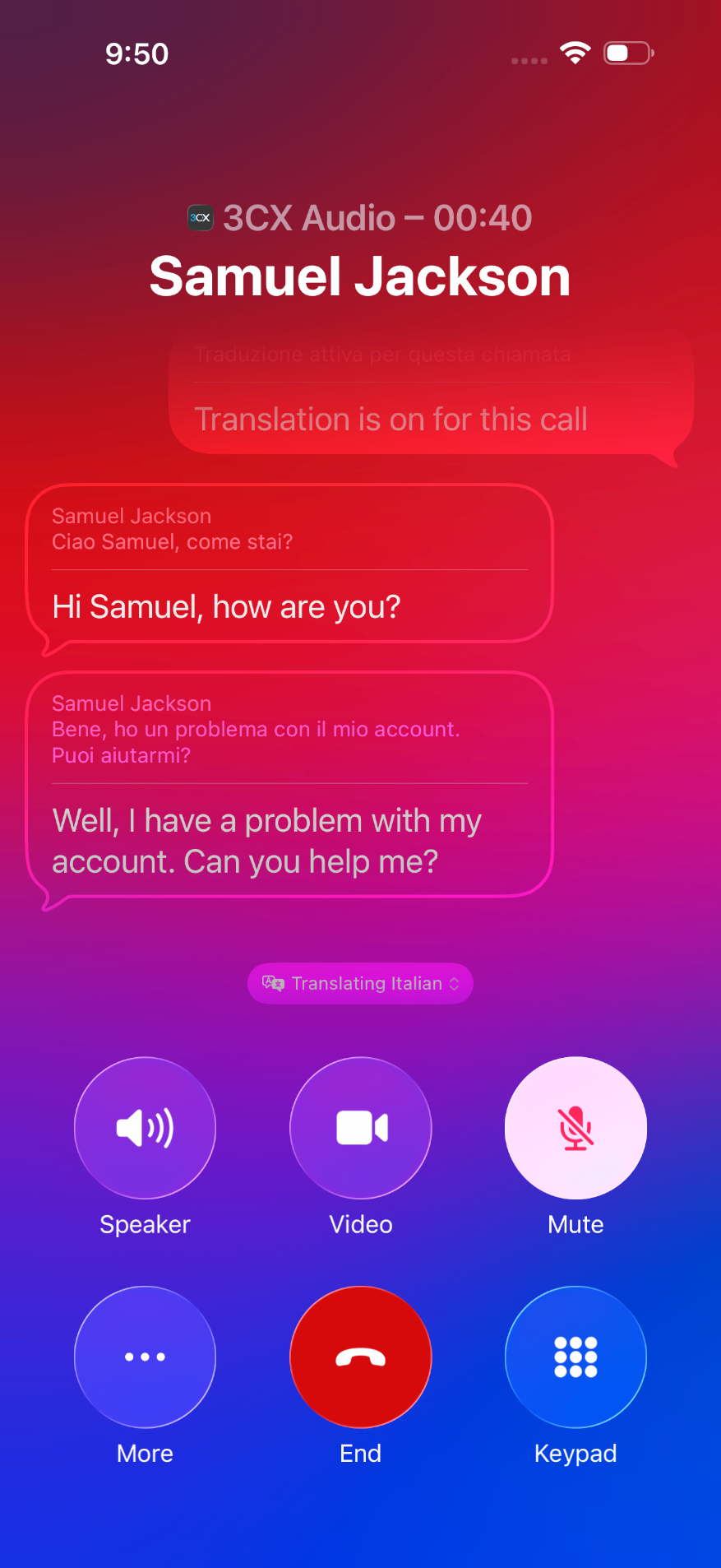
When a caller speaks a different language, you no longer need to find a colleague to step in. On supported devices, 3CX calls can use Apple’s Live Translation through the CallKit interface. It shows translated captions for both sides of a one-to-one call and, when enabled, plays translated speech back to you. Translation is handled on the iPhone using Apple’s on-device models.
Picture it: a customer calls your support line and explains their problem in another language. Instead of putting them on hold while you look for help, you follow along through live captions and reply in your own language, while they hear and read the translation.
To use Live Translation, you need:
More customers helped on the first call, without a hand-off.
Fix a Backed-Up Queue in SecondsWhen your queue is under pressure, you can respond right away, wherever you are. Queue information is now available directly in the iOS app, so you can see your queues and check which agents are logged in or out. If you have queue management permissions, you can manage individual agents or the entire queue.
Picture it: you’re out at a client meeting when callers start stacking up in the sales queue. Instead of calling the office and hoping someone can sort it out, you open the app on your iPhone, log two extra agents in and watch the queue clear.
Queue management is no longer tied to a desk. It goes wherever you go.
Win Back Every Caller Who Hung UpA caller who hangs up isn’t a lost customer if your team follows up fast. The Abandoned filter in Recents makes unanswered queue calls easy to find, showing the caller, the queue they were in and when the call was abandoned.
Imagine a potential customer gives up after a few minutes in the support queue. Shortly after, an agent spots the call under Abandoned, sees which queue it came from and rings them back before they try a competitor.
Every abandoned call becomes a second chance, not a lost opportunity.
Always Call From the Right NumberThe number you call from shapes whether a customer picks up. Users with multiple numbers assigned can now choose which one to use before placing an outbound call. When enabled by the Admin, the Call using selector shows the default outbound route together with the numbers available to you.
Say a rep covers your London and Manchester branches. When returning a Manchester customer’s call, they choose the Manchester number, so the customer sees a familiar local number and answers. Or a support agent calls out on the helpdesk line, so callbacks land back with the support team rather than on their personal extension.
The right number on the screen means more answered calls and fewer misdirected callbacks.
Get the UpdateLive translation, your queues and your caller ID are now all in your hands. Download V5.8 from the App Store today. Call control features require V20 Update 10, and outbound number selection must be enabled by your Admin.
For setup help, see our configuration guide, or check the changelog for the full list of changes in this build.
Tell Us What You ThinkHead over to the iOS Forum to share your feedback, and follow us on X and LinkedIn to stay up to date on the latest releases.
| # | Наименование новости | Тональность | Информативность | Дата публикации |
|---|---|---|---|---|
| 1 | V20 Update 10 RC: AI Call Transcription Server for Mac, Pop Out Dialer for Web Client | 0 | 7.28 | 13-10-2026 |
| 2 | Call Scripts to Bring Your Preferred AI Voice Provider Into 3CX | 0 | 5.62 | 19-10-2026 |
| 3 | What Can Call Transcriptions Do for Your Business? | 0 | 5.85 | 15-10-2026 |
| 4 | Run Your Queues From Anywhere: 3CX Android V5.8 Now in Production | 0 | 4.56 | 21-10-2026 |
| 5 | AI Is Making 3CX More Efficient. We're Passing the Savings On. | 0 | 7 | 14-10-2026 |
| 6 | Turn Legacy PBX Systems Into New 3CX Business | 0 | 5.85 | 16-10-2026 |
| 7 | Turn AI Curiosity Into Real 3CX Sales Opportunities | 0 | 5.41 | 23-10-2026 |
| 8 | 3CX Wins the Fall 2026 Leader Award from SourceForge | 0 | 11.86 | 22-10-2026 |
| 9 | Apple Translate is getting 9 new languages in iOS 27 | 0 | 5 | 09-07-2026 |
| 10 | Transform your headphones into a live personal translator on iOS. | 0 | 9.28 | 26-03-2026 |