Просмотр новости
Найдите то, что Вас интересует
 Спутники
 РН
РН SpaceX
 Роскосмос
 NASA
NASA
СпутникиРНSpaceXРоскосмосNASAChrome on iOS now lets you import data from Safari, and yes, it finally works without weird workarounds. According to the app’s version history log on the App Store, Chrome picked up the ability to import Safari data back in April with version 148.0.778.47. If you’ve ever tried switching browsers on iOS, you know how […]
The post PSA: Chrome on iOS now lets you import data from Safari — here’s how appeared first on PiunikaWeb.
Chrome on iOS now lets you import data from Safari, and yes, it finally works without weird workarounds.
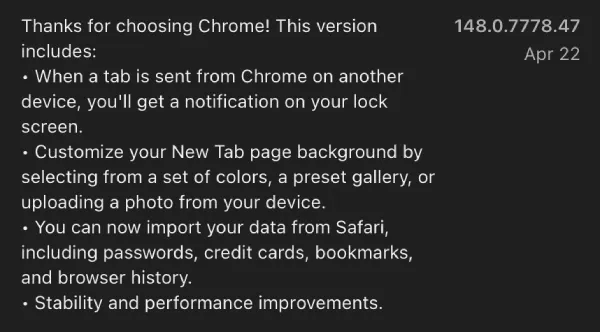
According to the app’s version history log on the App Store, Chrome picked up the ability to import Safari data back in April with version 148.0.778.47.
If you’ve ever tried switching browsers on iOS, you know how messy it gets. Bookmarks stay behind. Passwords don’t move. Most people just give up halfway.
That’s what Google intended to address with this new option.
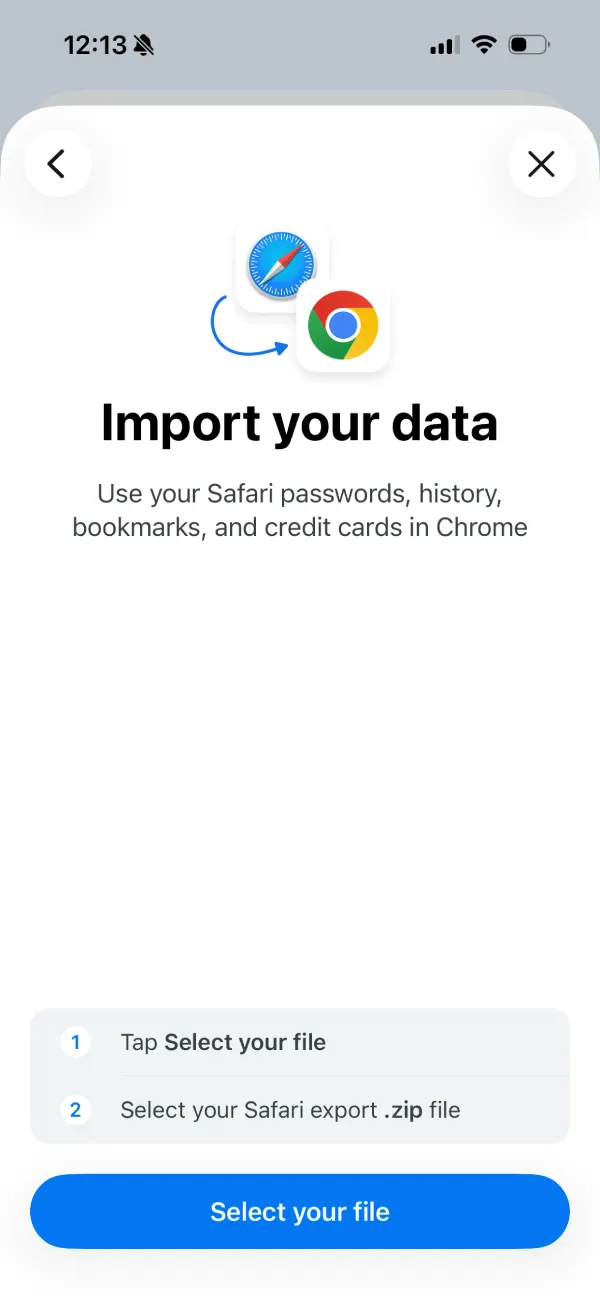
The new Safari import tool shows up inside Chrome settings. Tap into it, and you’ll see a prompt asking if you want to bring your data over. It’s pretty straightforward. Chrome asks for a Safari export file, then pulls in things like bookmarks, history, saved passwords, and even payment info.
We actually saw this feature in testing earlier this year. It quietly appeared in experimental builds, and a few users spotted it in the wild. But now it’s there for everyone to use.
Here’s how it works in practice. You don’t directly connect Safari to Chrome. Apple doesn’t allow that. So Chrome uses an export-import method instead.
First, you need to export your Safari data.
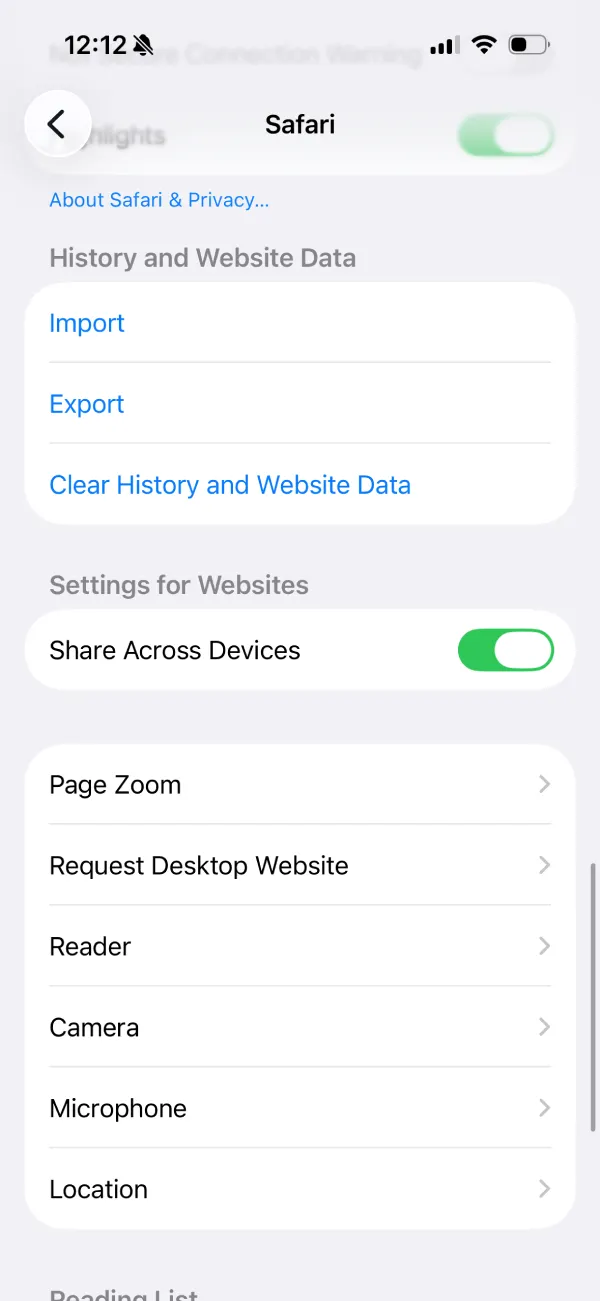
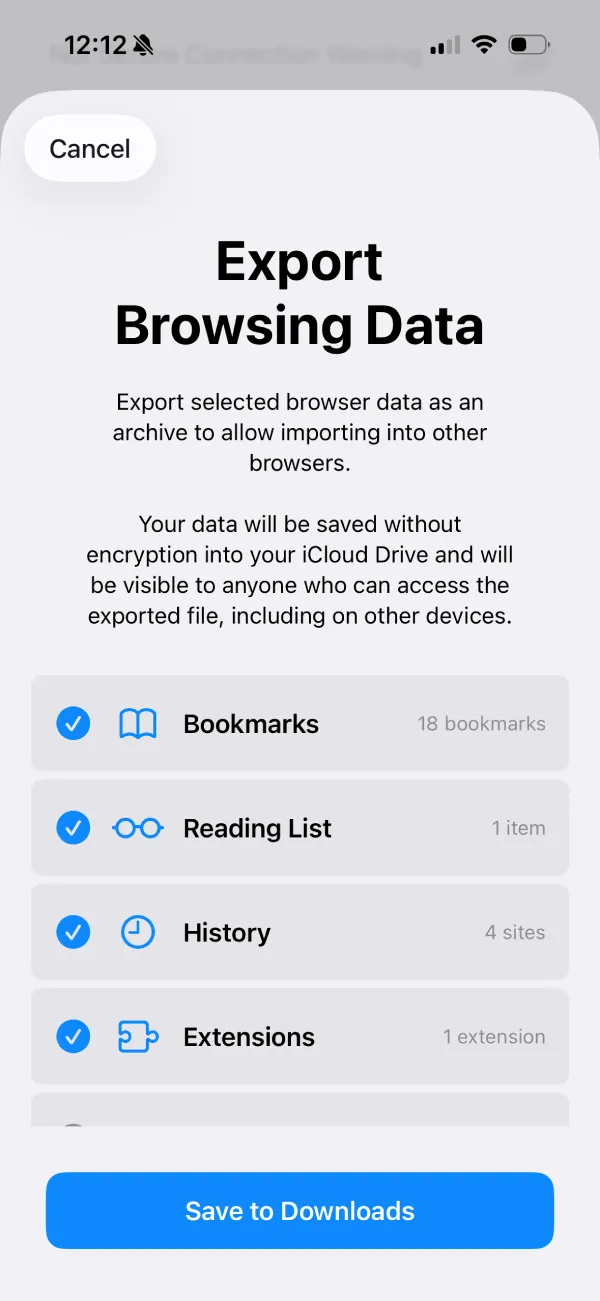
Head to iOS Settings, scroll down to Safari, and look for the import/export section under “History and Website Data.” Tap Export and choose what you want to include. Safari bundles everything into a ZIP file and saves it to your Files app.
Open Chrome settings, tap “Safari import,” then hit the option to select your file. Pick the ZIP file you just exported. Chrome reads it and starts pulling everything in.
It only takes a few seconds.
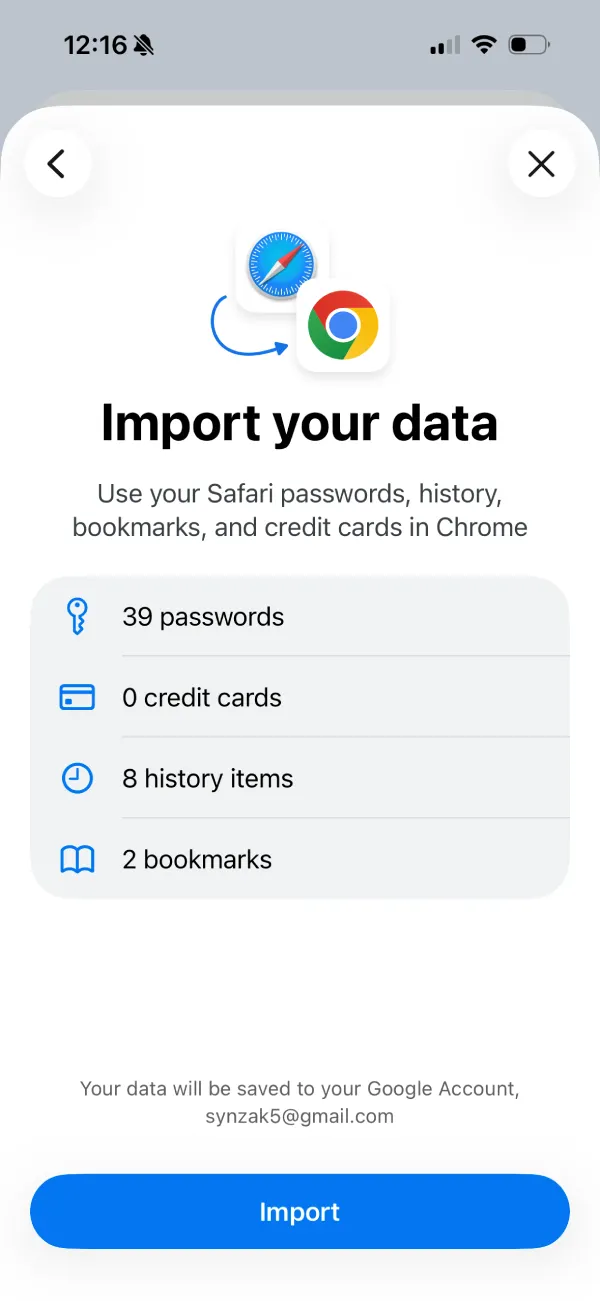
After that, you’ll see a summary screen showing what got imported. In my case, it picked up passwords, a handful of bookmarks, and browsing history. Credit cards show up too, if you include them.
Just a heads up though. The imported data gets saved to your Google Account. So once it’s in Chrome, it can sync across devices.
Previously, it was a headache to get your Safari data on Chrome on the mobile app. So this could be a key feature for Safari users considering moving to Chrome on their iPhones.
This new tool doesn’t make it seamless, but it’s close enough.
Also worth pointing out. Safari warns that the exported file isn’t encrypted. Anyone with access to that ZIP file can see the data. So you probably don’t want to leave it sitting around in your Downloads folder.

We stand out from the tech-media crowd because we break news stories; we mainly bring you stuff that you won’t find anywhere in the mainstream tech media. Our stories have been picked up by some of the world’s most popular websites and media outlets—more info is available here.
| # | Наименование новости | Тональность | Информативность | Дата публикации |
|---|---|---|---|---|
| 1 | Microsoft протестировала Edge для iOS на Chromium – гораздо быстрее ... | 5 | 7 | 27-06-2026 |
| 2 | Microsoft протестировала Edge для iOS на Chromium – гораздо быстрее ... | 5 | 7 | 27-06-2026 |
| 3 | Microsoft протестировала Edge для iOS на Chromium – гораздо быстрее ... | 5 | 7 | 27-06-2026 |
| 4 | Chrome now lets you quickly remove the Tab Search icon without messing with flags | 0 | 15.97 | 03-06-2026 |
| 5 | Google upgrades Android's migration tool to transfer passwords and eSIM from iPhone | 0 | 12.03 | 22-07-2026 |
| 6 | How to fix Google Chrome New Tab Page’s huge gap between search bar & shortcuts | 0 | 17.84 | 19-06-2026 |
| 7 | iOS 27 just broke your oldest iPhone habit | 0 | 5 | 02-07-2026 |
| 8 | How to have Safari notify you of website changes and updates | 0 | 25.23 | 20-07-2026 |
| 9 | Introducing the WordPress Browser Extension | 0 | 9.07 | 13-08-2026 |
| 10 | Chrome Adds Deep Google Wallet Integration for Passport, License, and Travel Document Autofill on iOS and Android | 0 | 5 | 28-06-2026 |