Просмотр новости
Найдите то, что Вас интересует
 Спутники
 РН
РН SpaceX
 Роскосмос
 NASA
NASA
СпутникиРНSpaceXРоскосмосNASASometimes a discount code field on your checkout page costs you sales. A member who would have paid full price sees the field and goes searching for “company name discount codes” instead of completing checkout. This code recipe hides the discount code field from checkout and only shows it when a code is passed through (more...)
Sometimes a discount code field on your checkout page costs you sales. A member who would have paid full price sees the field and goes searching for “company name discount codes” instead of completing checkout.
This code recipe hides the discount code field from checkout and only shows it when a code is passed through the URL, in the format &discount_code=CODEID.
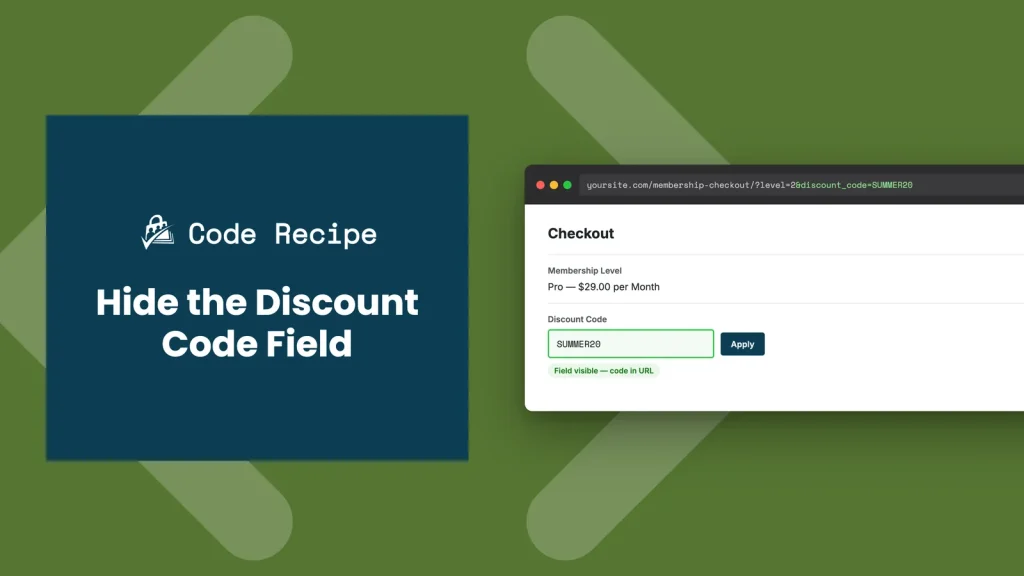
By default, Paid Memberships Pro only shows the discount code field at checkout when the selected membership level has a discount code configured. If none of your levels use discount codes, the field is already hidden, so you don’t need this recipe.
Use this recipe when a level does have a discount code configured, so the field would normally show, but you only want members to see it when they already have a code in hand, for example from an email campaign or a partner link. The snippet hides the field by default and only reveals it when discount_code is present in the URL.
Keep in mind this is not a security feature. Hiding the field only keeps casual visitors from noticing the discount. Anyone with the code and the URL format can still apply it. If you need to make sure only approved members use a code, build that check into the code itself rather than relying on this recipe alone.
About the Code RecipeThis recipe uses a PMPro filter called pmpro_show_discount_code to control whether the discount code field appears at checkout. The snippet below hides the field by default, and only shows it when the checkout URL includes a discount_code value.
To share a link that reveals the field, add discount_code=CODEID as a query parameter to your membership checkout URL, alongside the level parameter:
https://yoursite.com/membership-checkout/?level=2https://yoursite.com/membership-checkout/?level=2&discount_code=SUMMER20A member who visits the second link sees the discount code field and can apply the code. A member who visits the first link never sees the field at all.
The Code RecipeAdding the Recipe to Your WebsiteYou can add this recipe to your site by creating a custom plugin or using the Code Snippets plugin available for free in the WordPress repository. Read this companion article for step-by-step directions on either method.
How to Customize This Code RecipeThe recipe works as-is for most sites. The options below are for more specific setups.
discount_code to match a different query parameter name if you already use discount_code elsewhere on your site.pmpro_hasMembershipLevel() so the field only unlocks via URL for certain levels, even if other levels also have discount codes configured.$_REQUEST['discount_code'] against an array of the codes you issue, so the field only reveals itself for codes you recognize, not any value in the URL.Author: Jason Coleman
Jason Coleman is the co-founder and CEO of Paid Memberships Pro, the most trusted membership platform that grows with you. With a deep passion for open source software, Jason is the author of Building Web Apps With WordPress, published by O'Reilly Media.
Jason's entrepreneurial spirit is driven by uncertainty, risk, and the thrill of new opportunities. With over two decades of experience in development, management, and marketing, he is committed to Paid Memberships Pro: the only open source platform focused on helping creators get paid so they can find freedom in their life and fulfill their goals.
Have a question about how to use this feature? Our Support Page outlines three ways to get support.
Our Max plans include hands-on help customizing your membership site and implementing new features. Upgrade to PMPro Max now »
Was this article helpful?
YesNo
| # | Наименование новости | Тональность | Информативность | Дата публикации |
|---|---|---|---|---|
| 1 | Prevent Users From Using an Email Address as Their Username | 0 | 6.97 | 02-10-2026 |
| 2 | Restrict your Membership Sites Mailing Locations by Specifying Valid Zip Codes | 0 | 5.2 | 02-10-2026 |
| 3 | Remove the Restricted Access Messages on Blog Homepage | 0 | 7.83 | 01-10-2026 |
| 4 | Disable PMPro’s Redirect on the WordPress Registration Page | 0 | 11.99 | 07-10-2026 |
| 5 | Adjust the Set Expiration Year After a Specific Month | 0 | 7.27 | 02-10-2026 |
| 6 | Add Custom Colors to the Block Editor Color Palette | 0 | 7.18 | 15-10-2026 |
| 7 | Give Your Custom Post Types Their Own Memberlite Layout Settings | 0 | 8.1 | 15-10-2026 |
| 8 | Скидки маркетплейса за счет продавца: учет без ошибок | 0 | 7.97 | 16-10-2026 |
| 9 | The Paid Newsletter Playbook: Content Strategy + Hybrid Setup with PMPro | 0 | 8.92 | 14-10-2026 |
| 10 | How to Quickly and Easily Add One-Click Checkout to WooCommerce #ecommerce #wordpress | 0 | 10.36 | 25-10-2025 |
