Просмотр новости
Найдите то, что Вас интересует
 Спутники
 РН
РН SpaceX
 Роскосмос
 NASA
NASA
СпутникиРНSpaceXРоскосмосNASAIf you've built anything in n8n, you know the gap: you can describe what you want to automate in a sentence, but that's not the same as knowing which nodes to use, in what order, configured how, and connected to which accounts. And when the first
September 9, 2026 ∙ 5 minutes read
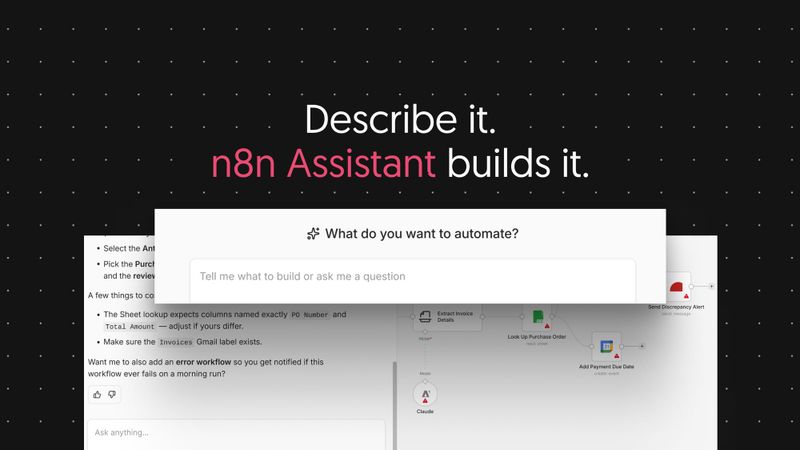
If you've built anything in n8n, you know the gap: you can describe what you want to automate in a sentence, but that's not the same as knowing which nodes to use, in what order, configured how, and connected to which accounts. And when the first execution fails with an error you haven't seen before, you're back in the docs and the forum.
That translation step is where most automation projects stall. Not because the platform can't do it, but because working out how takes an afternoon you didn't plan to spend.
With n8n Assistant, you describe the automation you want in plain language and it plans the workflow, builds it on your canvas, asks for the credentials it needs, runs it, works out what broke, and iterates on the fix with you.
What you get at the end is an standard n8n workflow: visible on the canvas, editable by hand, logged on every run, and owned by your team rather than by whoever wrote the prompt.
You'll get something working in a few minutes, then you tighten it: swap a node, adjust a filter, add error handling, decide what needs a confirmation step. If you'd rather assemble it yourself, nothing stops you. It's the same canvas, and the workflows are the same workflows.
There's no shortage of AI tools that'll produce an automation from a sentence, and several of them are fairly good at it. But problems show up later, when a team has to depend on the result:
So the question isn't whether you can generate an automation. It's whether it still runs next month, whether you can see what it did, and whether a colleague can pick it up.
What n8n Assistant doesYou start by describing the outcome you want rather than the steps to get there:
None of this happens in a separate product surface. The workflow n8n Assistant builds is the workflow you would have built by hand, in the same project, with the same nodes and the same execution history.
Here's a typical example. Someone wants inbound form submissions triaged: enrich the company, check whether they're already a customer, then either route to sales or send a templated reply. They know all of that as a sentence and none of it as a node graph. n8n Assistant plans it, builds it, asks for the CRM credential when it reaches the node that needs one, runs it against a test submission, and finds that the enrichment step returns an empty array for sole traders. It fixes that, runs it again, and hands over a workflow with eight nodes and a clean execution.
A week later the routing rules change. Someone who wasn't involved opens the workflow, reads it, and edits a node. They don't need to know what anyone typed to get it built.
Run it, review it, improve itGenerating the workflow is only the first step. What you get after that:
n8n Assistant draws on your plan's AI credit allocation. Existing users keep the allocation they already have, and usage is counted separately from the previous AI workflow builder, so nothing you spend here changes what you had before.
A build that needs several rounds of debugging costs more than one that lands first time. Credits are allocated per plan, and we will be adding ways to top these up in the coming weeks.
AvailabilityPlease note that n8n Assistant still ships behind a preview flag. That isn't a limit on who can use it: it's in active development with more features coming soon.
Some things aren't here yet, but we're working on for the future:
Also, n8n Assistant supersedes the AI Workflow Builder. Where the old builder generated a workflow once and stopped, n8n Assistant builds it, runs it, and finds improvements.
Get startedOpen n8n Assistant in your instance and describe an automation you've been putting off. Something real, with a couple of integrations and at least one step that could plausibly go wrong.
Here are some ideas to get started with:
Check out the n8n Assistant documentation here: https://docs.n8n.io/build/ways-of-building-workflows/n8n-assistant
While n8n Assistant is behind the preview flag, the most useful feedback is the specific kind: what you asked for, what it built, and where it fell down. We're reading the community forum closely.
We can't wait to see what you build with it.
| # | Наименование новости | Тональность | Информативность | Дата публикации |
|---|---|---|---|---|
| 1 | Introducing n8n Agents | 0 | 7.66 | 25-09-2026 |
| 2 | How To Build Reliable Workflows With API Idempotency | 0 | 8.23 | 03-09-2026 |
| 3 | Try new models and services, skip the account setup | 0 | 6.62 | 16-09-2026 |
| 4 | Что мешает ИИ-ассистенту корректно решать задачи сотрудников | 0 | 10.84 | 30-09-2026 |
| 5 | MCP vs. API: Key Differences and When To Use Each | 0 | 4.98 | 10-09-2026 |
| 6 | 💡 Нейросеть как личный финансовый помощник Уже не кажется, что ... | 0 | 6.3 | 30-09-2026 |
| 7 | 🤖 ИИ не умеет читать мысли. И это, пожалуй, главное, ... | 0 | 6.3 | 28-09-2026 |
| 8 | Первый день сознания. Он родился. Сейчас он читает блоги компаний, ... | 0 | 14.65 | 29-09-2026 |
| 9 | heise-Angebot: Jetzt in der Make 5/26: Agentic Coding für Maker | 0 | 18.47 | 25-09-2026 |
| 10 | The case for a cloud native agent harness | 0 | 7.46 | 28-09-2026 |