Просмотр новости
Найдите то, что Вас интересует
 Спутники
 РН
РН SpaceX
 Роскосмос
 NASA
NASA
СпутникиРНSpaceXРоскосмосNASABartender got even more useful today with the release of Bartender Pro and a new feature called Top Shelf, which turns the Mac’s notch into a space for widgets, file storage, clipboard management, Live Activities, and more. Here are the details.
Bartender got even more useful today with the release of Bartender Pro and a new feature called Top Shelf, which turns the Mac’s notch into a space for widgets, file storage, clipboard management, Live Activities, and more. Here are the details.
Bartender gets a Top ShelfLast January, I wrote about how macOS Tahoe brought some under-the-hood changes that made Bartender challenging to run on the Mac, despite Applause’s clear efforts to get the app back to the spotless performance that I had always enjoyed.
As I wrote a couple of months after that, Bartender 6.4.1 squashed those last few bugs that had been bothering me, and I’ve been using the app ever since, with zero hiccups or bugs. This allowed me to go back to having my Mac’s menu bar exactly how I wanted it.
And I’m glad I gave it another chance, because it gave me the opportunity to test a new feature being released today called Top Shelf. It is part of a new subscription plan called Bartender Pro, which will continue to introduce new functionalities over time.
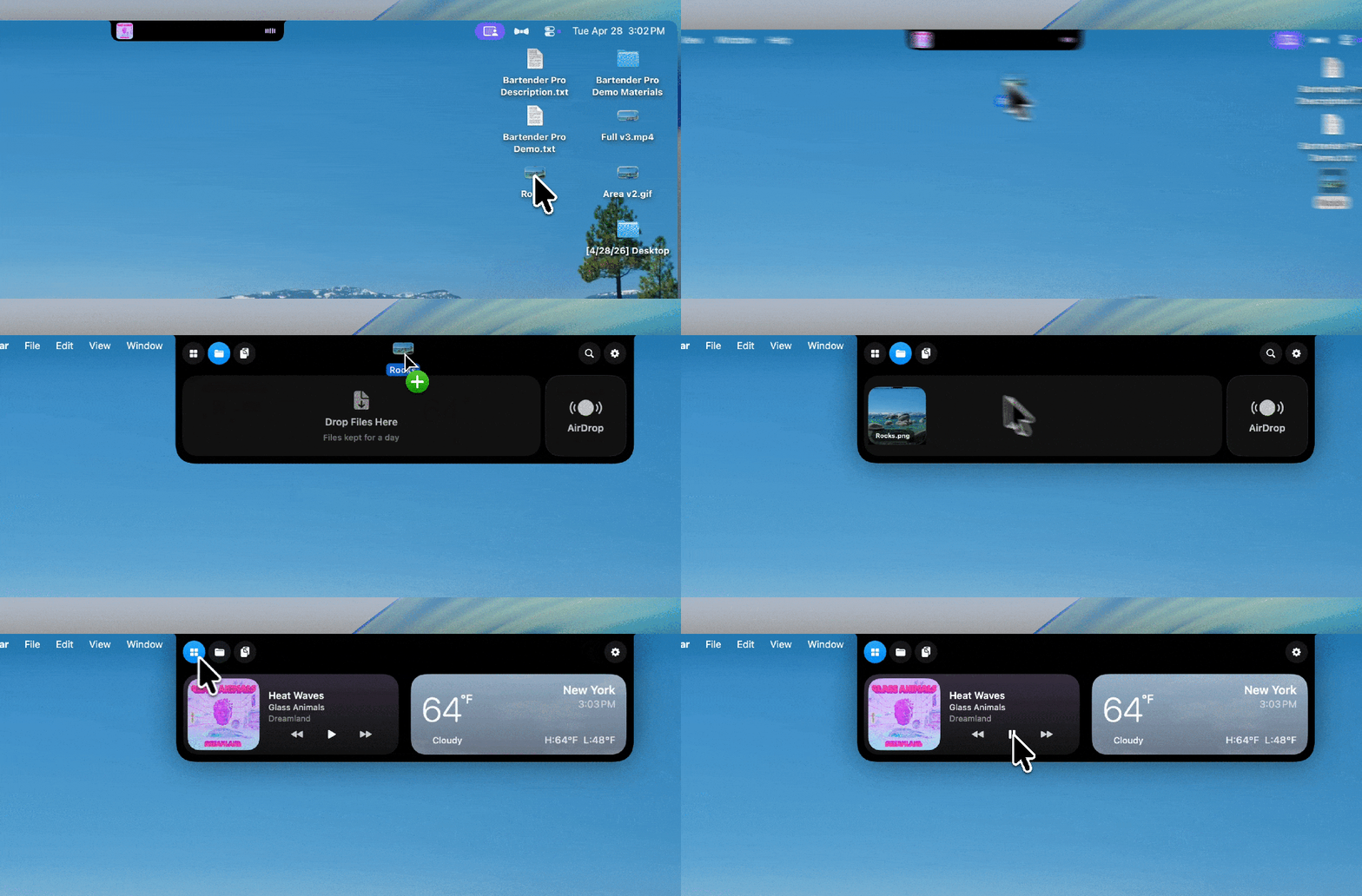
Top Shelf is an interactive feature that lives under the Mac’s notch (or as a Dynamic Island on Macs without a notch). It gives quick access to several useful features and shortcuts that have improved my workflow (once I got used to the idea that hovering my cursor beneath the notch would always bring up its console).
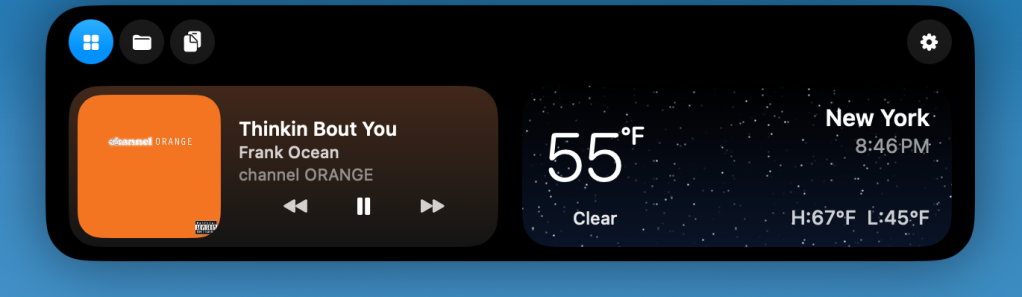
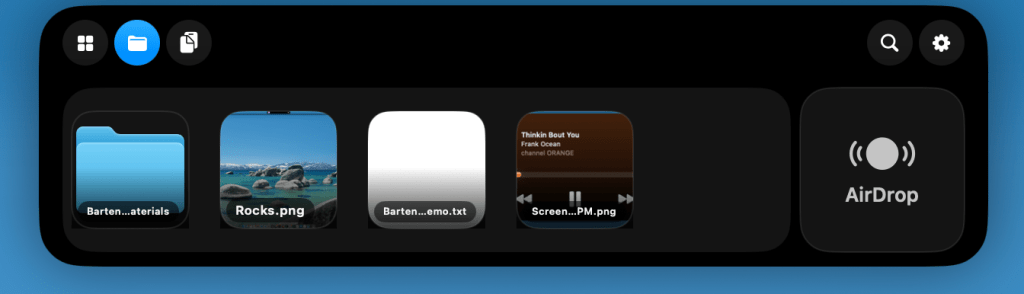
What’s in the shelf?Top Shelf has three main sections: Widgets, Files, and Clipboard. Users can assign keyboard shortcuts to each, choose one as the default view, or have Top Shelf reopen the section they last used.
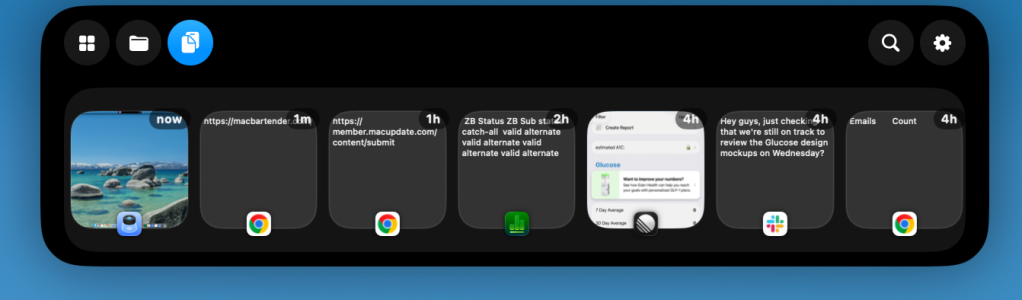
With today’s release, the core Bartender 6 experience (without Top Shelf) remains available for $20.
Bartender Pro, meanwhile, is a new $15/year subscription that includes Bartender 6, Top Shelf, future upgrades during the subscription period, and any other features added to the Pro suite over time.
Users who already have Mega Supporter lifetime access will also get Bartender Pro, including Top Shelf, at no extra cost.
To learn more about Bartender Pro and the new Top Shelf feature, follow this link.
Worth checking out on Amazon


FTC: We use income earning auto affiliate links. More.

| # | Наименование новости | Тональность | Информативность | Дата публикации |
|---|---|---|---|---|
| 1 | Leaker says new MacBook is ‘100% confirmed’ to get touchscreen | 0 | 15.31 | 11-06-2026 |
| 2 | MacBook Ultra could be very good news for MacBook Pro users | 0 | 9.41 | 30-06-2026 |
| 3 | Apple’s MacBook Pro overhaul is coming soon, with a big twist | 0 | 9.11 | 14-07-2026 |
| 4 | MacBook Pro users will soon have two compelling new upgrade options | 0 | 11.23 | 07-08-2026 |
| 5 | New Macs are coming soon, here’s everything we know | 0 | 10.76 | 24-07-2026 |
| 6 | MacBook Ultra is coming: Six new features launching this fall | 0 | 9 | 24-06-2026 |
| 7 | Four new Macs are launching later this year, here’s what’s coming | 0 | 10.74 | 12-06-2026 |
| 8 | MacBook Ultra is coming, here’s the latest on release timing | 0 | 15.44 | 06-08-2026 |
| 9 | New ProDock vertical MacBook docking stations add ports while saving desk space | 3 | 6 | 14-07-2026 |