Просмотр новости
Найдите то, что Вас интересует
 Спутники
 РН
РН SpaceX
 Роскосмос
 NASA
NASA
СпутникиРНSpaceXРоскосмосNASA
There’s a days-long waitlist to get the new Siri AI. But on macOS Golden Gate, you can skip it by pasting in a simple Terminal command.
(via Cult of Mac - Your source for the latest Apple news, rumors, analysis, reviews, how-tos and deals.)
Even after updating all your devices to the OS 27 betas, you can’t get the new Siri AI right away. There’s a waitlist, and users are reporting that it can take days to get accepted. But on macOS Golden Gate, you can skip the waitlist with a little Terminal command.
First, you’ll need to install macOS Golden Gate. If you want to play it safe by installing it on an external volume, you’ll be disappointed — Apple Intelligence only works when macOS is running from your internal storage. So playing it safe is a little harder, unless you have enough free internal space to make a partition.
Whatever your approach, here’s how you can try out the new Siri on your Mac right now.
Update: In macOS 27 developer beta 2, this method no longer works, but there may be another solution.
The Siri AI waitlist appears to be tied to your Apple Account. Once I was accepted on my iPhone, I had it on my Mac and Vision Pro, after I updated those devices. (Alas, my Apple Watch Series 7 is too old.)
However, enabling Siri AI via the Terminal only enables it on that particular Mac. You aren’t technically getting invited, after all; you’re just changing a hidden setting. So if you want to try it on your other devices, you should still go to Settings > Siri, tap Try New Siri, then Join Waitlist.
Nonetheless, if you want a sneak peek, here’s what to do on your Mac.
Table of Contents: Skip the Siri waitlist on macOS Golden Gate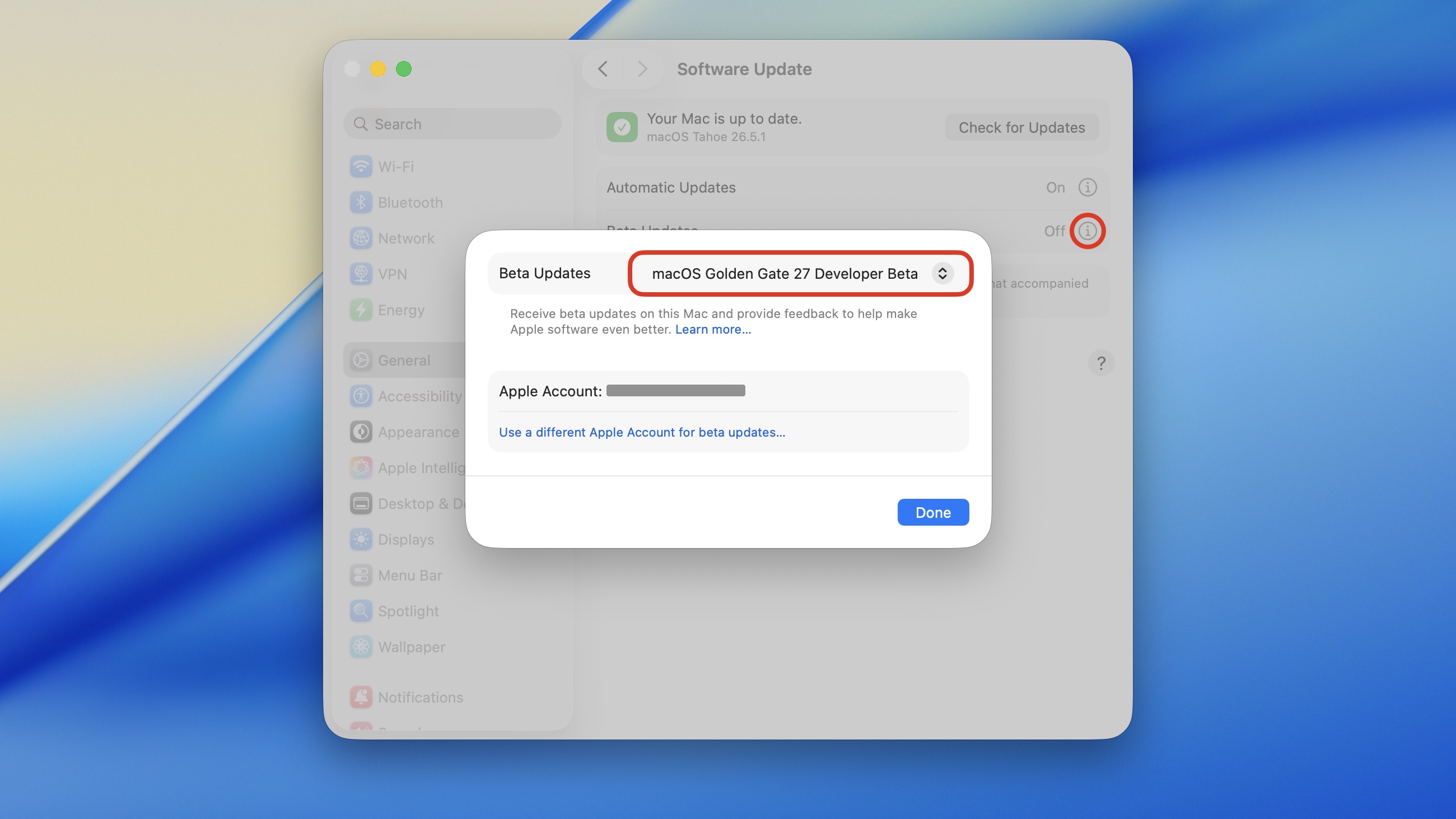 Update your Mac, if you dare.
First, you’ll need to install the macOS Golden Gate 27 developer beta. Be warned that installing an early beta can lead to compatibility problems with some of the apps you use. Golden Gate runs on all Apple silicon Macs.
The smart move is to install Golden Gate on a separate volume. However, be aware that this won’t work on an external drive. Apple Intelligence is only enabled when macOS is running on an internal hard drive, for security, probably. You may need to free up space on your internal disk, then partition your hard drive and install Golden Gate there using the Install Assistant, rather than System Settings.
Or, if you want to throw caution to the wind, you can update Tahoe into Golden Gate directly. Go to System Settings > General > Software Update. Click the ⓘ next to Beta Updates, choose macOS Golden Gate 27 Developer Beta from the dropdown menu and click Done. Then, click Update Now download and install the update.
Copy and paste this command into the Terminal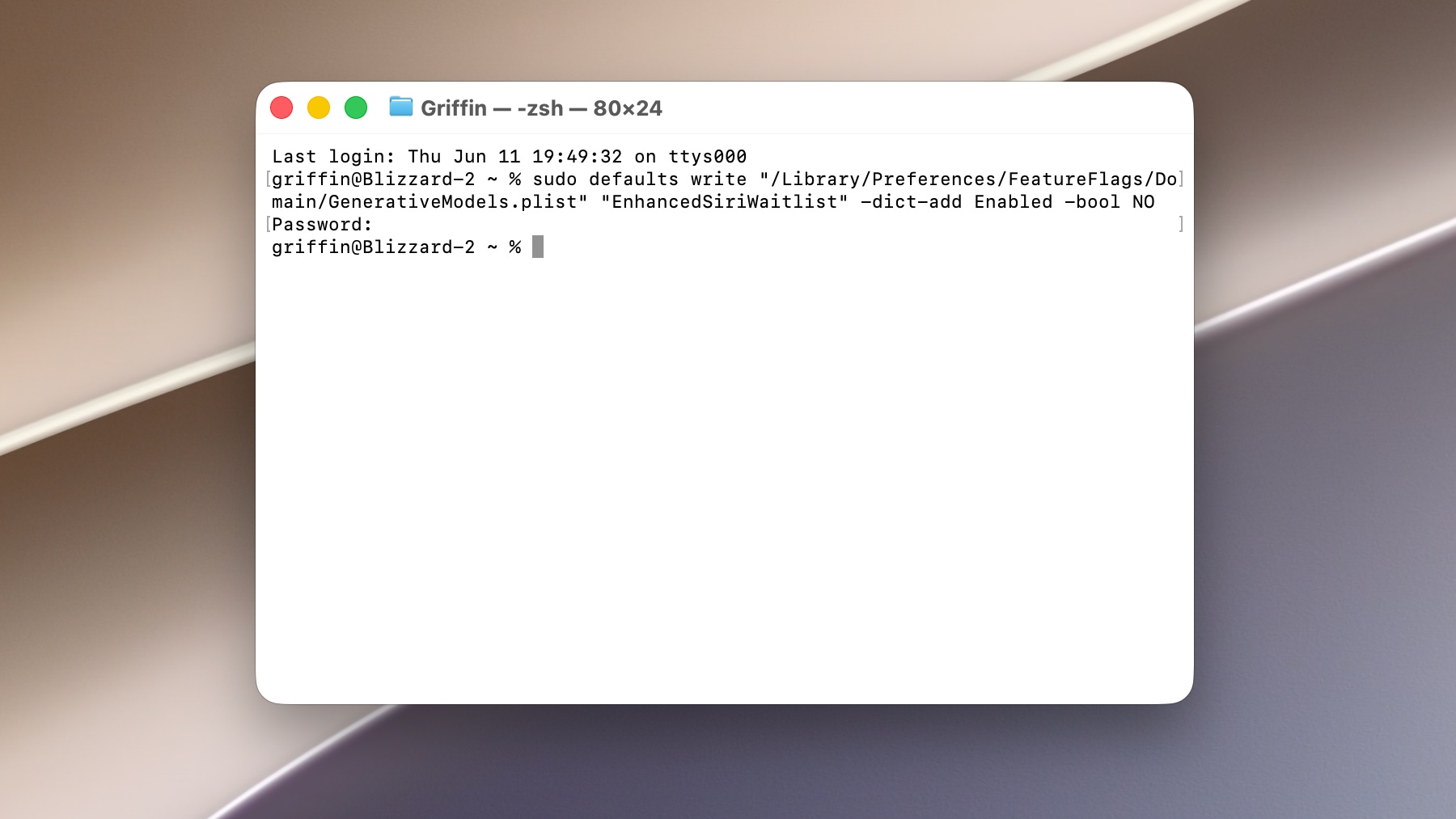 Get the new Siri AI with this Terminal command.
Open the Terminal app. You can launch it from Spotlight by hitting Command-Space, typing in “terminal” and hitting Return.
Copy the following line, paste it into the Terminal, and hit Return:
sudo defaults write "/Library/Preferences/FeatureFlags/Domain/GenerativeModels.plist" "EnhancedSiriWaitlist" -dict-add Enabled -bool NO
You’ll need to type in your user password, then hit Return again. After that, you can close the Terminal.
Reboot your Mac to a enjoy smarter SiriAfter that, go to > Restart to reboot your Mac.
You should see the change right away. Siri is now unified with Spotlight, so hitting Command-Space lets you type to Siri. You can also continue previous conversations, and conversations started on other devices, from the new Siri app.
Not sure what to do? You can read more about what Siri AI can do, along with the 15 other new Apple Intelligence features.
| # | Наименование новости | Тональность | Информативность | Дата публикации |
|---|---|---|---|---|
| 1 | Hack to skip the Siri AI waitlist no longer works — but there may be another way | 0 | 5 | 23-06-2026 |
| 2 | How you might be able to skip the waitlist and get the new Siri AI early | 5 | 5 | 24-06-2026 |
| 3 | How to turn off Siri AI and other Apple Intelligence features | 0 | 18.79 | 19-09-2026 |
| 4 | What does Siri AI mean for your old HomePod? | 0 | 5 | 26-06-2026 |
| 5 | 5 overlooked Mac features that save me time every day | 0 | 26.69 | 01-08-2026 |
| 6 | Apple could spend big to give Siri AI better answers | 0 | 24.46 | 13-08-2026 |
| 7 | Siri AI can now talk to your iPhone apps — starting with your car | 5 | 5 | 08-07-2026 |
| 8 | iOS 27 just broke your oldest iPhone habit | 0 | 5 | 02-07-2026 |
| 9 | Grok Bot for iPhone and Mac lets AI agents do the work for you | 0 | 20.12 | 12-08-2026 |
| 10 | Price drop: Unlock 20 top AIs for life for less than $60 | 6 | 6 | 08-07-2026 |