Просмотр новости
Найдите то, что Вас интересует
 Спутники
 РН
РН SpaceX
 Роскосмос
 NASA
NASA
СпутникиРНSpaceXРоскосмосNASAVirtualization technology for applications and desktops has been around for a long time, but it hasn’t always lived up to the hype surrounding it. Its biggest failing: a poor user experience. And the reason why is simple. When virtualization first came on the scene, GPUs — which are specialists in parallel computing — weren’t part of […]
Virtualization technology for applications and desktops has been around for a long time, but it hasn’t always lived up to the hype surrounding it. Its biggest failing: a poor user experience.
And the reason why is simple. When virtualization first came on the scene, GPUs — which are specialists in parallel computing — weren’t part of the mix. The virtual GPU, aka vGPU, has changed that.
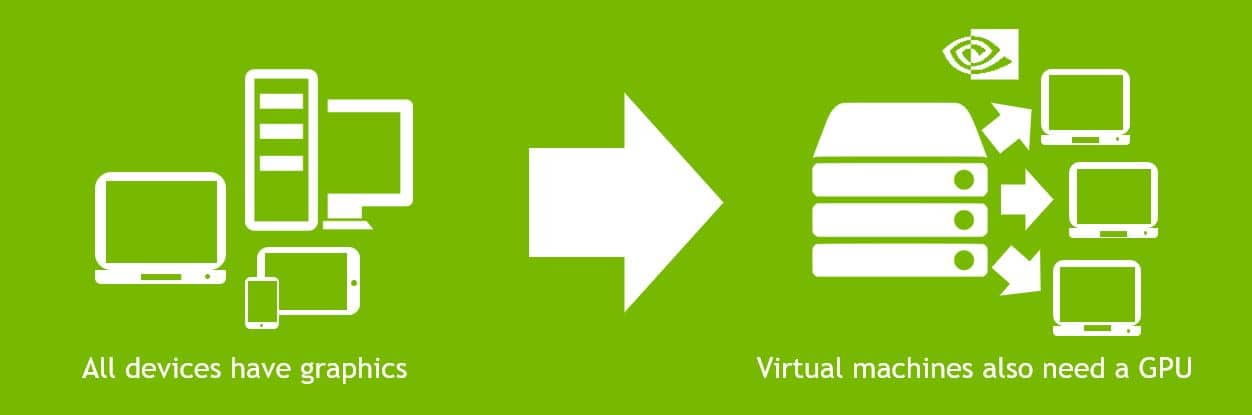
On a traditional physical computing device like a workstation, PC or laptop, a GPU typically performs all the capture, encode and rendering to power complex tasks, such as 3D apps and video. With early virtualization, all of that was handled by the CPU in the data center host. While it was functional for some basic applications, CPU-based virtualization never met the native experience and performance levels that most users needed.
That changed a few years ago when NVIDIA released its virtual GPU. Virtualizing a data center GPU allowed it to be shared across multiple virtual machines. This greatly improved performance for applications and desktops, and allowed organizations to build virtual desktop infrastructures (or VDIs) that cost-effectively scaled this performance across their businesses.
What a GPU Does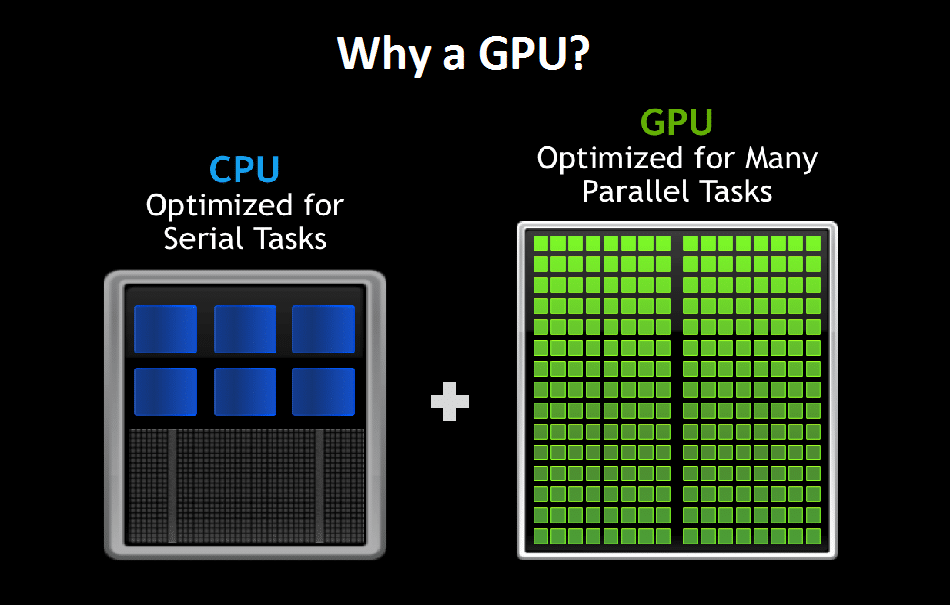 A graphics processing unit has thousands of computing cores to efficiently process workloads in parallel. Think 3D apps, video and image rendering. These are all massively parallel tasks.
The GPU’s ability to handle parallel tasks makes it expert at accelerating computer-aided applications. Engineers rely on them for heavy-duty stuff like computer-aided engineering (CAE), computer-aided design (CAD) and computer-aided manufacturing (CAM) applications. But there are plenty of other consumer and enterprise applications.
Of course, any processor can render graphics. Four, eight or 16 cores could do the job, eventually. But with the thousands of specialized cores on a GPU, there’s no long wait. Applications simply run faster, interactively — the way they’re supposed to run.
Virtual GPUs ExplainedWhat makes a virtual GPU work is software.
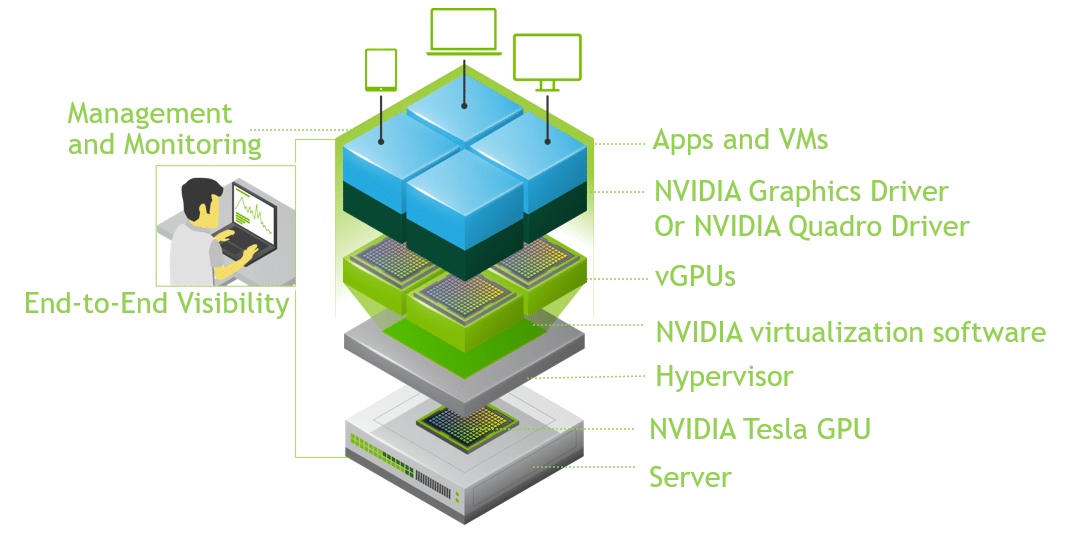 NVIDIA vGPU software delivers graphics-rich virtual desktops and workstations accelerated by NVIDIA Tesla accelerators, the world’s most powerful data center GPUs.
This software transforms a physical GPU installed on a server to create virtual GPUs that can be shared across multiple virtual machines. It’s no longer a one-to-one relationship from GPU to user, but one-to-many.
NVIDIA vGPU software also includes a graphics driver for every virtual machine. Sometimes, this is referred to as server-side graphics. And this enables every virtual machine to get the benefits of a GPU just like a physical desktop has. But because work that was typically done by the CPU has been offloaded to the GPU, users have a much better experience and more users can be supported.
NVIDIA’s virtual GPU offerings include three products designed to meet the challenges of the digital workplace: NVIDIA GRID Virtual PC (GRID vPC) and NVIDIA GRID Virtual Apps (GRID vApps) for knowledge workers and NVIDIA Quadro Virtual Data Center Workstation (Quadro vDWS) for designers, engineers and architects.
NVIDIA GRID Provides an Amazing Experience for Every User
Business users’ graphics requirements are rising. Windows 10 requires up to 32 percent more CPU resources than Windows 7, according to a whitepaper from Lakeside Software, Inc. And updated versions of basic office productivity apps such as Chrome, Skype and Microsoft Office demand a much higher level of computer graphics than before.
This trend toward digitally sophisticated, graphics-intensive workplaces will only accelerate. With CPU-only virtualized environments unable to support the needs of knowledge workers, GPU-accelerated performance with NVIDIA GRID has become a fundamental requirement of virtualized digital workplaces and enterprises using Windows 10.
NVIDIA Quadro vDWS Delivers Secure, Workstation-Class Performance on Any Device Every day, tens of millions of creative and technical professionals need to access the most demanding applications from any device, work from anywhere and interact with large datasets — all while keeping their information secure.
This might be a cardiologist providing a remote consultation and accessing high-quality images while at a conference; or a government agency delivering simulated, immersive training experiences; or an R&D engineer working on a new car design who needs to ensure intellectual property and proprietary designs remain secure in the data center while collaborating with others in a client’s office.
For people with sophisticated, graphics-intense needs like these, Quadro vDWS offers the most powerful virtual workstation from the data center or cloud to any device, anywhere.
How vGPUs Simplify IT Administration
Working with VDI, IT administrators can manage resources centrally instead of supporting individual workstations at every worker location. Plus, the number of users can be scaled up and down based on project and application needs.
NVIDIA virtual GPU monitoring provides IT departments with tools and insights so they can spend less time troubleshooting and more time focusing on strategic projects. IT admins can gain an understanding of their infrastructure down to the application level, enabling them to localize a problem before it starts. This can reduce the number of tickets and escalations, and reduce the time it takes to resolve issues.
With VDI, IT can also better understand the requirements of their users and adjust the allocation of resources. This saves operational costs while enabling a better user experience. In addition, live migration features of NVIDIA GPU-accelerated virtual machines enables IT to perform critical services like workload leveling, infrastructure resilience and server software upgrades without any virtual machine downtime. It lets IT truly deliver quality user experiences with high availability.
How Virtual GPU Help BusinessesThese are a few examples of how organizations that have deployed NVIDIA vGPU offerings have benefited:
Learn more about NVIDIA vGPU solutions by following @NVIDIAVirt.
| # | Наименование новости | Тональность | Информативность | Дата публикации |
|---|---|---|---|---|
| 1 | NVIDIA Expands vGPU Software for Virtual Desktops, Delivers Powerful Graphics and Visualization Performance for Hybrid Workers | 0 | 10.42 | 05-12-2022 |
| 2 | Как мы приручили vGPU до режима авто без проблем | 0 | 6.3 | 22-06-2026 |
| 3 | Benchmarks Show Cloud Users Can Get 3x Boost for Graphics Workloads With NVIDIA RTX Virtual Workstation | 0 | 8.49 | 26-01-2022 |
| 4 | NVIDIA Virtualizes Game Development With RTX PRO Server | 0 | 5 | 10-03-2026 |
| 5 | ВКС и VDI: где ломается производительность и как это исправить | 0 | 7 | 06-07-2026 |
| 6 | 5 главных мифов о миграции виртуальной инфраструктуры | 0 | 13.31 | 05-08-2026 |
| 7 | GNOME Boxes Preparing To Deliver Much Improved Virtualization Experience | 0 | 5.65 | 03-08-2026 |
| 8 | Российский бизнес массово переходит с покупки на аренду облачных GPU-серверов для работы с AI и VDI — исследование Рег.облака | 5 | 7 | 26-01-2026 |
| 9 | Корпоративный ИИ требует не только GPU, но и управляемой среды | 0 | 7 | 30-06-2026 |