Просмотр новости
Найдите то, что Вас интересует
 Спутники
 РН
РН SpaceX
 Роскосмос
 NASA
NASA
СпутникиРНSpaceXРоскосмосNASAResume builder for academics and engineers, deployed at rendercv.com

Write your CV or resume as YAML, then run RenderCV,
rendercv render John_Doe_CV.yaml
and get a PDF with perfect typography.
With RenderCV, you can:
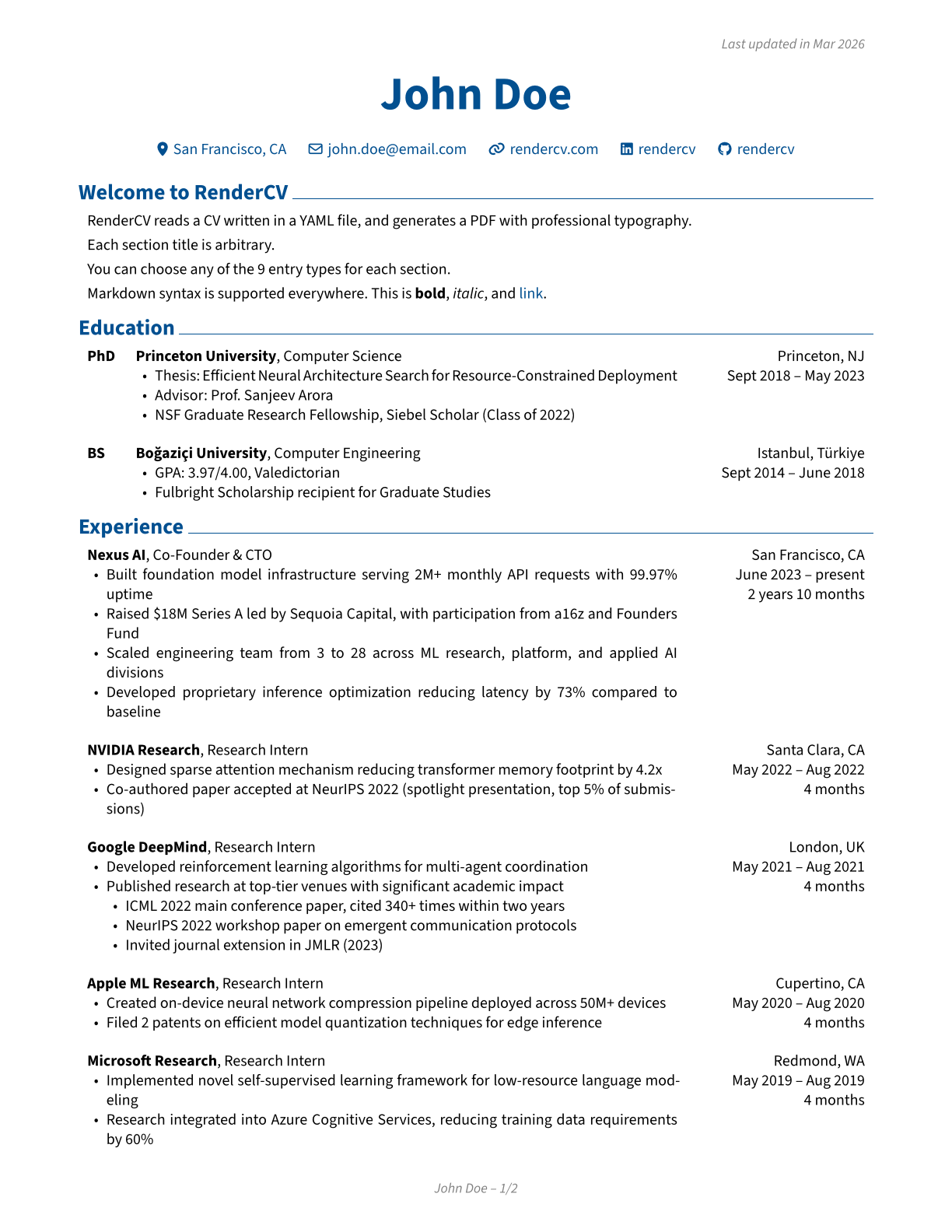
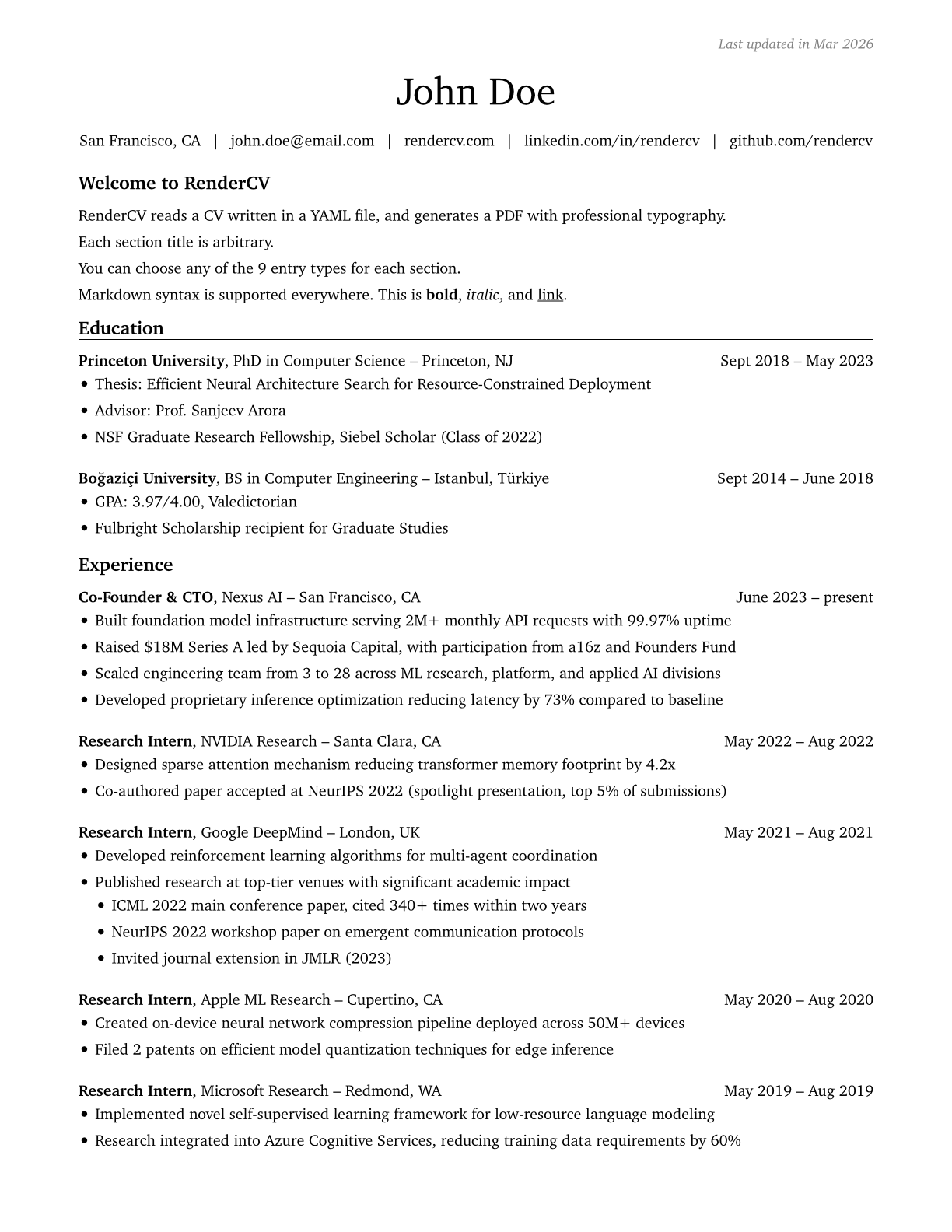
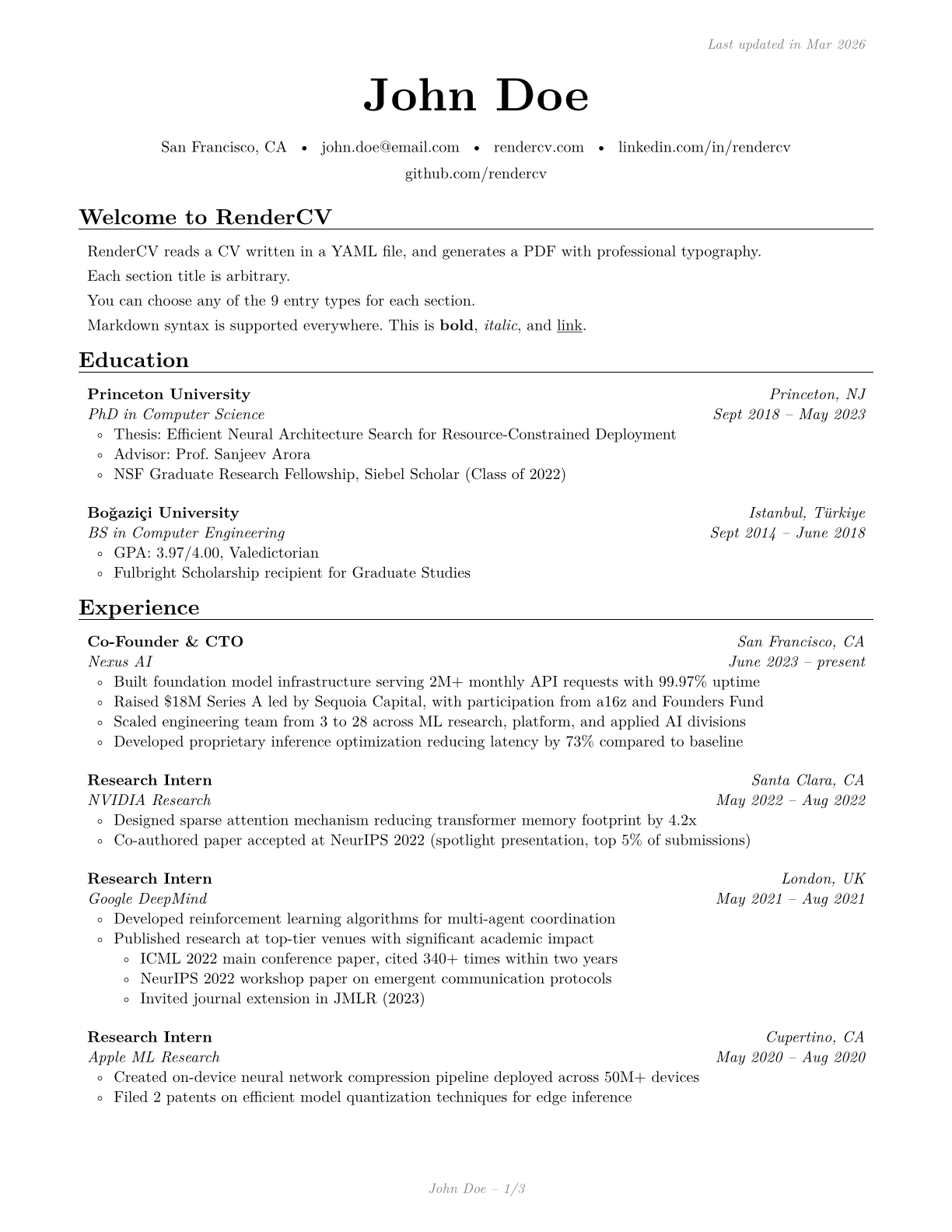
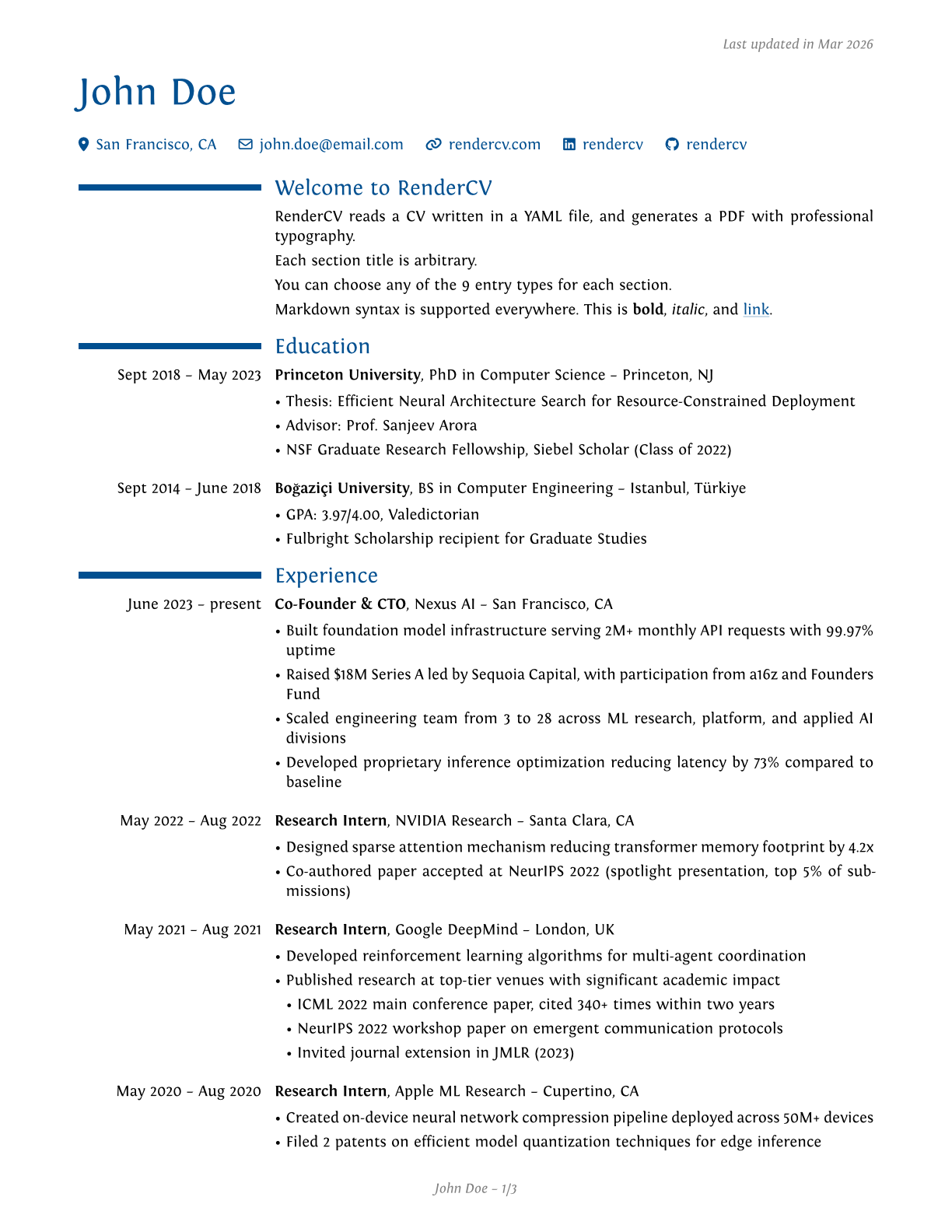
A YAML file like this:
cv:
  name: John Doe
  location: San Francisco, CA
  email: john.doe@email.com
  website: https://rendercv.com/
  social_networks:
    - network: LinkedIn
      username: rendercv
    - network: GitHub
      username: rendercv
  sections:
    Welcome to RenderCV:
      - RenderCV reads a CV written in a YAML file, and generates a PDF with professional typography.
      - See the [documentation](https://docs.rendercv.com) for more details.
    education:
      - institution: Princeton University
        area: Computer Science
        degree: PhD
        date:
        start_date: 2018-09
        end_date: 2023-05
        location: Princeton, NJ
        summary:
        highlights:
          - "Thesis: Efficient Neural Architecture Search for Resource-Constrained Deployment"
          - "Advisor: Prof. Sanjeev Arora"
          - NSF Graduate Research Fellowship, Siebel Scholar (Class of 2022)
    ...
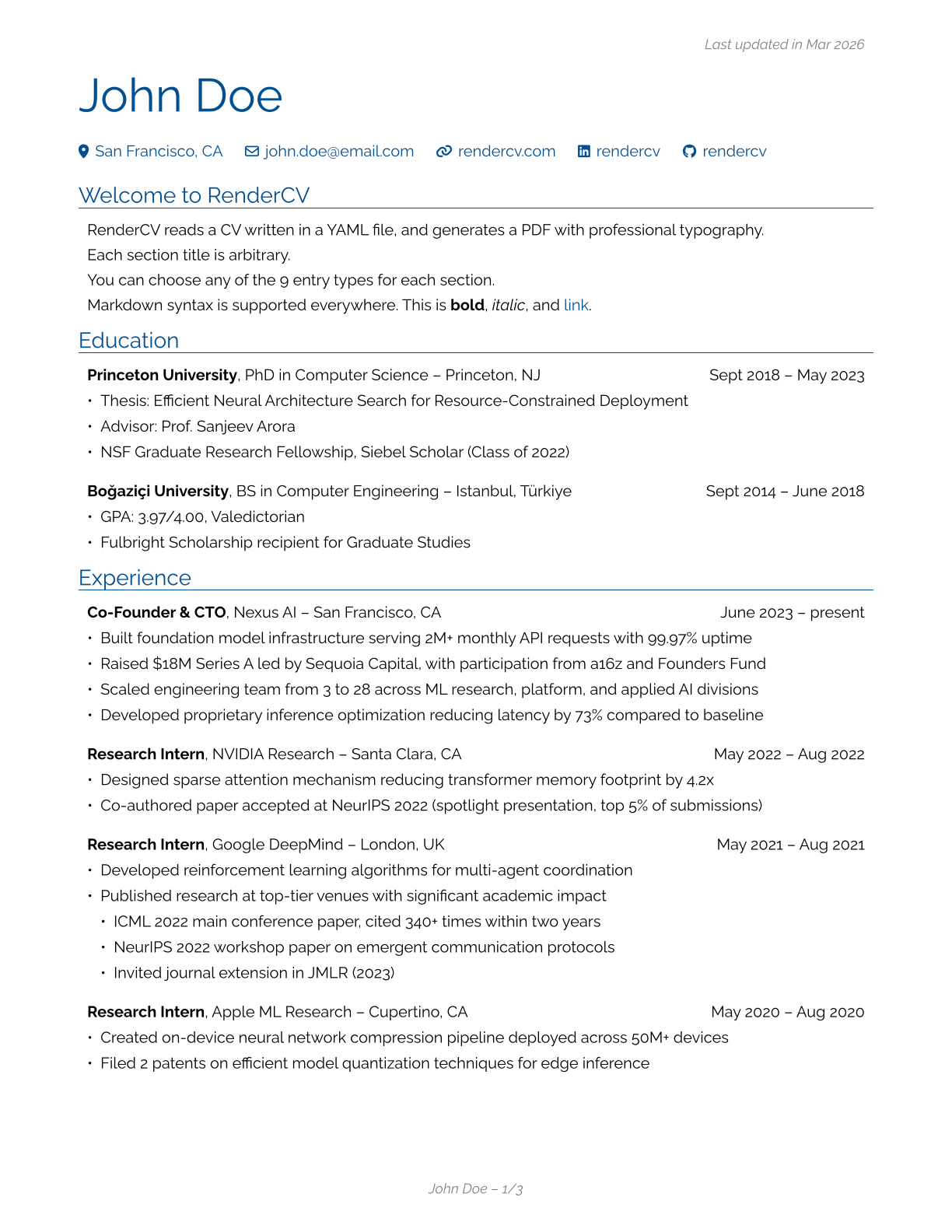
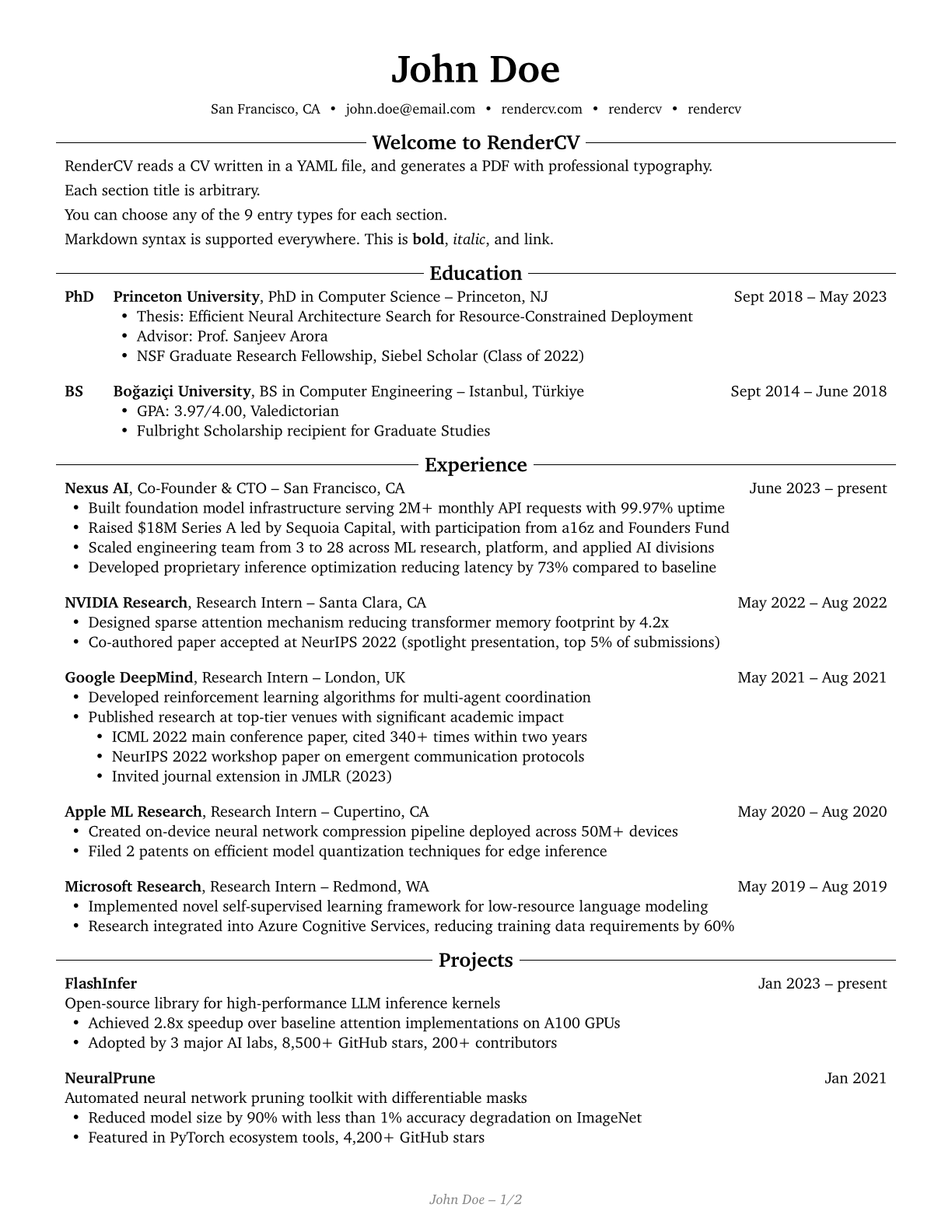
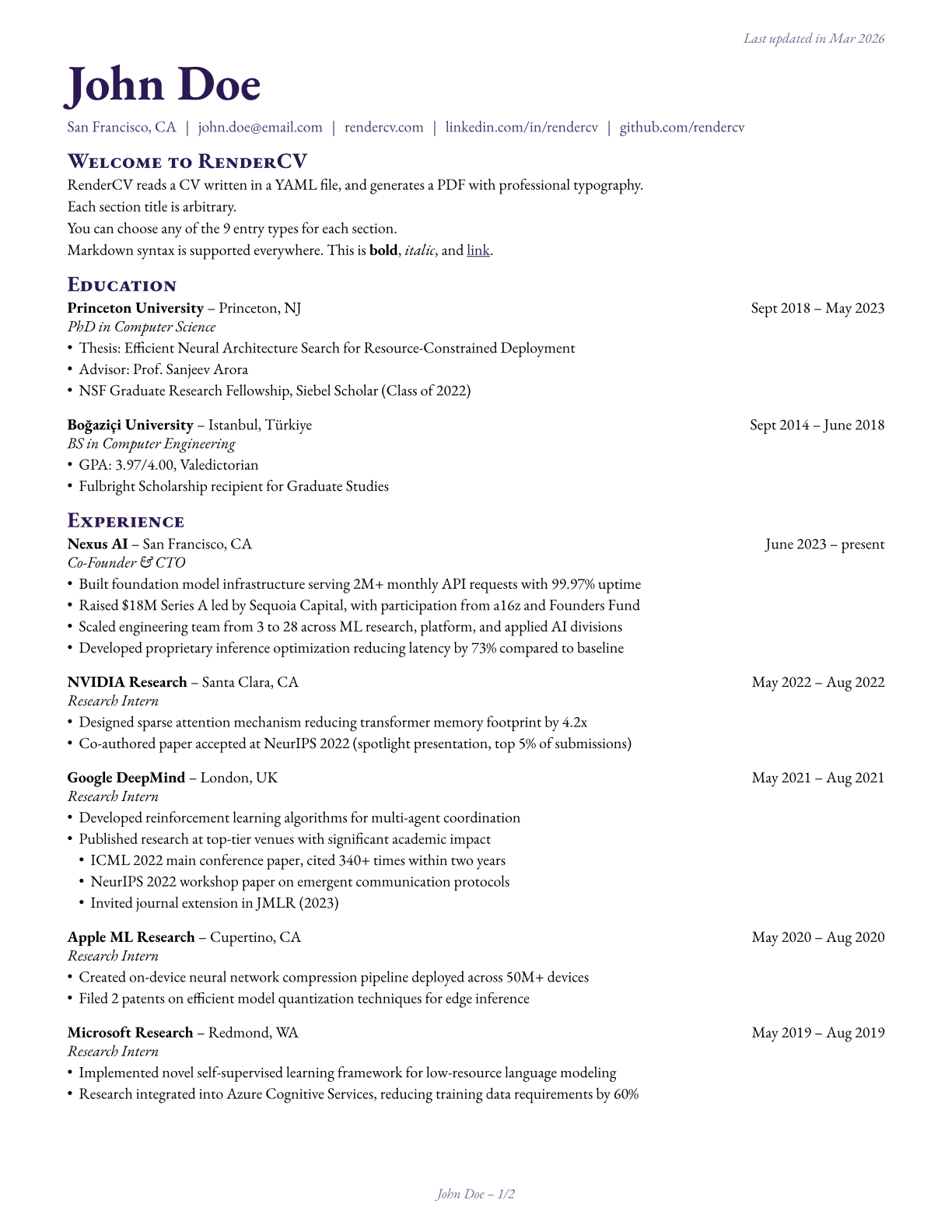
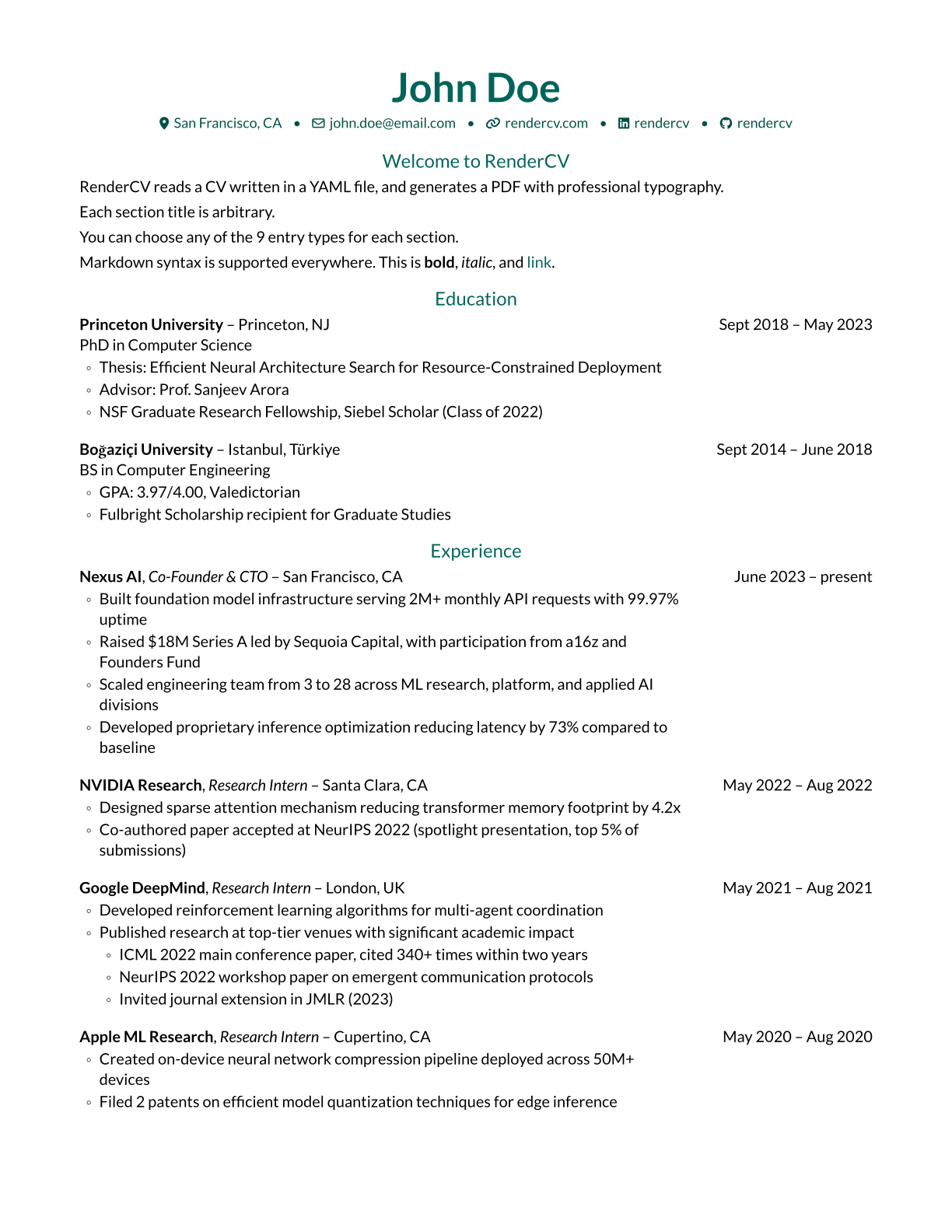
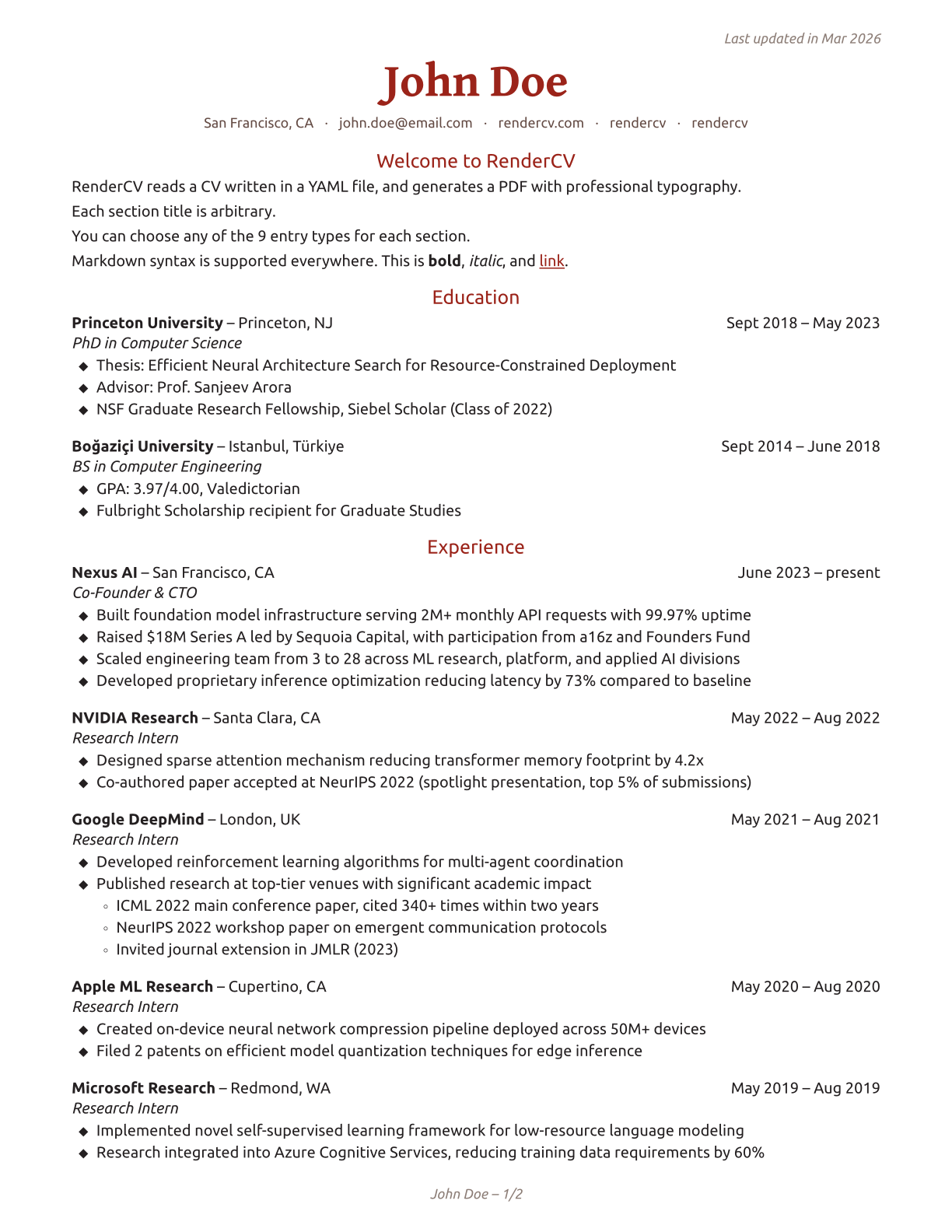
becomes one of these PDFs. Click on the images to preview.
 |
 |
 |
|---|---|---|
 |
 |
 |
 |
 |
 |
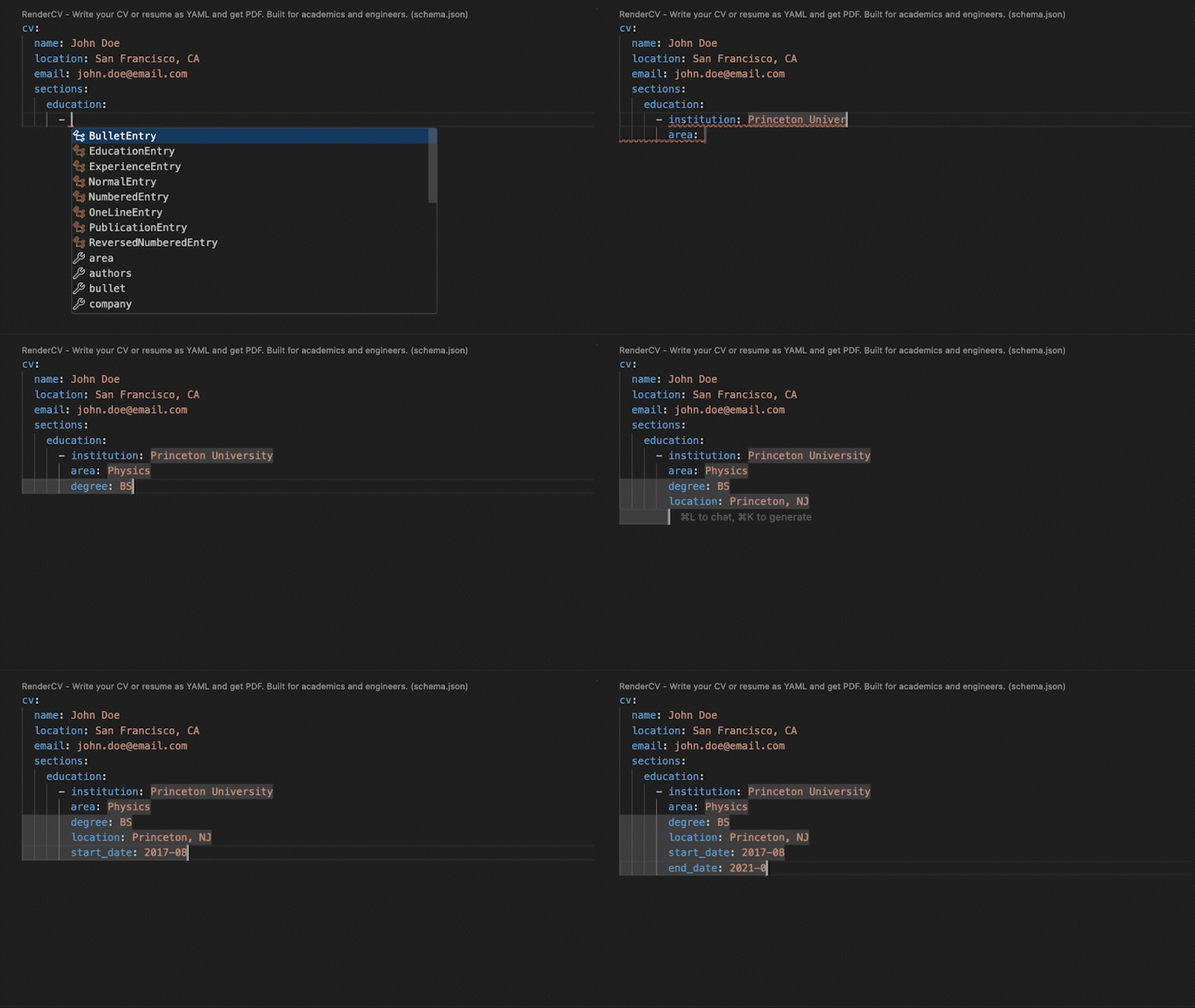
RenderCV's JSON Schema lets you fill out the YAML interactively, with autocompletion and inline documentation.
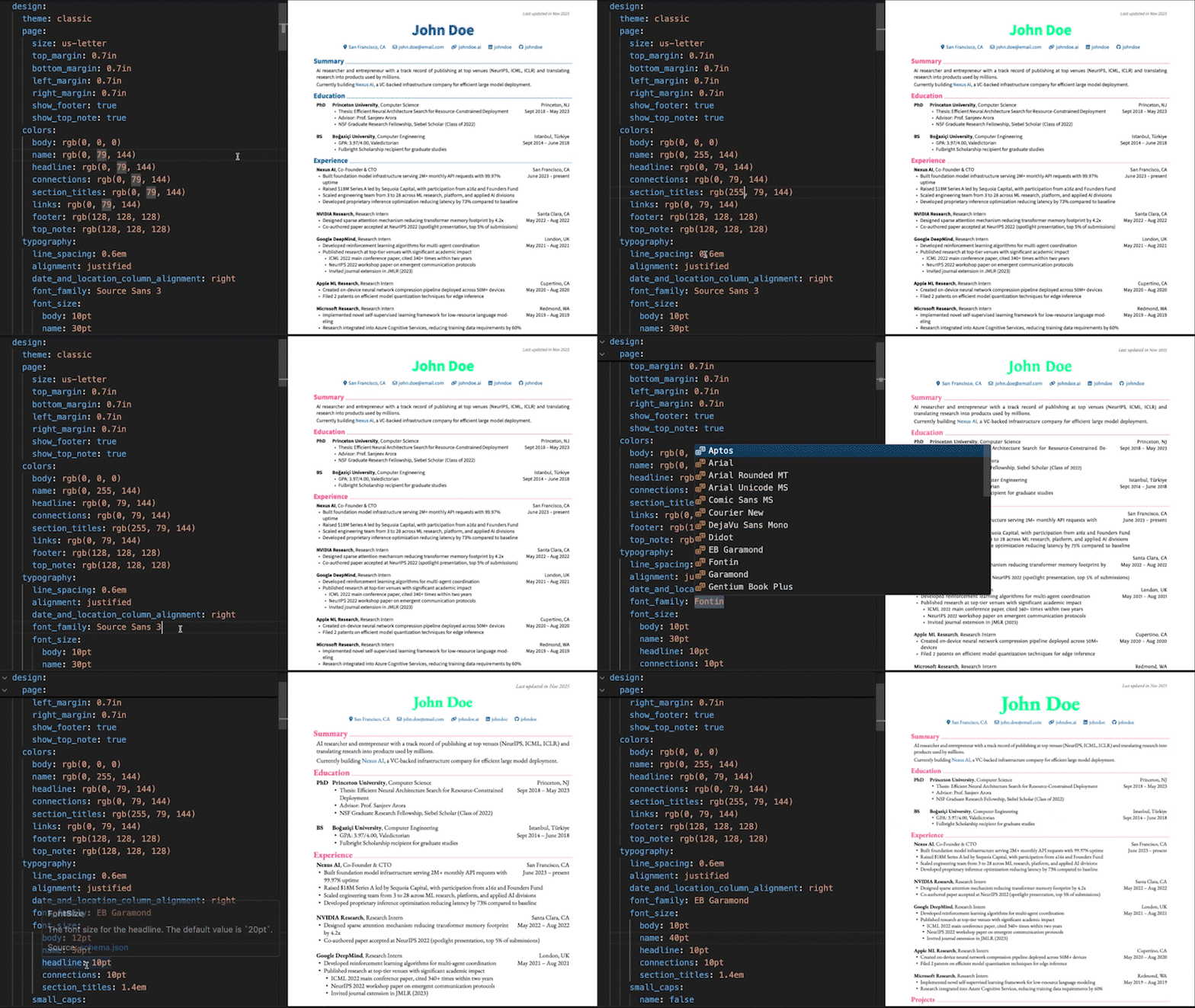
You have full control over every detail.
design:
  theme: classic
  page:
    size: us-letter
    top_margin: 0.7in
    bottom_margin: 0.7in
    left_margin: 0.7in
    right_margin: 0.7in
    show_footer: true
    show_top_note: true
  colors:
    body: rgb(0, 0, 0)
    name: rgb(0, 79, 144)
    headline: rgb(0, 79, 144)
    connections: rgb(0, 79, 144)
    section_titles: rgb(0, 79, 144)
    links: rgb(0, 79, 144)
    footer: rgb(128, 128, 128)
    top_note: rgb(128, 128, 128)
  typography:
    line_spacing: 0.6em
    alignment: justified
    date_and_location_column_alignment: right
    font_family: Source Sans 3
  # ...and much more
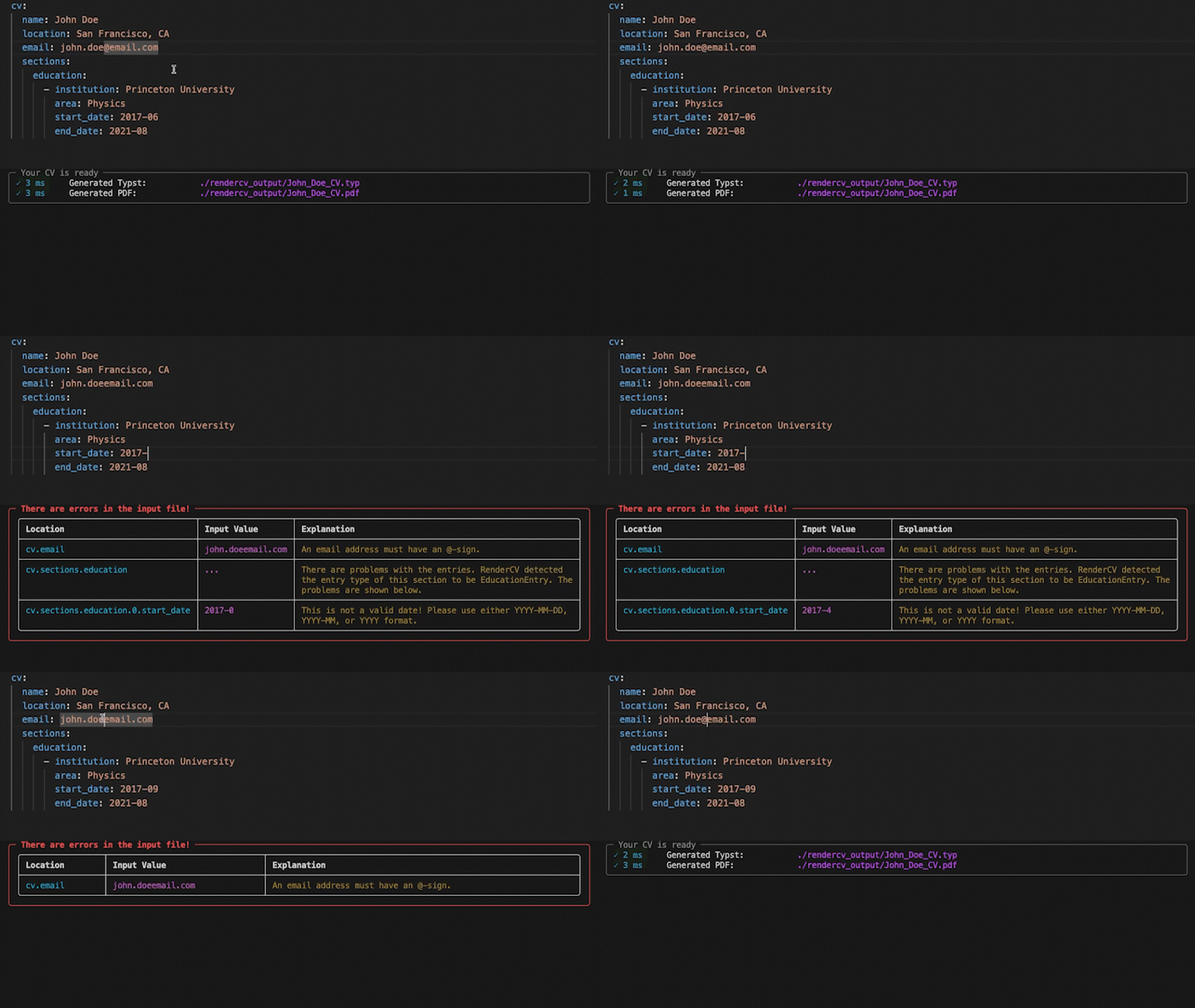
No surprises. If something's wrong, you'll know exactly what and where. If it's valid, you get a perfect PDF.
Fill out the locale field for your language.
locale:
  language: english
  last_updated: Last updated in
  month: month
  months: months
  year: year
  years: years
  present: present
  month_abbreviations:
    - Jan
    - Feb
    - Mar
  ...
Let AI coding agents create and edit your CV. Install the RenderCV skill:
npx skills add rendercv/rendercv-skill
Works with any AI agent that supports the skills standard. The skill is auto-generated from RenderCV's source code and evaluated with promptfoo against RenderCV's own Pydantic validation pipeline. See the documentation for details.
Get StartedInstall RenderCV (Requires Python 3.12+):
pip install "rendercv[full]"
Create a new CV yaml file:
Edit the YAML, then render:
rendercv render "John_Doe_CV.yaml"
For more details, see the user guide.
| # | Наименование новости | Тональность | Информативность | Дата публикации |
|---|---|---|---|---|
| 1 | luxresume 0.1.14 | 0 | 28.18 | 14-08-2026 |
| 2 | luxresume 0.1.13 | 0 | 28.18 | 14-08-2026 |
| 3 | OpenDocs - Turn Your README Into Documentation | 0 | 10 | 20-03-2026 |
| 4 | skill-scanner - Security Scanner for Agent Skills | 0 | 24.29 | 08-03-2026 |
| 5 | fstache: Fast, Typed, Mustache Renderer | 0 | 10 | 28-07-2026 |
| 6 | Nano-PDF - Edit PDF files with Nano Banana | 0 | 22.5 | 03-01-2026 |
| 7 | PyPDFForm: Fire: The Python Library for PDF Forms | 0 | 10 | 15-01-2026 |
| 8 | django-nanopages - Django pages from Markdown | 0 | 26.67 | 25-01-2026 |
| 9 | djangofmt - A fast, HTML aware, Django template formatter, written in Rust | 0 | 10 | 21-02-2026 |
| 10 | StegoForge: Zero-Dependency Python Steganography | 0 | 35 | 07-05-2026 |