Просмотр новости
Найдите то, что Вас интересует
 Спутники
 РН
РН SpaceX
 Роскосмос
 NASA
NASA
СпутникиРНSpaceXРоскосмосNASAUpdate: Folder-level AI translations is now available. Find out more at: https://www.storyblok.com/cl/2025-December-ai-translation-on-folder-level.
January 19, 2026Growth Plan
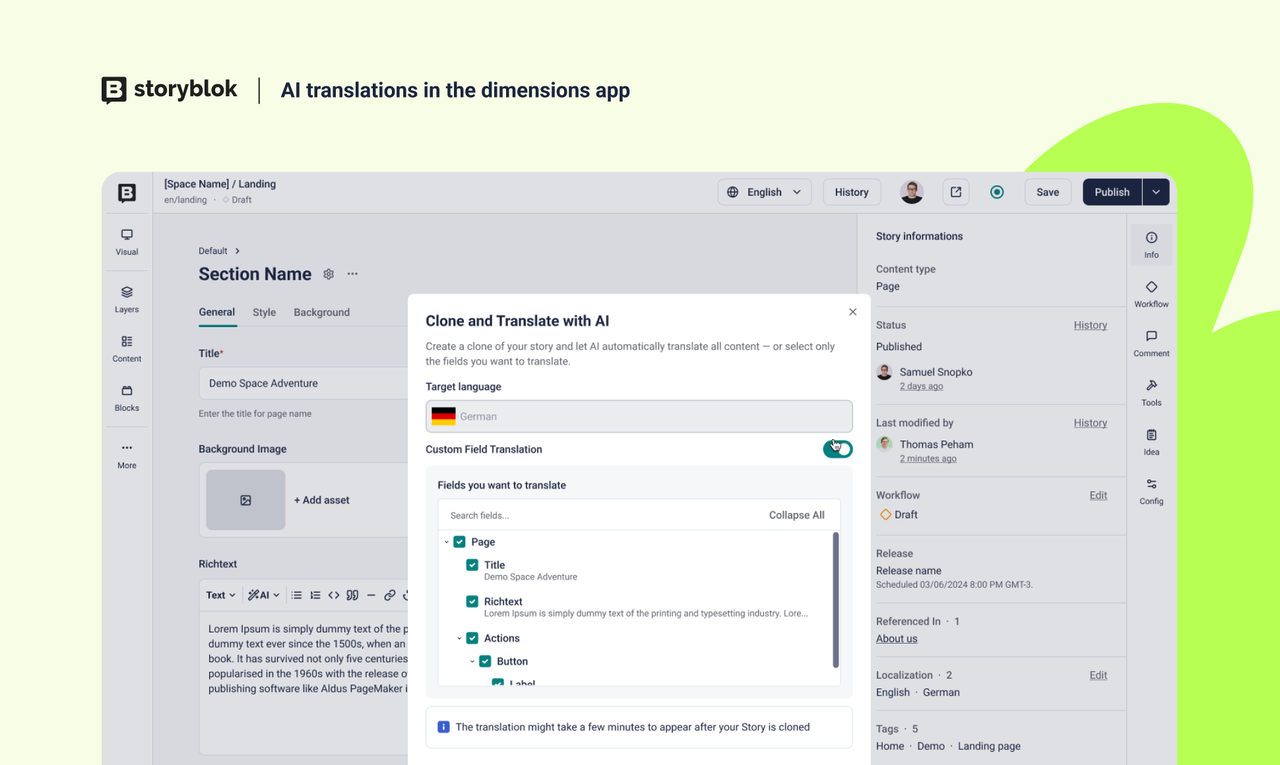
Making it possible to use our AI translations feature, where users are able to quickly translate their content with the help of AI, in the Dimensions app.
Key Benefits
NewJuly 20, 2026Premium Plan
Workflows for field-level translationsSpaces using field-level translations can now run a separate workflow per language. Until now, a story had one workflow for all languages where a stage that fit default language applied to every other language too. Teams that needed to translate, review, and publish languages on different schedules had to work around a single shared state. Add a "workflow for languages" to a workflow and configure per-language stages, colors, content rights, and transitions. Language variants show in the Workflows page, the Visual Editor, and the Content list. Assignees are still global so you cannot assign a different person per language variant. Key Benefits: Translate, review, and publish each language on its own schedule Regional teams work in their language variant without blocking others Approvals and content rights map to the language, not the whole story [Learn more]
NewJuly 8, 2026
Keyboard shortcuts for Visual EditorThis week, we have released the keyboard shortcuts for the Visual Editor! 🚀 Users can now navigate the Visual Editor with the help of keyboard shortcuts, to make the editing experience smoother, more accessible and convenient. The available shortcuts are: ActionMacOSWindows/LinuxOpen the Block libraryCommand + BCtrl + BOpen LanguagesShift + LShow HistoryCommand + Shift + HCtrl + Shift + HSave a storyCommand + SCtrl + SPublish a storyCommand + Shift + PCtrl + Shift + PUnpublish a storyCommand + Shift + UCtrl + Shift + UOpen InfoCommand + ICtrl + I Users are now able to find a keyboard shortcuts overview in the right hand side panel, showing the list of available shortcuts depending on the operating system they are using (Mac or Windows / Linux).
| # | Наименование новости | Тональность | Информативность | Дата публикации |
|---|---|---|---|---|
| 1 | Workflows for field-level translations | 0 | 19.34 | 20-07-2026 |
| 2 | AI Credits | 0 | 13.67 | 19-01-2026 |
| 3 | Content Calendar | 0 | 7.16 | 11-11-2025 |
| 4 | API Performance Improvements | 0 | 11.73 | 26-05-2026 |
| 5 | Storyblok Native A/B Testing | 0 | 10.35 | 01-06-2026 |
| 6 | Release Merging | 0 | 13.67 | 29-01-2026 |
| 7 | UI Accessibility Updates | 0 | 6.4 | 24-04-2026 |
| 8 | Scoped Personal Access Tokens | 0 | 10.35 | 27-05-2026 |
| 9 | Enterprise Assets Library | 0 | 6.4 | 01-06-2026 |
| 10 | Spotlight feature removal | 0 | 6.4 | 18-02-2026 |