Просмотр новости
Найдите то, что Вас интересует
 Спутники
 РН
РН SpaceX
 Роскосмос
 NASA
NASA
СпутникиРНSpaceXРоскосмосNASAUpdate: FlowMotion is now available. Find out more at: https://www.storyblok.com/cl/2026-March-Flowmotion.
April 24, 2026
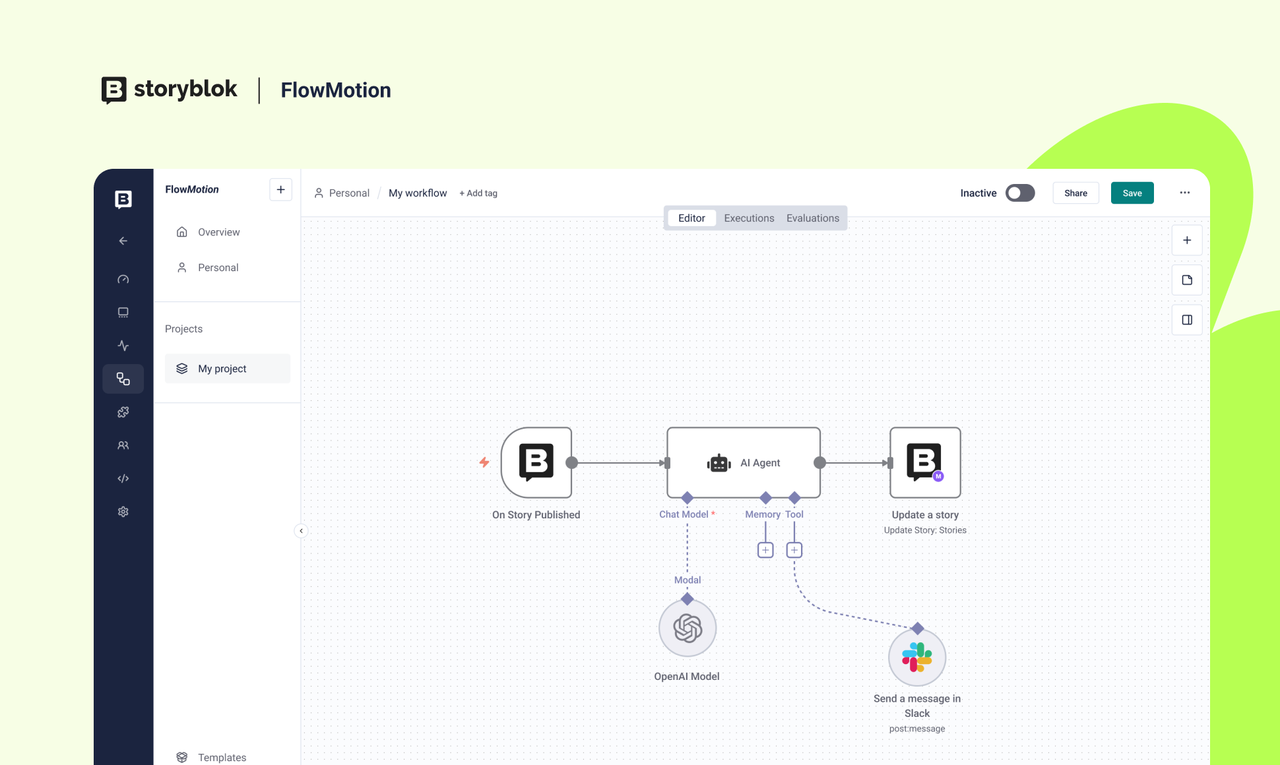
FlowMotion connects your content to the tools, teams, and processes that move your business forward.
Build structured, rule-based workflows that run your content operations in the right order, automatically and with control.
NewJuly 20, 2026Premium Plan
Workflows for field-level translationsSpaces using field-level translations can now run a separate workflow per language. Until now, a story had one workflow for all languages where a stage that fit default language applied to every other language too. Teams that needed to translate, review, and publish languages on different schedules had to work around a single shared state. Add a "workflow for languages" to a workflow and configure per-language stages, colors, content rights, and transitions. Language variants show in the Workflows page, the Visual Editor, and the Content list. Assignees are still global so you cannot assign a different person per language variant. Key Benefits: Translate, review, and publish each language on its own schedule Regional teams work in their language variant without blocking others Approvals and content rights map to the language, not the whole story [Learn more]
NewJuly 8, 2026
Keyboard shortcuts for Visual EditorThis week, we have released the keyboard shortcuts for the Visual Editor! 🚀 Users can now navigate the Visual Editor with the help of keyboard shortcuts, to make the editing experience smoother, more accessible and convenient. The available shortcuts are: ActionMacOSWindows/LinuxOpen the Block libraryCommand + BCtrl + BOpen LanguagesShift + LShow HistoryCommand + Shift + HCtrl + Shift + HSave a storyCommand + SCtrl + SPublish a storyCommand + Shift + PCtrl + Shift + PUnpublish a storyCommand + Shift + UCtrl + Shift + UOpen InfoCommand + ICtrl + I Users are now able to find a keyboard shortcuts overview in the right hand side panel, showing the list of available shortcuts depending on the operating system they are using (Mac or Windows / Linux).
| # | Наименование новости | Тональность | Информативность | Дата публикации |
|---|---|---|---|---|
| 1 | UI Accessibility Updates | 0 | 6.4 | 24-04-2026 |
| 2 | Figma Connect | 0 | 7.16 | 11-11-2025 |
| 3 | Spotlight feature removal | 0 | 6.4 | 18-02-2026 |
| 4 | API Performance Improvements | 0 | 11.73 | 26-05-2026 |
| 5 | Workflows for field-level translations | 0 | 19.34 | 20-07-2026 |
| 6 | Bynder App: Add image transformations | 0 | 5.43 | 24-04-2026 |
| 7 | Enterprise Assets Library | 0 | 6.4 | 01-06-2026 |
| 8 | Storyblok Native A/B Testing | 0 | 10.35 | 01-06-2026 |
| 9 | Keyboard shortcuts for Visual Editor | 0 | 9.31 | 08-07-2026 |
| 10 | Type-Safe Schemas with @storyblok/schema | 0 | 14.84 | 27-07-2026 |